My TV suddenly stopped responding to the remote even after changing batteries, power cycling the TV, and trying to re-pair it. The buttons on the TV itself still work, but the remote does nothing. Can anyone suggest what else I should check or how to fix a TV that no longer detects its remote signal?
If your TV stops listening to the remote, it feels like the whole setup broke. In my case it was almost always something small and dumb, not a dead TV. Here is what I usually check, in the same order I would do it at home.
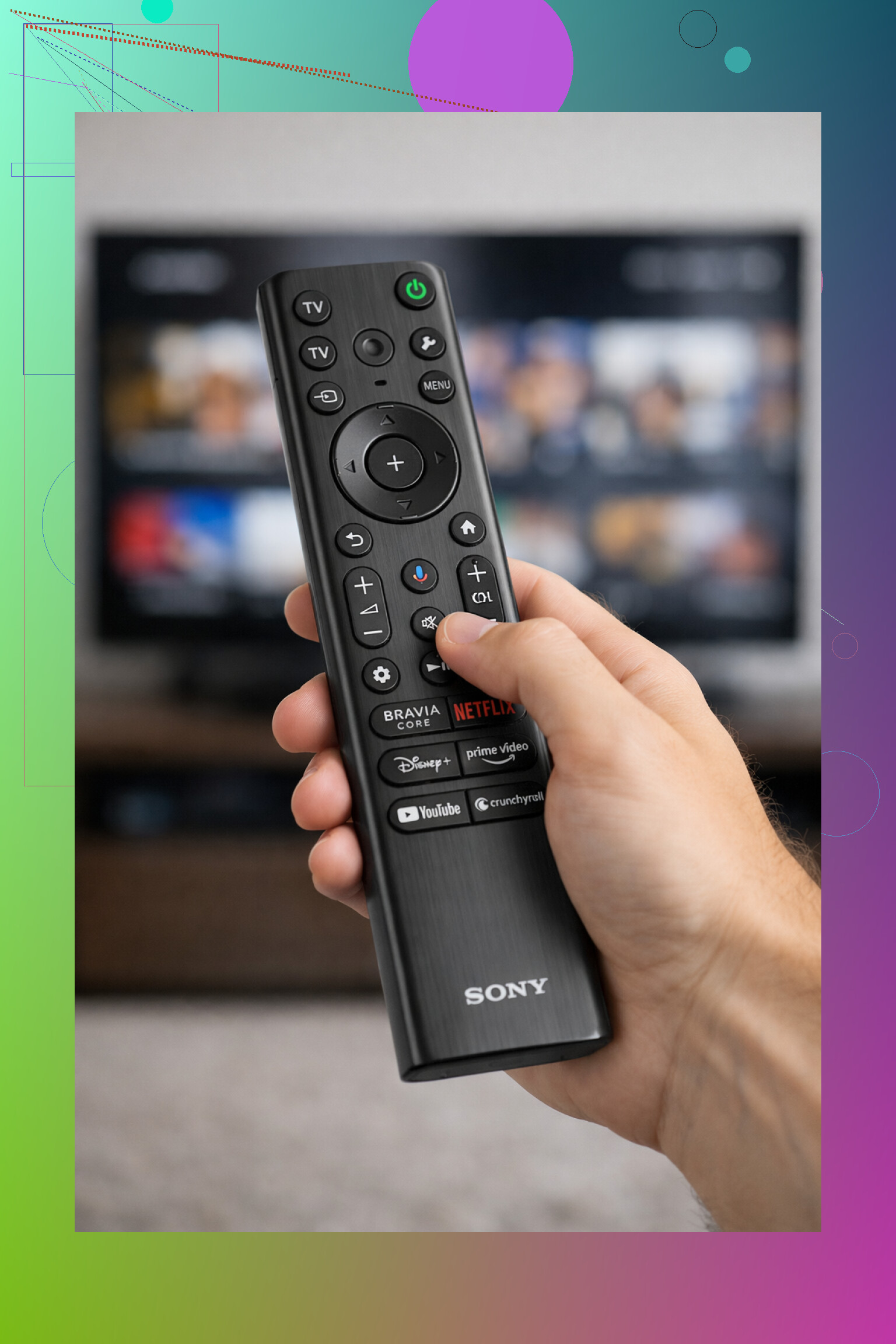
- Batteries are weak or dead
I start with batteries every time.
• Put in a fresh pair. Do not move batteries from another remote, those are usually half drained too.
• Match the plus and minus signs, even one flipped battery will mess it up.
Sometimes the little LED on the remote still lights up with weak batteries, but the signal to the TV is too faint. So “light on” does not mean “all good”.
- Sensor on the TV is blocked
For old school infrared remotes, the TV needs a clear “line of sight”.
What I do:
• Find the tiny dark window on the front of the TV. That is usually the IR sensor.
• Wipe it with a cloth. Dust and fingerprints make more difference than you expect.
• Move stuff in front of the TV. Soundbars, boxes, decorations, even a coffee mug in the wrong spot has blocked mine once.
• Point the remote straight at the TV from a few feet away and test again.
Even a small angle or something in front can be enough for the TV to ignore you.
- Smart TV remote lost its pairing
Bluetooth remotes are nice until they “forget” the TV. Happened to my Samsung and my LG at least once.
What helped:
• Hold Home and Back at the same time for about 5–10 seconds. Wait and see if the TV shows a pairing popup.
• If nothing happens, pull the batteries out of the remote, leave it 30 seconds, put them back, and try again.
• Each brand hides the pairing combo in a different place, so it is worth checking your TV manual or the support page for your model.
When pairing works, it usually clicks back to normal in a second or two.
- Remote is dead for real
I do this quick test with my phone when I suspect the remote itself.
• Open the camera app on your phone.
• Point the front of the remote at the camera lens.
• Press any button on the remote and look at the phone screen.
Most IR remotes will show a flickering white or purple light in the camera view. If you see nothing, even while holding multiple buttons, there is a good chance the remote is gone. A drop, spilled drink, or rough kids can kill it even if the outside looks fine.
If it still does not respond after all that, I stop fighting with the plastic remote and swap to a phone solution.
✓ Using your phone as a remote when the real one refuses to work
If nothing above helps, your TV is not useless. Phones cover almost everything now. I use two approaches, depending on the box or TV.
Apple TV users
If you have an Apple TV, the easiest fix is already on your iPhone. No extra download.
What I do:
- On the iPhone, swipe to open Control Center.
- Tap the Apple TV Remote icon.
- Pick your Apple TV from the list.
You get a touchpad, back, play, home, and volume. Typing with the phone keyboard is a lot faster for search than that slow on screen keyboard. The only catch, the iPhone and Apple TV need to be on the same Wi‑Fi.
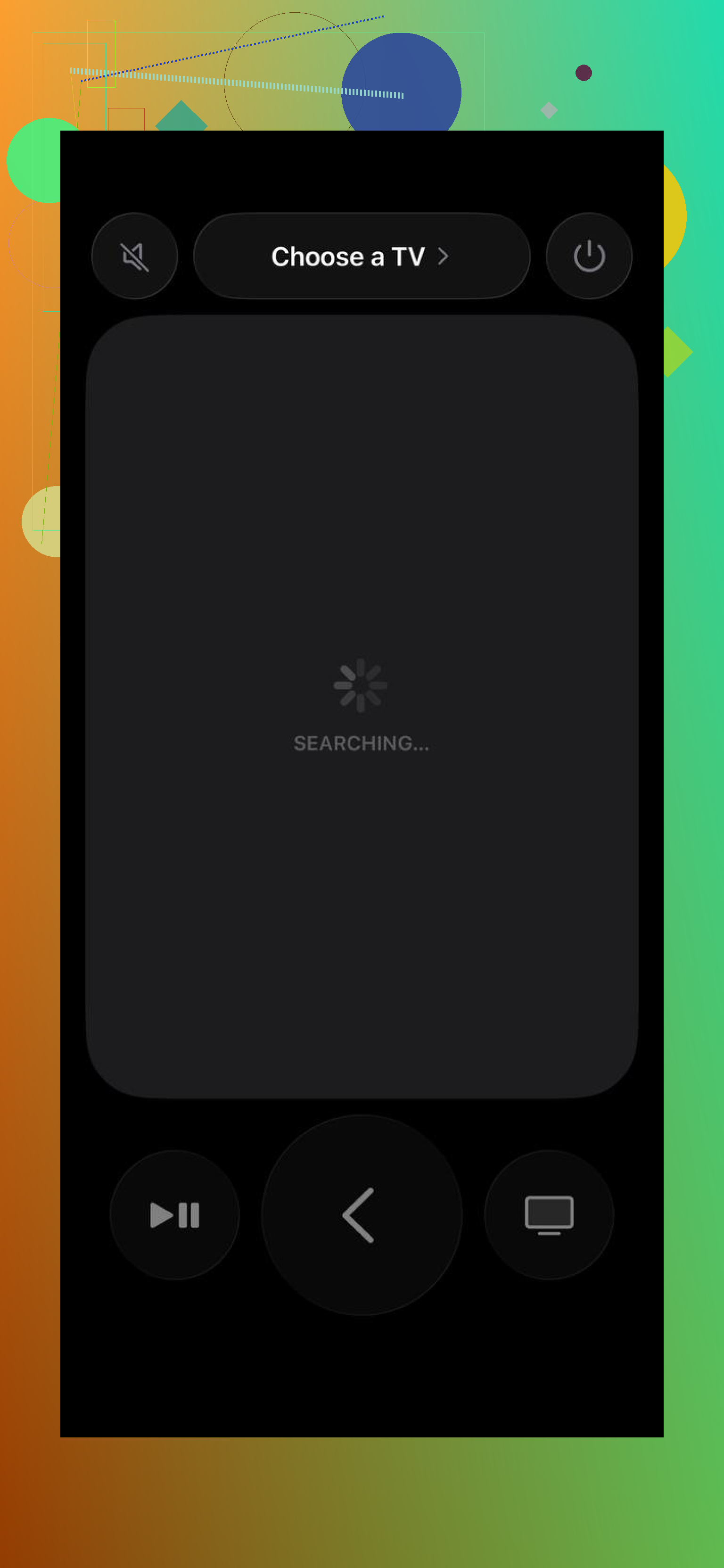
This saved me when the Apple TV remote fell behind the couch for a week.
Other Smart TVs
For everything that is not Apple TV, I ended up using a universal app.
TVRem is one example that worked fine on my side:
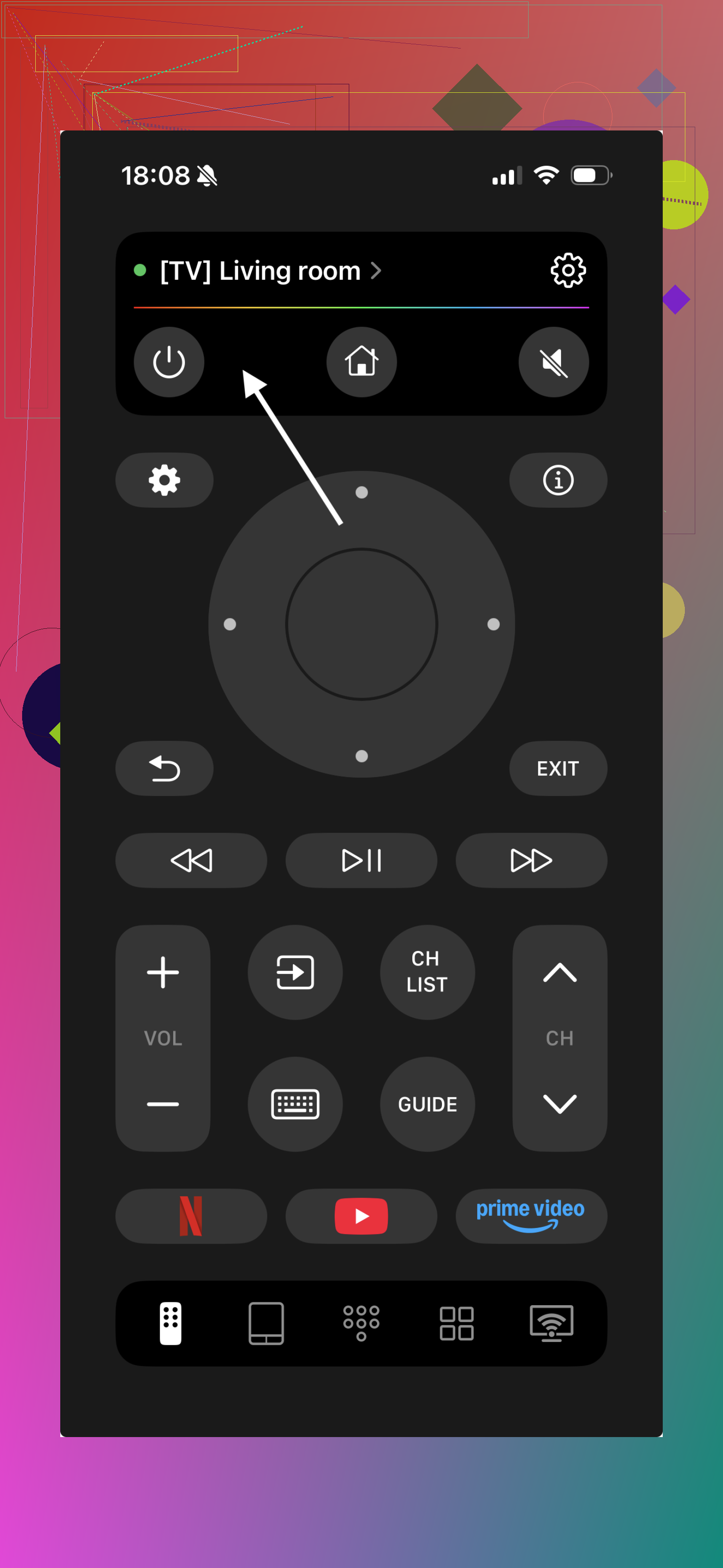
What I noticed with TVRem:
• Works over Wi‑Fi with most recent Smart TVs, once they are on the same network as your phone.
• Volume, channels, navigation, app launching, basic settings, all mapped to the phone screen.
• You can control more than one TV from the app, useful if you have a living room and bedroom setup.
• Setup for me took under a minute. Open the app, let it scan, pick the TV, accept the prompt on the TV.
There is also a short demo here

I switched to TVRem when my original remote started lagging, especially the volume keys. The original remote still “worked”, but every button press took half a second. On the phone it felt instant and I did not need to create an account or log into anything.
If you want the desktop page for it, it is here:
How I would tackle “remote not working” step by step
- Swap in brand new batteries, check polarity.
- Clear the front of the TV, clean around the sensor, stand in front and try again.
- Try the re‑pair shortcut for your TV brand, or look it up by exact model.
- Use the phone camera test to see if the remote is even sending a signal.
If none of that fixes it:
• Apple TV users, use the built‑in iPhone Apple TV Remote.
• Smart TV users, grab something like TVRem from
TVRem Universal TV Remote App App - App Store
or from the dev page at
Free TV Remote App for iPhone & iPad: One Remote for Almost All TVs
This way you still control the TV without buying a new remote or waiting on shipping, and you get faster text entry and quicker access to your apps on top.
39 Likes
If the TV buttons still work, the TV is fine. The problem is remote, sensor, or software. Since you already tried batteries, power cycle, and re pairing, try these in order:
-
Check if your TV uses IR or Bluetooth
• If the remote needs line of sight, it is IR.
• If it works from behind walls, it is Bluetooth or RF.
For IR, point it straight at the TV from 3 to 6 feet. No angle. No glass cabinet. A lot of glass filters IR more than people expect. -
Confirm the remote signal with a different method than @mikeappsreviewer
They mentioned the phone camera test. Good, but not perfect.
Some newer Bluetooth style remotes have an IR LED only for power and pairing. So you might see light on the camera even if the Bluetooth radio is dead.
Better test:
• If your TV has an IR input listed in the manual, use any cheap universal IR remote and program it for that brand.
• If the universal remote works, your original remote is the bad part, not the TV. -
Check for “Remote control” or “CEC” settings in the TV menu
Use the TV buttons to go through menus.
Look for:
• Settings > General > External Devices > Input Device Manager > Remote or CEC / Anynet+ / Simplink / Bravia Sync.
• Some TVs disable internal IR or external control when you turn off certain options.
Try toggling CEC off, then back on. On a few models, broken HDMI CEC devices make the TV ignore parts of the remote. -
Disconnect everything from HDMI and USB
Pull all HDMI devices, USB drives, game consoles, soundbars that use HDMI ARC.
Then unplug the TV for 2 to 3 minutes.
Plug TV back in with no devices attached.
Test the remote again.
I have seen bad HDMI sticks lock up the TV input system so remote commands for volume and source stop working, while panel buttons still respond. -
Check for firmware bugs
Using only the TV buttons:
• Open Settings.
• Find Software Update or Support.
• Run an update if one is available.
Some brands had updates where remotes stop responding after a crash until a later patch. -
Look for a “pairing reset” on the TV, not on the remote
Many people hold buttons on the remote. You already tried that.
Some models need:
• Settings > General > Reset Remote or “Reset connection to remote”
or
• Full “Reset Smart Hub” or “Reset to factory defaults”.
Before a full factory reset, take a photo of your picture and network settings.
Factory reset is annoying, but it fixes software lockups where Bluetooth stack on the TV side is stuck. -
Hardware failure on the TV receiver side
If:
• Phone camera shows your IR remote blinking.
• A universal IR remote does nothing either.
• Pairing never completes.
Then the IR receiver or Bluetooth module in the TV might be dead.
At that point you have three realistic paths:
• Use a phone remote app over Wi Fi like @mikeappsreviewer suggested, as a permanent workaround.
• Buy an HDMI streaming box with its own remote, and control power and volume through HDMI CEC if your TV supports it.
• Call service or warranty and ask specifically about “IR receiver board” or “Bluetooth receiver” failure. -
Quick sanity check that often gets skipped
• Make sure there is no “Hotel mode” or “Retail demo” enabled in settings. Those modes sometimes restrict remote keys.
• Check if some buttons still work, for example power or volume only. If a few keys respond and others do not, the remote keypad membrane is worn out. Replacement remote is the clean fix.
If you give your exact brand and model, plus whether any button at all works on the remote, you will get much more precise steps. Right now it sounds 50 50 between a dead remote and a dead IR receiver on the TV.
If the TV buttons still work, the TV itself is almost certainly fine, so you’re basically down to “remote or receiver.” @mikeappsreviewer and @viajantedoceu already hit the common stuff, so I’ll skip the battery / sensor / simple pairing routine.
A few extra angles that catch the “weird” failures:
-
Check if any remote function works
Try: Power, Volume, Mute, Channel, Menu, numeric keys.- If only a couple of buttons work and others are dead, the rubber membrane or traces in the remote PCB are worn or cracked. Classic on older remotes.
- If literally no key does anything, it is usually:
• dead RF/Bluetooth radio in the remote, or
• dead IR/Bluetooth receiver in the TV.
-
Look for a dedicated “Remote type” or “Input device” option
Some TVs actually let you switch between:- “Standard IR remote”
- “Smart/Bluetooth remote”
If the TV somehow flipped that mode (firmware crash, power spike, kid mashing buttons), it can flat out ignore your current remote.
Use the panel buttons to go into Settings and poke around Input / Devices / Accessories.
If you see your remote listed there but as “Disconnected” or “Pairing failed,” remove it from the list first, then try pairing from scratch starting from the TV menu, not from a button combo on the remote.
-
Try a known good alternate remote
Here I slightly disagree with leaning too much on the phone‑camera IR test. It only tells you “the LED blinks,” not that the actual data is good or that the Bluetooth side isn’t fried.
Much better:- Grab a cheap universal remote that supports your TV brand.
- Program it for that brand and see if it can control power / volume.
- If the universal works: your original remote is the problem.
- If the universal also does nothing: the TV’s IR receiver board is likely gone or disconnected.
-
Check if the TV is ignoring local remotes due to control priority
Some higher‑end sets and hospitality / “hotel mode” firmwares have options like:- “External control only”
- “Lock local remote”
- “Hotel mode / Pro mode” with remote limitations
These can be partially hidden under “System,” “Hospitality,” or “Retail / Demo.”
If you see any kind of hotel or demo mode, turn it off, or set everything to “Allow” or “Standard.”
Seen cases where certain buttons (inputs, menu, sometimes even power) are blocked on purpose.
-
HDMI CEC conflicts that disable your remote in weird ways
Here I actually agree with @viajantedoceu but I’ll push it harder: I have seen broken HDMI CEC devices make the TV ignore almost all remote commands except power.- Unplug every HDMI and USB device.
- Power the TV off at the wall for a couple minutes.
- Turn it on with nothing connected and try the remote again.
If it suddenly works, plug devices back one by one until you hit the troublemaker, then disable CEC for that device or turn CEC off in the TV.
-
Corrupted Bluetooth stack on the TV
For Bluetooth remotes where pairing “completes” but nothing works:- Remove the remote from the TV’s “Paired devices” list (if shown).
- Turn Bluetooth off on the TV, then on again.
- If there is an option like “Reset network / Reset wireless module,” use it.
Sometimes a full factory reset is the only way to kick a stuck Bluetooth stack on the TV side. Painful, but if you are already locked out of remote control, you are halfway there anyway.
-
Physical receiver failure
If all of this is true:- Your remote LED flashes in the camera
- A universal IR remote also fails
- TV settings look normal
- Factory reset did not help
Then the IR receiver board or Bluetooth module in the TV probably died or a cable to it popped loose. On some models the receiver is on a small daughterboard at the bottom front of the TV and can be replaced fairly cheap; on others it’s part of the main board and costs more than it is worth.
At that point, realistic routes:
- Permanent phone remote over Wi‑Fi (like the apps @mikeappsreviewer mentioned)
- External streaming box with its own remote and HDMI CEC for power / volume
- Service call asking specifically about “IR receiver board / Bluetooth module replacement” so they do not just quote you for the whole mainboard.
If you post the exact TV brand + model and whether any button on the remote does anything at all, you can get very targeted steps. Right now it sounds like 60–70% chance the original remote is toast, 30–40% that the receiver module in the TV decided to retire early.
Try a full remote reset and clean the battery contacts.
Remove the batteries. Hold the remote’s Power button for 30 seconds to drain stored charge. Clean both metal contacts with a cotton swab and isopropyl alcohol. Gently lift flattened contacts so they grip the batteries tighter. Wait until dry, then install fresh batteries.
This fixes remotes with oxidized contacts or a frozen controller, even when the LED still flashes. It takes about five minutes and costs almost nothing. If it still fails, order an exact replacement using the TV’s model number, not a generic “compatible” remote. Check the model twice, listings get messy.
Don’t factory reset yet. That’s the one bit of advice above I’d hold off on, since it’s a lot of pain for something that’s probably simpler. Before wiping anything, look at what’s pointing at your TV. Bright sunlight hitting the sensor, a cheap LED strip, or another IR device nearby can flood the receiver so it just tunes out your remote. I’ve seen people chase ‘dead receiver’ for an hour when it was a lamp two feet away.
The phone camera test everyone keeps mentioning is fine as a quick yes/no on the IR LED, but like @mike34 said it tells you nothing about Bluetooth. If your remote is the Bluetooth type, the camera trick is basically useless and you’re better off borrowing another working remote of the same model if you can. Cheaper than a service call, and it settles the remote-vs-TV question in about thirty seconds.