I’ve been stuck halfway through my first novel for months and can’t seem to stay consistent. I’m looking for the best AI for writing a book—from outlining and worldbuilding to polishing chapters—that won’t ruin my voice or make everything sound generic. What tools or workflows are you using that truly help you draft, edit, and finish a full-length book?
Short answer, there is no “best AI,” there is a best setup for you. Here is what tends to work well for stuck-novel people.
- Use one tool for planning, another for prose
Do not let the AI write whole chapters on its own. That is when your voice dies.
Good combo:
• Claude or ChatGPT for
- outlining acts and scenes
- fixing plot holes
- filling in worldbuilding questions
- generating “10 options” for a scene outcome
Prompt idea:
“I am writing a character driven fantasy novel, first person, snarky tone. Here is a 1 page summary of the story so far. Give me a 10 beat outline for the next chapter, focused on tension and character conflict. Do not write prose, only bullets.”
This keeps you in control of the actual sentences.
- Lock in your voice with examples
Take 2 or 3 pages you like from your own draft. Paste them in and say:
“This is my voice. Short, slightly sarcastic, lots of internal monologue. When you help me, match this style and keep sentences under 20 words. Never add idioms. Never use flowery language.”
Repeat that instruction in new chats. Sounds dumb, works well.
- Use AI as a “scene partner,” not a ghostwriter
Good uses mid draft:
• Ask for “5 ways my MC could react” in a scene.
• Ask for “alt dialogue lines, same meaning, more tension.”
• Ask for “3 smaller stakes versions of this conflict that still hurt.”
You stay in charge of what goes in the doc. AI gives you options so you stop staring at the cursor for an hour.
- Separate drafting and polishing
Draft messy in your own doc. When stuck at a paragraph, you can paste a small chunk and say:
“Here is a paragraph from my novel. Do line edits only. Keep tone and sentence rhythm. Do not add new info, do not change voice.”
Never paste whole chapters for full rewrites. That is when it starts to sound like generic AI sludge.
- Keep your schedule stupid simple
Most people quit because of inconsistency, not talent.
Pick one:
• 300 words a day, 5 days a week
• 25 minutes timed sprint, 6 days a week
Use AI to set up a micro plan for each session:
“Given this outline, give me a 3 bullet scene plan for the bit I should write in the next 25 minutes. Focus on one emotional beat.”
You enter the session knowing what today’s job is.
- For polishing and “making it sound human”
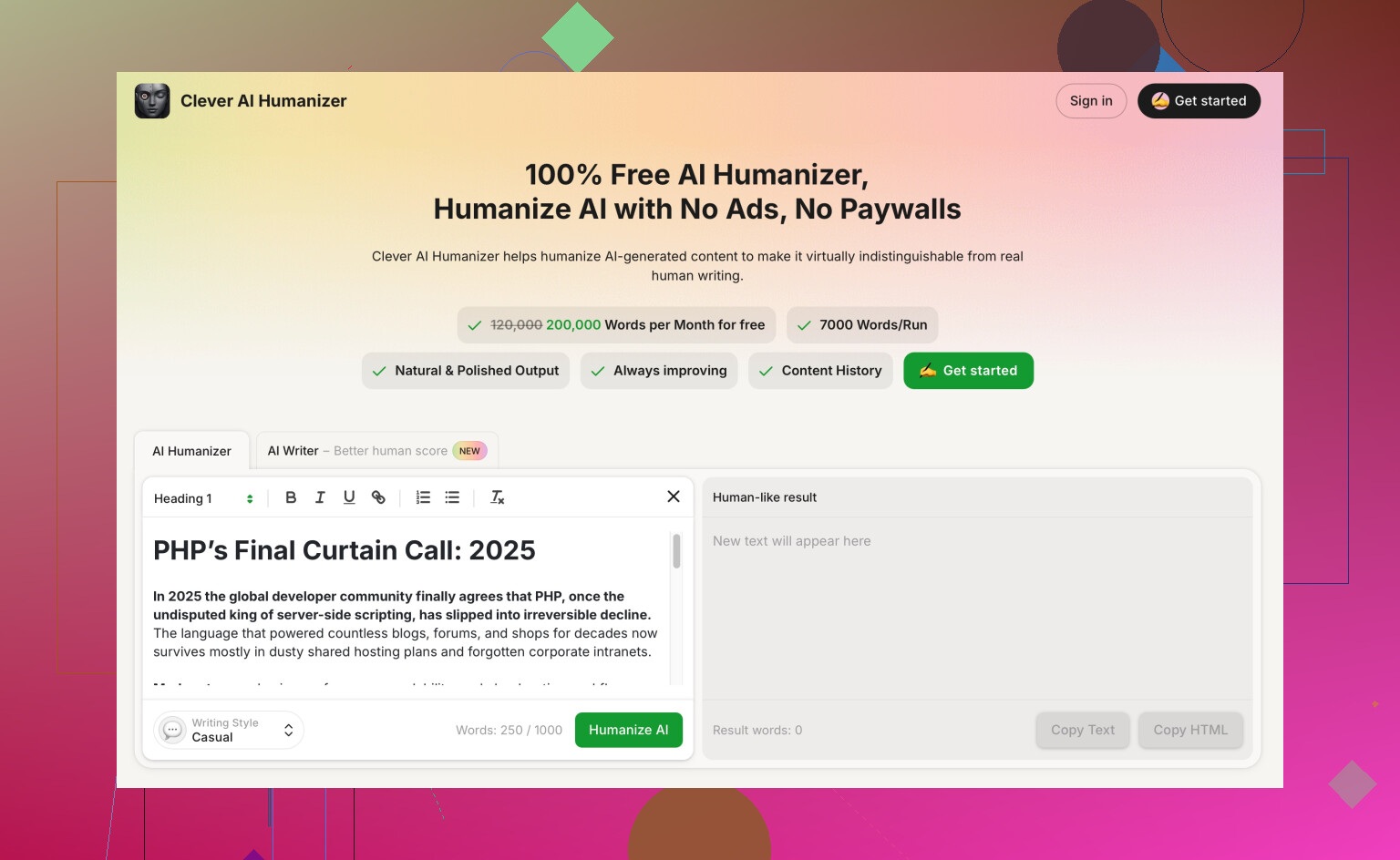
If you lean on AI a lot, you will get robotic phrases and patterns. To clean that up without losing your style, tools like Clever AI Humanizer help.
It takes AI generated text and reshapes it to read more like a natural human voice, which keeps your chapters from triggering those “this feels AI-ish” vibes. It is useful if you draft with AI help then want the text to sound closer to a real author. You can check it out here:
make AI-written text sound natural and human
Use it on sections where you leaned too hard on the model, then tweak by hand.
- Minimal setup you can try this week
• Use ChatGPT or Claude for:
- outline of next 3 chapters
- scene beats before each writing session
- quick line edits on single paragraphs
• Use your own editor (Word, Google Docs, Scrivener) for:
- all first drafts
- voice decisions
• Use Clever AI Humanizer for:
- cleaning AI heavy passages
- making tone more natural before beta readers see it
If you keep AI in those support roles and keep all story choices and key sentences in your hands, your voice survives and the book gets finished instead of living in your head for another year.
For actually finishing the novel, the “best AI tool” is usually a combo of: 1) one main model you vibe with, and 2) a pipeline that stops it from flattening your voice.
@yozora covered a lot of the how already. I’ll push in a slightly different direction and argue you can sometimes let AI draft small chunks of prose, as long as you (a) fence it in hard and (b) always rewrite its output in your own words.
Here’s what’s worked for me and a couple other stuck-halfway folks:
1. Pick 1 primary model based on what’s blocking you
Instead of “what’s the best AI,” ask “what exactly keeps stalling me?”
-
If you’re stuck on plot & structure:
Claude or GPT-4(o) tend to be best at big-picture thinking, theme, character arcs. Use them for:- “Given this story so far, what is my MC subconsciously afraid of?”
- “Suggest 3 midpoints that raise emotional stakes without adding new locations or characters.”
-
If the prose itself is the issue:
Stick with a model that’s good at line-level edits and rhythm. GPT-4 variants are decent here. Have it:- Tighten sentences
- Remove repetition
- Suggest 3 alternate phrasings for a line that feels dead
You do not need ten different tools. One solid LLM + your normal writing app is often enough.
2. Use “constrained drafting” instead of pure planning
Here is where I slightly disagree with @yozora. If you’re really blocked, telling the AI “never write prose” can sometimes keep you stuck in outline-hell.
Try this instead for a single scene:
- You write 1–2 messy paragraphs.
- Ask the AI:
- “Continue for 2 more paragraphs, staying in first person, same tone, keep sentences under 15 words. Do not end the scene. Focus only on my MC realizing X.”
- Then rewrite every line it gives you in your own voice. Treat it like a crappy first draft you’re editing.
That way, AI gives momentum, but your final text is still you.
3. Build a “story bible” that the AI can reference
Most people just paste random context every time and then complain it “forgets stuff.”
Make a separate file or master prompt with:
- 1–2 paragraph story premise
- Cast list with 1–2 killer traits or contradictions each
- Rules of magic / tech / world quirks
- Tone rules like: “Snarky but not goofy. No pop culture refs. Keep internal monologue frequent.”
At the start of a new chat, paste that in and say:
“Use this as the canon reference for this project. If any new idea contradicts it, warn me instead of rewriting it.”
This reduces the “generic fantasy voice” problem, because the model has a consistent spine to lean on.
4. Use AI as a continuity cop and plot surgeon
Where AI quietly shines for novels:
- Continuity checks:
Paste a chapter and ask:- “List any continuity issues with time, weather, character injuries, or promises made.”
- Character consistency:
- “Given this character sheet and these 2 chapters, where does my MC act out of character and how can I justify it?”
This is something humans are bad at when tired and deep in draft two.
5. Keep your voice with a specific “style contract”
@yozora mentioned locking in voice with samples, which is spot on, but you can crank that up a bit:
- Show 2 pages of your writing. Then add a rule-set like:
- “Never use rhetorical questions.”
- “Avoid metaphors unless they’re short and concrete.”
- “No ‘she let out a breath she didn’t know she was holding’ type clichés.”
Every time you start a new session, re-drop this “style contract.” You are basically training the model to avoid the worst AI ticks and your own bad habits.
6. For polishing & de-AI-fying: dedicated humanizer step
If you’ve leaned hard on AI for brainstorming or partial drafting, you’ll inevitably get that “this FEELS AI-ish but I can’t say why” vibe: repeated turns of phrase, weirdly tidy emotional arcs, generic metaphors.
That’s where a separate humanizing pass helps. A tool like Clever AI Humanizer is designed exactly for that de-robotizing step. Think of it as:
A focused editor that takes AI-generated or AI-heavy passages and reshapes them to sound more natural, varied, and human, without turning everything into purple prose.
You can drop your suspect scenes into something like
make AI-assisted writing sound natural and human
then still give it a human edit afterward. Use it especially on:
- Transitions that feel stiff
- Dialogue that got too clean or exposition-y
- Sections where you know the AI carried too much weight in the first pass
Treat it as a filter, not an automatic “fix my book” button.
7. The consistency problem is 80 percent logistics
The model will not fix that you’re “writing” by scrolling for 90 minutes.
A couple of low-friction tactics that pair well with AI:
- End every session by asking the AI:
- “Give me a 3 bullet ‘when I sit down tomorrow, I will write…’ list, very concrete.”
Paste that at the top of your doc.
- “Give me a 3 bullet ‘when I sit down tomorrow, I will write…’ list, very concrete.”
- Start every session by:
- Deleting yesterday’s 3 bullets.
- Writing those exact beats, even if they now feel slightly wrong. Fix later.
You’re training habit, not chasing inspiration.
TL;DR:
There is no single “best AI,” but a good default setup is:
- One main LLM you like (Claude, GPT-4, etc.)
- Your usual writing program as the actual “source of truth”
- A voice/style contract you paste in a lot
- Optional humanizing tool like Clever AI Humanizer to clean AI-heavy bits before anyone else reads them
If the tool helps you sit down more often and stare at the cursor less, that’s the “best” one for you, even if it is not what everyone else swears by.
3 Likes
Short version: the “best AI” for finishing your novel is less about which model, more about how you wrap it in habits, constraints and backup systems for your own brain.
Since @himmelsjager and @yozora already nailed the fundamentals (separate tools for planning vs prose, voice contracts, schedule, etc.), here are angles they did not lean on much:
1. Diagnose your specific stuck point
Different problems need different workflows:
-
Stuck in the middle slump
Use AI as a structural doctor:- Paste a brief synopsis of Acts 1 and 2.
- Ask: “Identify what emotional promises I made in Act 1 that I haven’t paid off yet. Suggest 3 ways to pay them off without adding new characters.”
This often pops a clear “oh, that’s the missing thread” instead of another generic beat outline.
-
Stuck because you’re bored of your own story
Ask for:- “List 5 radical but still in-genre twists that could happen in the next two chapters. Include 1 that would force me to rewrite large chunks.”
You probably will not use the wildest one, but it shocks your brain out of autopilot.
- “List 5 radical but still in-genre twists that could happen in the next two chapters. Include 1 that would force me to rewrite large chunks.”
-
Stuck because scenes feel flat
Use AI to attack scene purpose:- “Given this scene, what actually changes for my MC by the end? If the answer is ‘nothing,’ give me 3 ways to make a non cosmetic change.”
This is less about outlines, more about surgical questions.
2. Try “voice-first” drafting instead of outline-first
Here I gently disagree with both previous posts: outlines are useful, but for some writers they cause paralysis. If structure talk makes your eyes glaze over, try this:
- Record yourself ranting about the next scene aloud for 3 minutes.
- Transcribe it.
- Feed a chunk to the model and say:
“Turn this ramble into a tight paragraph of internal monologue in my character’s voice. Keep the slang and rhythm. No smoothing out the emotion.”
Then revise that paragraph yourself. You used AI to condense and focus, not to invent.
This keeps your raw emotional tone in charge rather than the model’s idea of “good plotting.”
3. Use AI for negative guidance
Instead of “what should happen,” ask “what should I absolutely avoid here?”
Examples:
- “Given this setup, list 10 clichés I’m in danger of falling into in the next chapter.”
- “Show me 5 ‘lazy solutions’ to this conflict that would feel unearned or like plot armor.”
You can then deliberately steer away from these. It is a different use of the same brainpower that normally produces bland suggestions.
4. Train the AI to argue with you
Most people use models as agreeable assistants. For a stuck novel, a disagreeable assistant is often better.
Prompt like this:
“Your job is to be a tough developmental editor. For the following scene, your default answer is ‘this is not good enough.’
- Challenge my character motivations
- Point out where tension deflates
- Propose 2 higher conflict alternatives.”
This mimics a beta reader who will not politely nod along to every soft choice you make.
5. Keep a “graveyard & experiments” file that the AI can raid
Instead of deleting old drafts, stash them in a single document. Then:
- Ask the model:
“Skim these three cut scenes and find any emotional beats that are strong but currently unused in the main draft. Suggest 2 places I could reintroduce them.”
This is a great way to resurrect ideas without resurrecting the flawed scenes themselves.
6. On Clever AI Humanizer: where it actually helps
If you lean heavily on AI for brainstorming and light drafting, some passages will smell “AI-ish” even if they are technically fine. Something like Clever AI Humanizer can help at that stage.
Pros:
- Good at sanding down repetitive phrasing and that slightly sterile cadence large models fall into.
- Useful for making dialogue feel less like two TED talkers explaining the plot to each other.
- Nice as a “pre beta reader” pass so your friends do not get hung up on obvious AI tics instead of the story.
Cons:
- If you throw whole chapters in and accept the output wholesale, you risk another layer of voice flattening. You still have to revise.
- Any extra tool in the chain can become an excuse to tinker instead of finish. Easy to spend a day “humanizing” chapter 3 instead of writing chapter 18.
- It will not magically fix structural problems. Wooden scenes with no conflict will stay wooden, just in slightly prettier sentences.
Best use case in your situation: run only the AI-heavy paragraphs through Clever AI Humanizer near the end of a revision, then tweak by hand. Treat it like a texture filter, not a substitute for your judgment.
7. How this differs from what’s already been said
- @yozora and @himmelsjager lean more into outlines, beat grids and very strict “AI may not write sentences.”
- I am more open to partial AI drafting and heavy transformation of your own rambly material, as long as you always perform a human rewrite pass and keep things small in scope.
- They focus on “scene partner” and planning. I am pushing you to use AI as:
- a negativity checker (clichés, lazy choices)
- an adversarial editor
- a recycler for cut material
If you combine their structural advice with a bit of adversarial editing and negative guidance, plus a light Clever AI Humanizer pass on AI-leaning chunks, you get a pretty robust system: AI as scaffolding and sharpening tool, not ghostwriter.
The crucial test for any setup: after a week, are you producing more actual words in your document that still sound like you? If yes, that is your “best AI,” regardless of branding.