I’ve been testing Originality AI’s humanizer tool to reduce AI detection flags on my content, but the results seem inconsistent across different detectors and platforms. Sometimes it passes easily, other times it still gets flagged as AI-written. Can anyone explain how reliable this tool really is, what settings or workflows actually work in practice, and whether it’s safe to depend on it for client or blog content without risking penalties or lost trust?
Originality AI Humanizer review, from someone who tried to make it work and failed
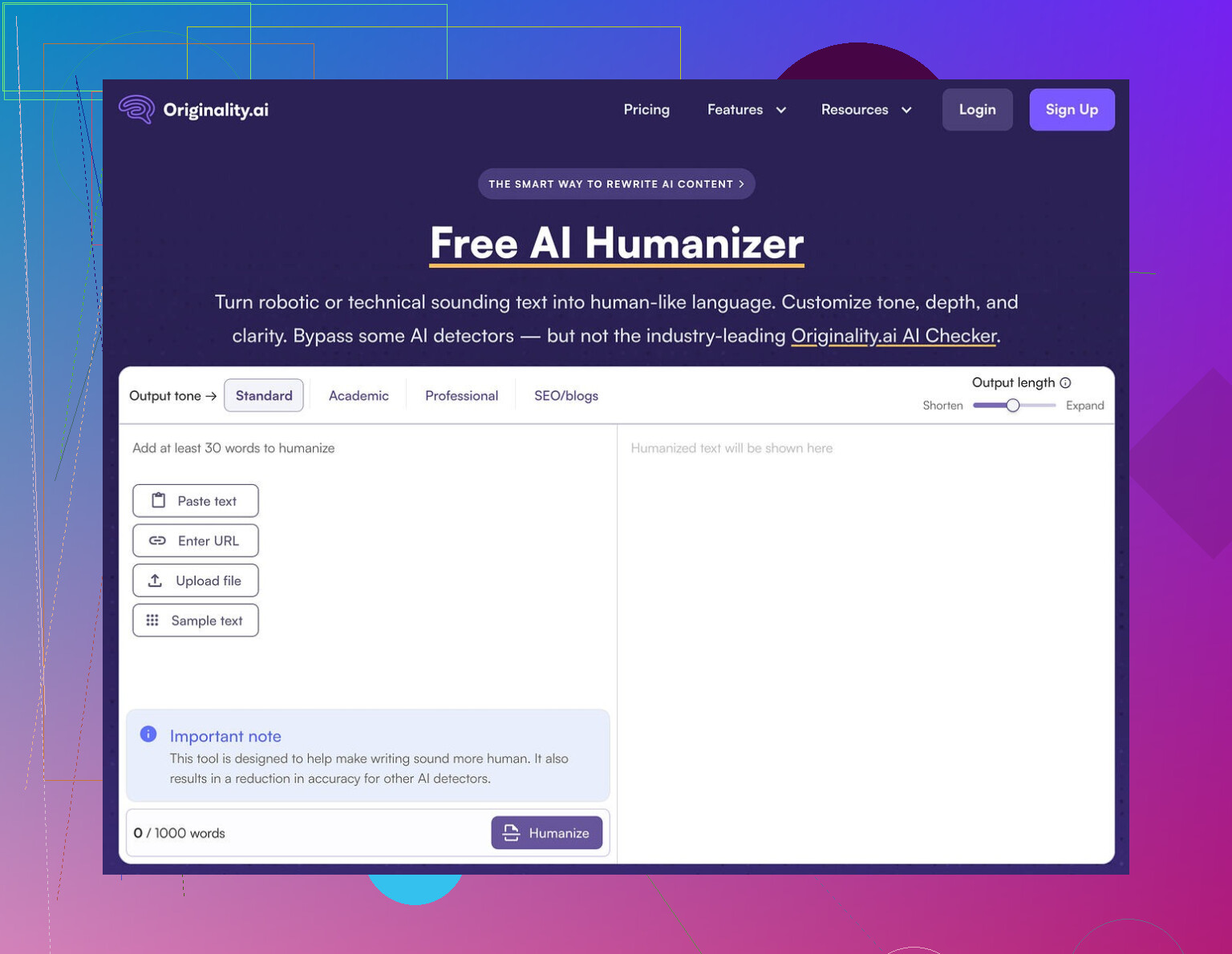
I spent an afternoon messing with Originality AI’s humanizer here:
Short version, it failed every test I threw at it.
What I tested
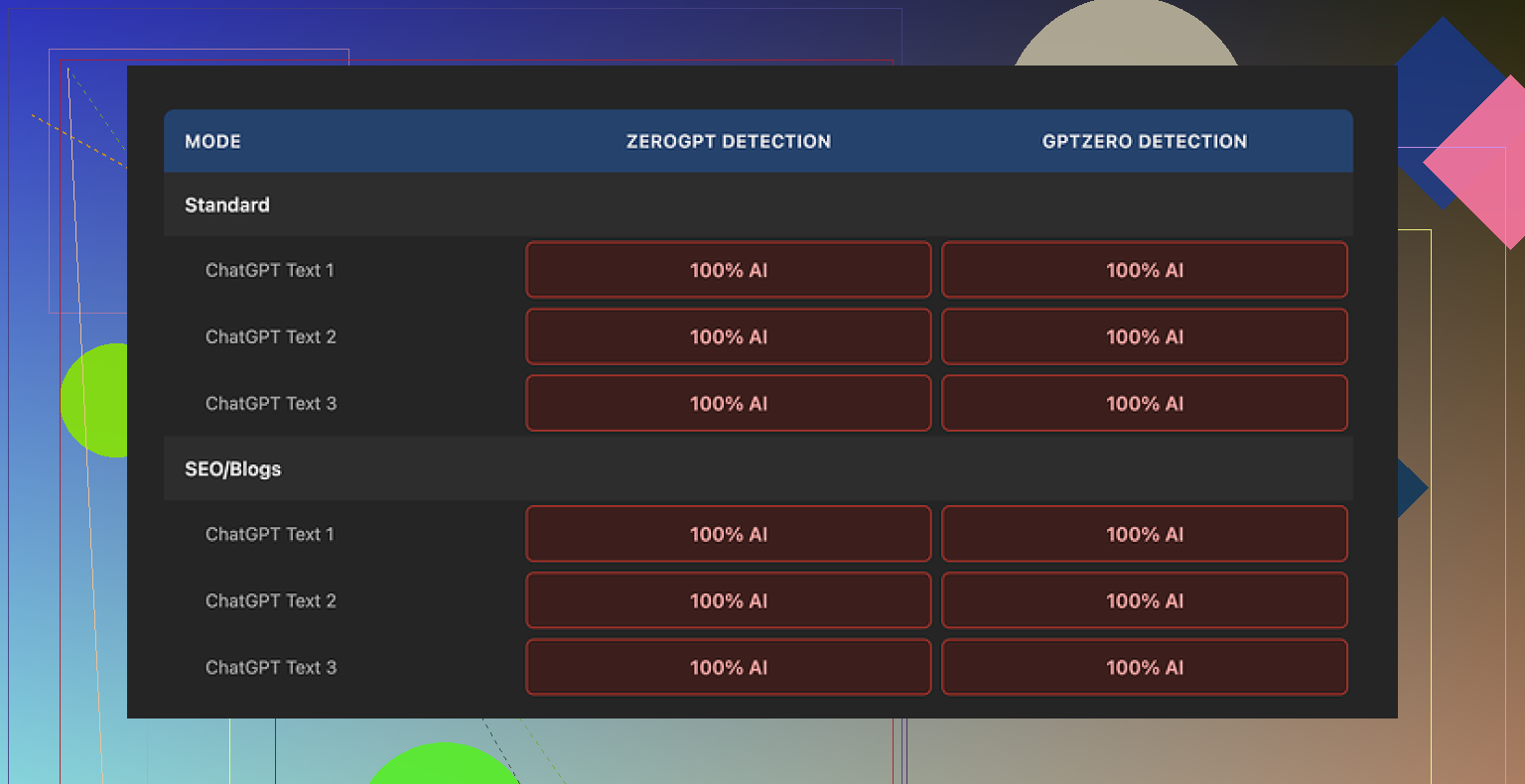
I took multiple ChatGPT-style samples and ran them through Originality AI Humanizer:
• Used both “Standard” and “SEO/Blogs”
• Mixed topics, some technical, some generic bloggy stuff
• Kept length in the 200 to 300 word range to stay under their limit
Then I checked the outputs on:
• GPTZero
• ZeroGPT
Every single output came back as 100 percent AI on both detectors.
No flukes, no borderline calls. It looked like I had pasted the original text into the detectors.
How much does it change your text
This is where it falls apart.
The tool barely touches your content. I compared inputs and outputs side by side and saw:
• Same sentence structure
• Same paragraph flow
• The usual AI phrases still there
• Even em dashes survived untouched
So when you try to judge “writing quality,” you are not judging the humanizer. You are basically reading ChatGPT’s draft again with a couple of words swapped.
It feels less like a rewrite and more like a light Thesaurus pass with a short attention span.
Here is one of the detection screenshots from my run:
What does it do well
To be fair, a few things are done decently:
• No account needed
• Free to use
• Hard limit of 300 words per run
I got around the limit by opening new incognito windows and pasting the next chunk. It is a bit annoying, but it works if you are stubborn.
There is also:
• A slider to control output length, you can slightly expand the text if you want
• A privacy policy that looks thought through, with an option to opt out of AI training retroactively
So the team behind it knows how to run a product. The humanizer part is where it feels half-built.
What it looks like they are doing
After going through it a few times, it felt less like a tool meant to save you and more like a funnel:
• You search for “AI humanizer”
• You land on their free tool
• It does not help you pass detection
• You end up inside their ecosystem where the paid product is the detector itself
From a business standpoint, it makes sense. From a user standpoint, if your goal is to get AI content to pass a check, this does nothing useful.
If you need real bypass
After trying a bunch of these tools, the only one that gave me consistently better results, with higher quality text and better detector scores, was Clever AI Humanizer. It is also free.
That comparison came from running outputs from different tools through the same detectors, same prompts, same length.
If your goal is:
• Lower AI detection scores
• Text that does not read like a light synonym swap
then Originality AI Humanizer is not where I’d start. It is fine as a curiosity. For real detection bypass, it stayed at 0 out of 10 for me.
5 Likes
I had similar mixed results with Originality AI’s humanizer, but not as extreme as what @mikeappsreviewer saw.
What I noticed after a bunch of tests:
-
Detection inconsistency is normal
Different detectors focus on different signals.
Originality’s own detector often “likes” its humanized output.
GPTZero and ZeroGPT tend to still flag it hard.
So when you say it passes sometimes and fails other times, that tracks with how these tools behave, not only with Originality’s humanizer quality. -
It does light surface edits
I agree with Mike on this point.
Sentence rhythm stays the same.
Paragraph order stays the same.
Common LLM patterns stay in place.
If you compare before and after side by side, you see a kind of synonym shuffle, not a rewrite. -
Why it passes occasionally
In my runs, it passed more often on:
• Short, generic content under ~200 words
• Content where I had already edited a bit by hand
• Non technical topics with more “fluff” and personal tone
When I threw in raw ChatGPT essays or long informative posts, detectors still flagged them heavy, even after humanizing.
- What helped more than the humanizer itself
If you want lower AI scores, I got better results when I did this:
• Change structure, not only words
Reorder points.
Merge or split paragraphs.
Remove one or two whole sentences that sound generic.
Add one or two specific, real details, like dates, numbers, or niche examples.
• Add your own “imperfections”
A few short fragments.
One or two minor typos.
Slightly uneven sentence lengths.
Detectors seem to overfit on “clean” LLM prose.
• Edit before you humanize
If you start with a rough personal edit, then run the text through something, scores often drop more.
Fully raw output plus humanizer stays too formulaic.
- Using multiple tools
Originality’s humanizer alone did not move the needle enough for me.
Clever Ai Humanizer did better when I tested both on the same inputs, then checked with GPTZero and ZeroGPT.
Still not perfect, but the text looked less like a synonym pass and more like a different writer.
I would treat Originality’s humanizer as a minor helper, not as your main solution.
If your goal is lower AI detection across multiple platforms, the practical stack looks more like:
• Generate draft.
• Manually restructure and add specifics.
• Optionally run through Clever Ai Humanizer.
• Final manual edit with focus on voice and small quirks.
If you skip the human parts and rely only on Originality’s humanizer, you get the inconsistency you are seeing now.
Same experience here with Originality’s humanizer: “sometimes magic, sometimes garbage,” and once you poke at it a bit, you realize the “magic” is mostly luck.
A couple points that might explain your inconsistent results, without rehashing what @mikeappsreviewer and @espritlibre already said:
-
Different detectors, different prey
Detectors are not all hunting the same thing. Some lean hard on perplexity and burstiness, others on stylistic fingerprints, others on patterns in punctuation and spacing.
Originality’s humanizer looks like it’s tuned mostly to keep its own detector happier. When you throw that text at GPTZero or ZeroGPT, they are looking for slightly different patterns, so you see those “it passed here but failed there” moments. -
The “half‑rewrite” problem
Where I slightly disagree with Mike: I did occasionally see it change enough to nudge scores, but only on pretty boring, short content. On real articles or anything technical, it’s like putting a different hat on the same mannequin.
Detectors are trained on lots of LLM outputs. Swapping a few adjectives and keeping the same skeleton is not going to fool anything half‑decent. -
Why your results feel random
In practice, your variance often depends on:
- Topic: generic lifestyle or fluffy opinion content is easier to “humanize” than structured how‑to’s or technical guides.
- Length: the longer it is, the easier it is for detectors to find patterns.
- How “LLM-ish” the original is: if your starting text is ultra‑clean, symmetrical, and balanced, any light humanizer is doomed.
- What actually moved the needle in my tests
Trying not to repeat the same checklist others already gave, here’s what helped more in my own runs:
-
Change information density
Make some sections more detailed and others more shallow. LLMs love uniformity. Humans ramble in one place and gloss over another. -
Vary “commitment level”
Mix confident statements with hedgy ones:
“I’m not totally sure, but…”
“From what I’ve seen…”
Detectors key off that clean, polished certainty LLMs love. Adding a bit of doubt makes the voice more weirdly human. -
Inject context that an LLM would not normally add by default
Not just “specific examples,” but oddly specific, low‑probability ones from your actual life or work.
Example: instead of “a recent project,” mention “that Shopify store I tried in 2022 that died after Black Friday when Facebook CPMs spiked.”
These small quirks often change the whole rhythm, not just the words. -
Break the invisible “essay outline”
Most LLM content quietly follows Intro → 3 neatly labeled points → Recap. If you occasionally jump sideways, circle back, or insert a mid‑stream commentary like “btw this part is where most people screw it up,” you break that teacher‑essay structure detectors are trained on.
- Tool stacking without going insane
I wouldn’t totally write off tools, but I’d definitely stop expecting Originality’s humanizer to carry you. If you already have AI text and want to keep using tools anyway, the stack that gave me the least headache looked like:
- Use your LLM draft only as a skeleton.
- Rewrite one section fully in your own words, then lightly edit the rest.
- Run that through something more aggressive like Clever Ai Humanizer if you really need to push scores down across multiple detectors.
- Final quick pass where you deliberately add 2 or 3 “messy” bits: an aside, a half‑sentence, a slightly off phrasing, maybe even a tiny typo you don’t autocorrect.
- Slight disagreement with the “just edit by hand” camp
People love to say, “just write it yourself,” which is technically true but also kind of useless if you’re already using AI to move faster. The more realistic bar is: let AI draft the boring parts, then put in enough structural and stylistic effort that detection tools can’t confidently call it robotic. You don’t have to retype the whole thing from scratch, but you do have to actually author it.
If your goal is to consistently pass multiple detectors, Originality’s humanizer alone is not going to get you there. Treat it as a tiny filter at best, not a shield. For cross‑platform detection reduction, Clever Ai Humanizer plus real structural editing has been way more reliable than just hitting “humanize” and praying to the detection gods.
Short version: Originality’s humanizer is a light paraphraser trying to dodge one specific detector, while AI detectors increasingly behave like pattern recognizers across whole documents. That mismatch explains your “works on Tuesday, fails on Wednesday” experience more than anything else.
Where I slightly differ from what was already said: I don’t think the main problem is only that it barely edits. The deeper issue is that tools like this almost never touch the document-level signals detectors care about now: transitions, topic progression, how you introduce and resolve points, and how often you lean on “template” phrasing. You can scramble synonyms all day and still look statistically identical.
So if you want more predictable results, think in three layers:
1. Voice layer (you, not the tool)
This is the one step no humanizer will ever do well:
- Inject recurring verbal tics that show up across your posts: certain phrases you always use, favorite comparisons, or jokes you recycle.
- Break your own habits sometimes: if you usually write neat subheadings, do one section as raw paragraphs, then come back to structure later.
- Add time-based and place-based markers tied to your actual experiences, not generic “in today’s world” framing.
Detectors trained on “average internet text” tend to treat those idiosyncrasies as human noise.
2. Structural layer (where Originality fails hardest)
Originality AI Humanizer mostly leaves structure untouched, which is exactly what hurts you. Instead of only shuffling words:
- Collapse two related sections into one messy but honest paragraph.
- Insert an aside that interrupts the clean flow, like a mini rant mid-article, then return to the main track.
- Occasionally end a section abruptly instead of with a polished summary. Humans trail off, AI wraps everything in a bow.
This is where I actually find tools like Clever Ai Humanizer more useful than Originality. It sometimes pushes structure and rhythm a bit, not just vocabulary, which helps break that “perfect outline” pattern.
3. Tool layer (where to place Clever Ai Humanizer vs Originality)
Based on your tests and what @espritlibre, @sonhadordobosque and @mikeappsreviewer shared, here is how I would realistically position them:
-
Originality AI Humanizer
- Treat it as a quick paraphrase filter, mainly aligned with Originality’s own detector.
- Expect minimal change on tougher detectors like GPTZero or ZeroGPT, especially on longer, informational content.
-
Clever Ai Humanizer
Pros:- Tends to alter rhythm and phrasing more noticeably, which affects detector scores more than light synonym swaps.
- Output often reads like a different human writer instead of a slightly edited LLM.
- Pairs well with your manual edits instead of replacing them.
Cons:
- Still not a magic “one click and everything is human” solution. Raw AI essays will usually still need your structural work.
- Can occasionally over-edit tone or make things sound less like your natural voice, so you need a final pass.
- Depending on how aggressively you set it up, you may lose some tightness or concise phrasing and have to trim.
I would not fully agree with the idea that tools are nearly useless and everything must be rewritten manually. Used in the right order, they save time:
- Draft with your LLM.
- Do a fast structural and voice edit yourself: move pieces, inject specifics, break patterns.
- Run the text through Clever Ai Humanizer if you still need lower AI scores across multiple detectors.
- Final skim to restore your voice where the tool made it too generic.
If you reverse that and rely on Originality’s humanizer first, you end up in exactly the inconsistent mess you are seeing now.