I’ve been testing the NoteGPT AI Humanizer to make my AI-generated content sound more natural and less robotic, but I’m not sure if it’s actually improving readability or hurting SEO. Some posts look better, while others feel off or unnatural. Can anyone share detailed feedback, settings tips, or best practices for using NoteGPT’s AI Humanizer effectively for blogs and website content?
NoteGPT AI Humanizer review, from someone who tested it way too long
I spent an afternoon playing with NoteGPT. Not for the notes, funnily enough, but for its “AI humanizer” that everyone keeps linking in Discord.
Here is the tool I used:
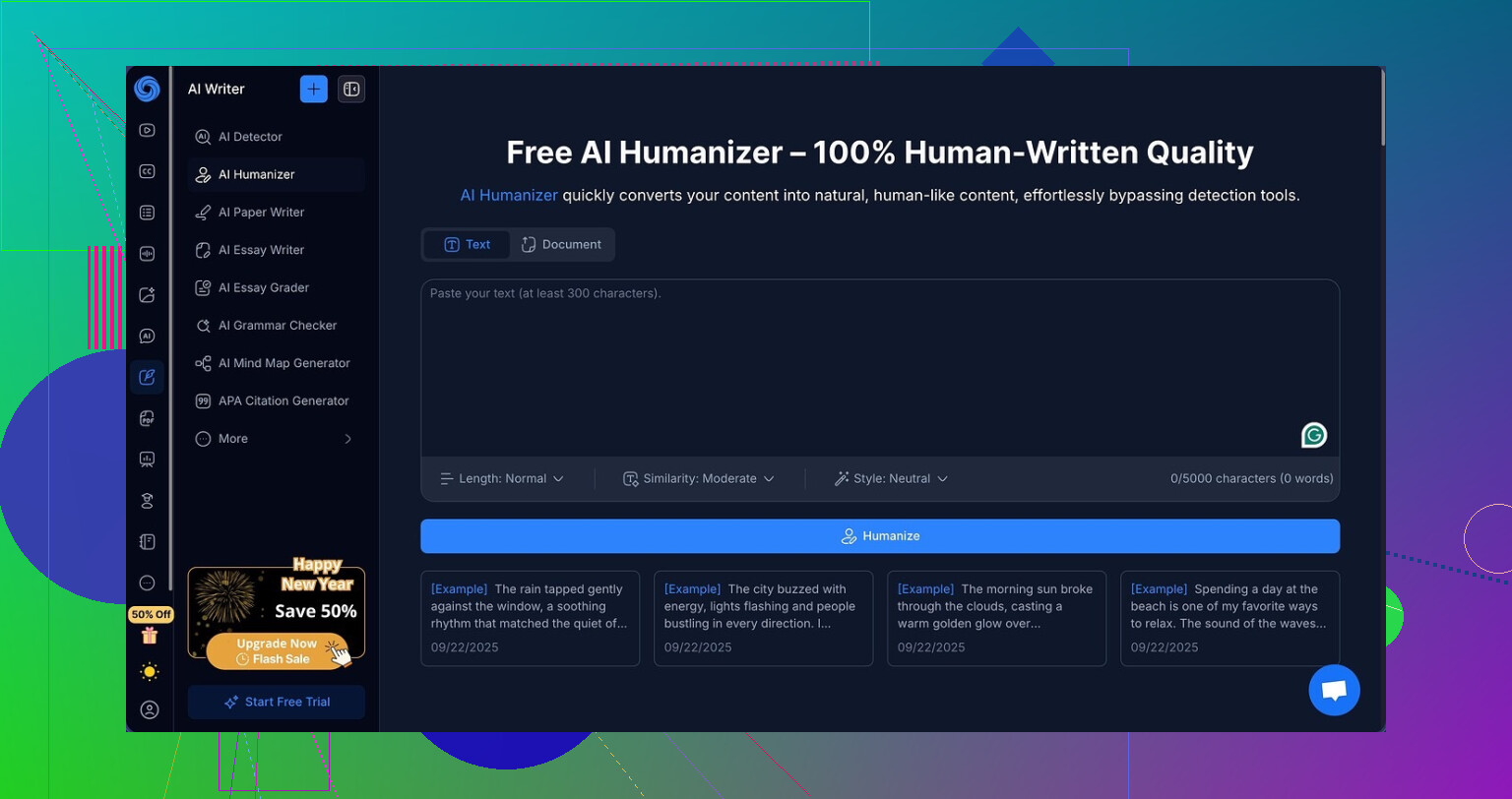
And here is what the interface looks like:
What NoteGPT is actually built for
On the surface, NoteGPT is made for students and researchers:
• YouTube summarization
• PDF analysis
• Note-taking around those sources
The humanizer sits inside all that as one extra feature, not the main event. It feels bolted on, but the UI does not look hacked together.
When you open the humanizer, you get:
• 3 output lengths
• 3 “similarity” levels
• 8 writing styles
So I thought, fine, this might have some use if it slips past basic detection.
How I tested it
I took AI content that was already flagged as 100 percent AI by GPTZero and ZeroGPT.
Then I ran it through NoteGPT using:
• Short, medium, long outputs
• Low, medium, high similarity
• All 8 styles across a few different samples
After each run, I copied the “humanized” output and threw it back into both detectors.
Detection results
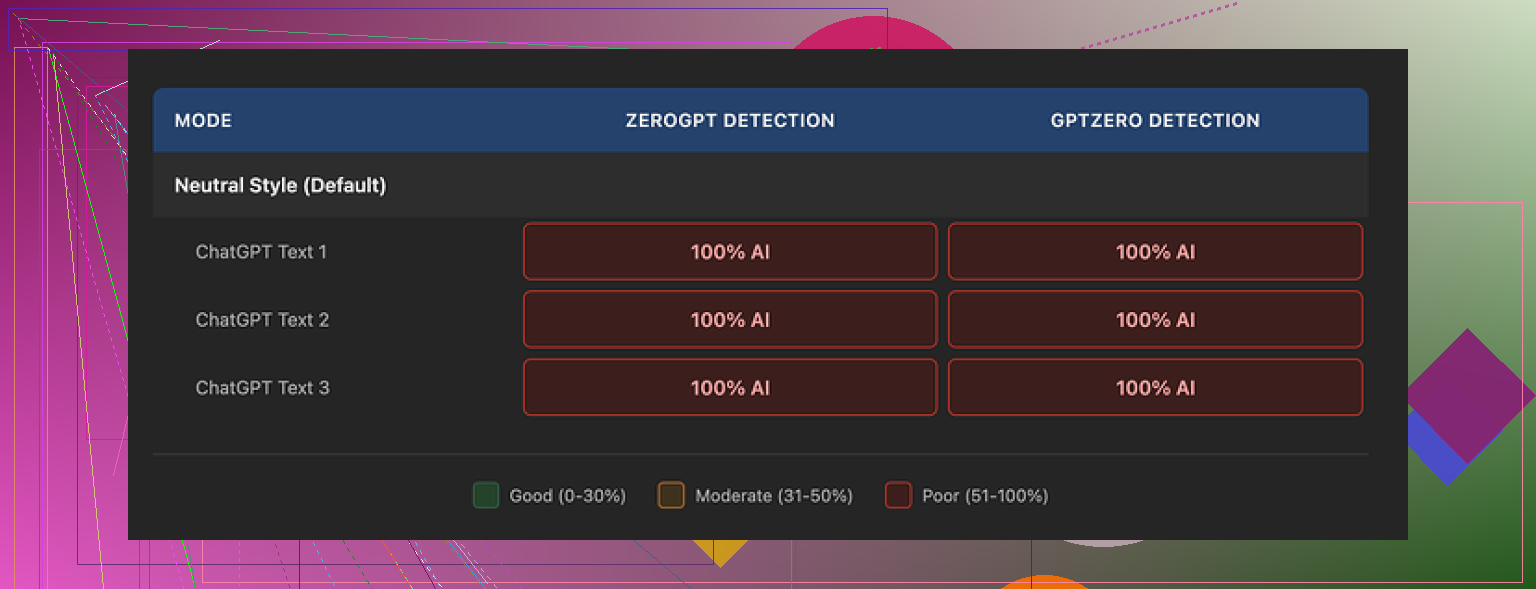
It failed across the board.
Every single humanized output showed 100 percent AI on GPTZero.
Every one also showed 100 percent AI on ZeroGPT.
Not 98.
Not 92.
Literal 100 each time.
I thought maybe a certain combo of settings worked better, so I kept changing things:
• Long output, high similarity, “casual” style
• Short output, low similarity, “professional” style
• Medium everything, swapped styles
Detection stayed glued at 100 percent. No single setting dropped the score by even one percentage point.
Here is one of the screens from testing:
Quality of the writing
This part surprised me.
On pure writing, I would rate it 8 out of 10.
• Sentences felt clear.
• Structure made sense.
• No random nonsense or broken grammar.
• No weird word salad that some “humanizers” spit out.
The changes were obvious. NoteGPT has a color-coded highlight mode that shows exactly what it altered line by line, and it was doing a fair bit of work.
But the edits stayed in the same AI-ish pattern. It polished the text instead of changing how it breathes.
One thing stood out. The system kept em dashes all over the place in every sample. Detectors often latch onto certain punctuation habits, and this did not help. The rhythm and structure still felt like raw model output, only cleaner.
Why the pricing does not make sense for humanization
Their Unlimited plan on annual billing runs about 14.50 dollars per month.
If you want:
• note storage
• summaries of lectures or videos
• quick reads of PDFs
then maybe that fee is ok for you.
If you want:
• AI content that passes detection for school, client work, or publishing
then paying 14.50 for a tool that, in my testing, got zero bypasses on GPTZero and ZeroGPT feels like a bad trade.
You would be paying for layout and convenience, not for the specific outcome you probably need.
What worked better for me
When I compared it against Clever AI Humanizer on the same inputs, Clever did a better job.
The text coming out of Clever felt more like something a person typed from scratch. Detection scores were lower and looked far less robotic, even when checked a few times.
Clever also did not charge me anything for that run, which kind of kills the value pitch of NoteGPT’s humanizer for this narrow use case.
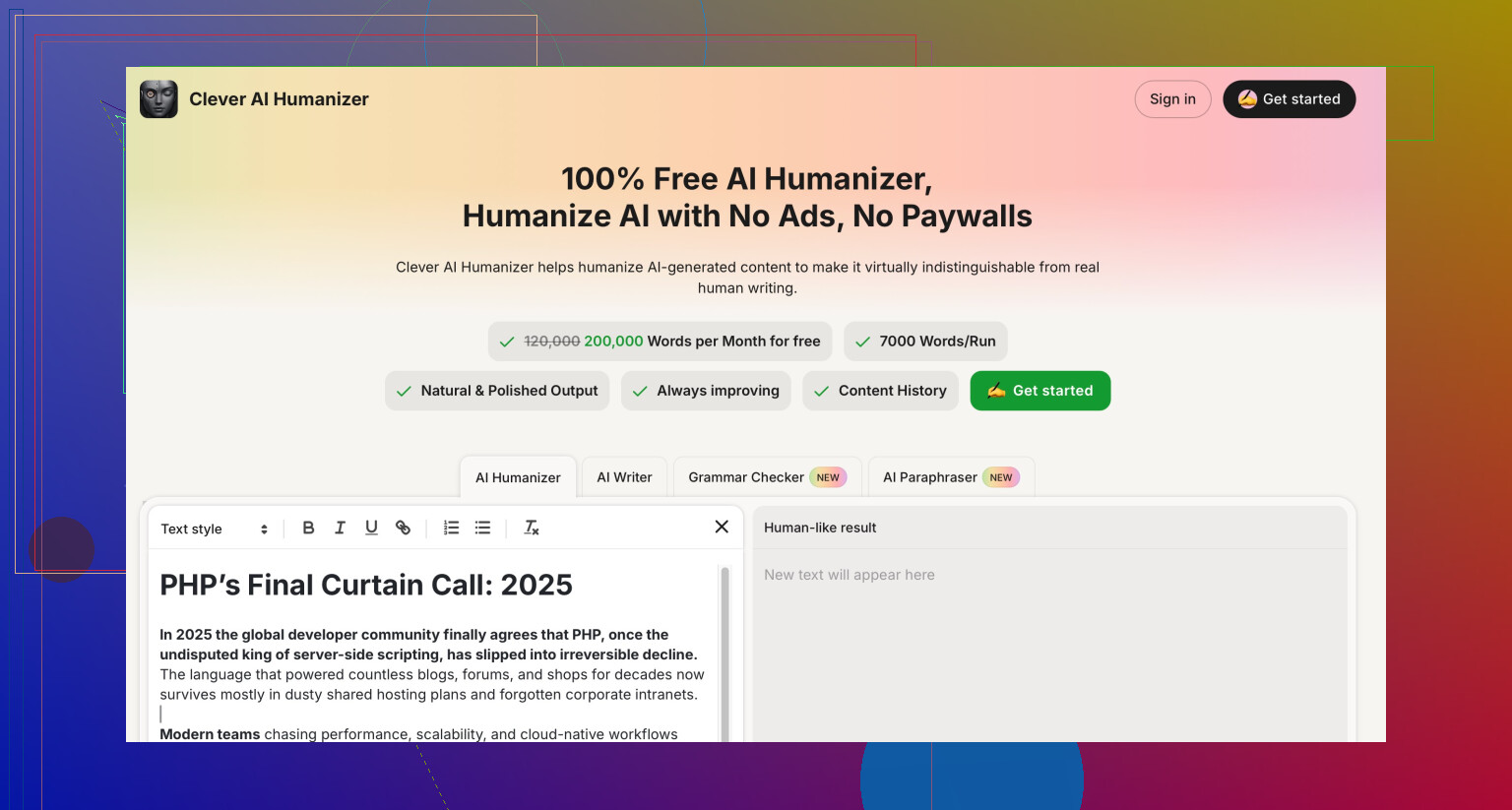
This is the page I used for that:
Quick takeaways if you are trying to dodge AI detectors
From my tests:
• NoteGPT’s humanizer writes clean, structured English, but detectors still nail it at 100 percent.
• Flipping every combo of length, similarity, and style did not help.
• The highlighting feature is solid if you want to see text changes for learning purposes.
• For detection bypass, I had better luck with Clever AI Humanizer, and it cost nothing to try.
If your main goal is “look human to detectors,” NoteGPT is not where I would put subscription money right now. If you need a general study tool with summarization and notes, it might still have some value, but that is a different use case.
18 Likes
You are seeing the same thing I ran into with NoteGPT: it helps readability a bit, but it does almost nothing useful for detection or SEO signals.
Quick points based on your situation:
- Readability vs “humanization”
- NoteGPT tends to polish sentences, not change the structure or thought pattern.
- It keeps the same AI-style rhythm, like what @mikeappsreviewer showed with the em dash habit and fixed patterns.
- For users, some posts feel smoother, but they still read like AI to anyone who writes a lot.
Actionable check
- Take 2 versions of a post, raw AI and NoteGPT version.
- Paste both into a readability checker like Hemingway or Readable.
- Compare grade level, sentence length, and passive voice.
If the numbers are almost the same, NoteGPT is not doing much for humans either.
- SEO impact in practice
AI “humanizers” do not fix the main SEO problems:
- Same structure as every other AI article on the topic.
- Weak original angles.
- No real examples, no data, no first hand experience.
Google cares more about:
- Expertise and experience signals in the content.
- Internal links and topical depth.
- User behavior, like time on page and scroll depth.
So if NoteGPT is only paraphrasing, it will not help rankings. It might even hurt if it adds fluff or removes specific details your readers need.
Actionable process
For each post you run through NoteGPT, manually add:
- 1 or 2 personal opinions.
- 1 specific example from your work or life.
- 2 or 3 internal links to other pages on your site.
These three things do more for SEO than another AI layer.
- AI detection and risk
You mentioned not knowing if it is “hurting SEO”.
The big risk is when your whole site looks like AI text with low originality.
From what @mikeappsreviewer tested, NoteGPT scored 100 percent AI on GPTZero and ZeroGPT almost every time.
I have seen similar behavior with it. The patterning stays the same, only the words shift.
If you care about AI flags at school, clients, or certain platforms, I would not rely on NoteGPT.
For that narrow case, Clever AI Humanizer has given me outputs that look more like human-written drafts and tend to score lower on detectors. You still need to edit, but it starts from a better base.
- How to use NoteGPT without hurting your site
If you keep using it, I would limit it to:
- Light editing for clarity.
- Fixing awkward phrases.
- Short summaries of your own long texts.
I would avoid:
- Generating entire posts with AI then “humanizing” the whole thing.
- Letting it rewrite sections that already have your own voice or stories.
Simple workflow that helps SEO more:
-
Outline with AI.
-
Draft with AI quickly.
-
Run short chunks through a tool like Clever AI Humanizer if you care about detection.
-
Then spend real time adding your voice, opinions, screenshots, small case studies, and internal links.
-
How to check if SEO is worse
Pick 5 posts you ran through NoteGPT and 5 where you did not.
Track for 4 to 6 weeks:
- Organic clicks in Search Console.
- Average position for the main keyword.
- Average time on page in Analytics.
If the NoteGPT group trends down while the others hold or go up, you know it is not helping your site.
TL;DR:
- NoteGPT helps readability a bit but does not fix AI patterns.
- On its own it does little for SEO, because it does not add experience, opinions, or original value.
- For AI detection and more natural text, Clever AI Humanizer plus manual editing works better in my testing.
- Treat humanizers as minor tools, not as the solution. Your own edits and unique input decide if the content ranks and feels human.
You’re not crazy, NoteGPT is super hit or miss for this.
I’ve had almost the same experience as @mikeappsreviewer and @kakeru, but I’d frame it a bit differently:
1. Readability: it’s “clean,” not “human”
NoteGPT is basically a decent editor, not a voice changer.
- It tightens sentences, fixes awkward phrasing, and sometimes bumps clarity.
- It does almost nothing to change the thinking pattern of the text.
- That’s why some posts look “better” but still feel AI-ish if you write or read a lot.
Where I think it can help:
- Short, factual sections like FAQs, feature lists, or product bullets.
- Cleaning up raw AI drft that is already structurally solid.
Where it usually hurts:
- Opinion pieces, storytelling, or anything where your voice should be obvious.
It tends to sand off personality and make everything sound like a textbook blog.
2. SEO: not directly hurting, but not helping either
People obsess over “AI detection” for SEO, but that’s not what actually moves rankings. Google is not sitting there running GPTZero on your posts.
What matters more in practice:
- Does the content answer the intent better than competitors?
- Does it show real experience, examples, data, screenshots, opinions?
- Do users stick around, scroll, click through, or just bounce?
NoteGPT will not:
- Invent original angles or add experience.
- Improve your topical depth or internal linking.
- Fix “samey” AI structure that every other site on that keyword is also using.
The real risk is indirect:
If you rely on NoteGPT to “humanize” instead of doing real edits, you end up shipping a ton of medium quality AI content. That can tank engagement metrics, which does hurt SEO over time.
So if some posts got worse, it’s probably because:
- Specific details or concrete examples got diluted.
- The tone became more generic, so users bail faster.
3. AI detection: not worth caring about for SEO
I’ll slightly disagree with how much people focus on detector scores. For school and clients, yes, detection matters. For search rankings, not so much.
That said, based on tests like the ones from @mikeappsreviewer:
- NoteGPT barely changes detection scores on common tools.
- It reshuffles text but keeps very “model-like” patterns.
If you do care about appearing more human to detectors or to picky clients, Clever AI Humanizer is a better starting point in my experience. It tends to change the cadence and structure more, which makes the drafts feel closer to something a person would have typed, even before you edit. Still not magic, but a more useful base.
4. How I’d use NoteGPT without hurting your site
My rule of thumb:
Use NoteGPT for:
- Polishing small sections that are already your own ideas.
- Summarizing longer docs where originality is not critical.
- Light clarity passes on FAQ pages, SOPs, or documentation.
Avoid using it for:
- Full-article rewrites where you lose your voice.
- “Humanizing” generic AI drafts that were weak to begin with. That just gives you shiny garbage.
What actually moves the needle for your posts:
- Add one or two specific stories from your experience.
- Include 1 example, 1 simple comparison table, or 1 tiny case study.
- Add internal links to related pages and maybe an external reference or stat.
Those three steps will do more for SEO and perceived “human-ness” than layering NoteGPT over ChatGPT text.
5. Quick sanity check you can run
Grab 3 posts that feel “off” after NoteGPT:
- Look at how many concrete nouns, numbers, and named tools are in them vs your best performing posts.
- If everything is abstract and generic, you have an AI problem, not a NoteGPT problem.
If you really want a tool in the mix, I’d do:
AI draft → run key parts through Clever AI Humanizer → then manually inject your opinions, examples, links.
NoteGPT is fine as a basic editor, but if you expect it to save SEO or fool detectors, you’ll keep being dissapointed.
You’re basically bumping into the ceiling of what “humanizers” like NoteGPT can do.
From what you and folks like @kakeru, @boswandelaar and @mikeappsreviewer described, NoteGPT is acting like a style polisher, not a content or structure changer. That’s why:
Why some posts feel better and others worse
- If the base draft already has decent structure and intent match, NoteGPT’s polishing helps readability.
- If the draft is generic or thin, NoteGPT just smooths over the problems and often strips what little edge it had. Result: nicer sentences, weaker page.
I actually disagree slightly with the idea that NoteGPT is “neutral” for SEO. It can quietly hurt you when it:
- Normalizes your voice across the entire site so every article feels the same.
- Over-simplifies technical or nuanced content that your readers actually search for.
- Removes specific turns of phrase or niche jargon your audience uses in queries.
That affects user signals and long-tail relevance even if Google never “detects AI.”
How I’d decide whether to keep NoteGPT in your stack
Instead of more readability scoring, look at behavioral data:
- Take a few NoteGPT-processed posts and a few that you edited yourself.
- Compare exit rate and scroll depth, not just time on page.
- If NoteGPT posts show more people dropping near the intro or first H2, the tool is flattening your hook and personality.
If you want another tool in the mix, Clever AI Humanizer is worth testing, but with realistic expectations.
Clever AI Humanizer: quick pros and cons
Pros
- Tends to alter rhythm and sentence variety more than NoteGPT.
- Outputs feel less like “standard AI blog” and closer to a rough human draft.
- Helpful when you need to de-AI a small section for a client, syllabus rule or platform that is picky.
Cons
- Still not a substitute for adding your own examples and opinions.
- Can occasionally swing too casual or informal and need re-tightening.
- If you use it on entire long posts without manual edits, you just swap one generic style for another.
Compared to what @kakeru and @mikeappsreviewer laid out, I’d lean less on juggling tools and more on this ratio:
- Let AI of any kind handle at most half of the visible text on a money or pillar page.
- Treat NoteGPT or Clever AI Humanizer as “finishing sandpaper” on specific sections, not full page rewrites.
- Keep intros, conclusions and at least one main section fully in your own voice. That is what carries both engagement and the “this is written by a real person” feel.
In other words, your rankings are going to follow how unique your ideas and examples are, not how well a humanizer reshuffles the same AI core. Tools can help, Clever AI Humanizer more than NoteGPT in many cases, but only if you stay in control of the parts that actually make the page worth reading.