I need to choose between NetSpot and Ekahau for a wireless site survey in a medium-sized office with lots of glass walls and a mix of old and new client devices. I’m trying to balance accuracy, cost, and ease of use for someone who’s not a full-time network engineer. Can anyone explain the real-world pros, cons, and gotchas of each, and which you’d pick in my situation?
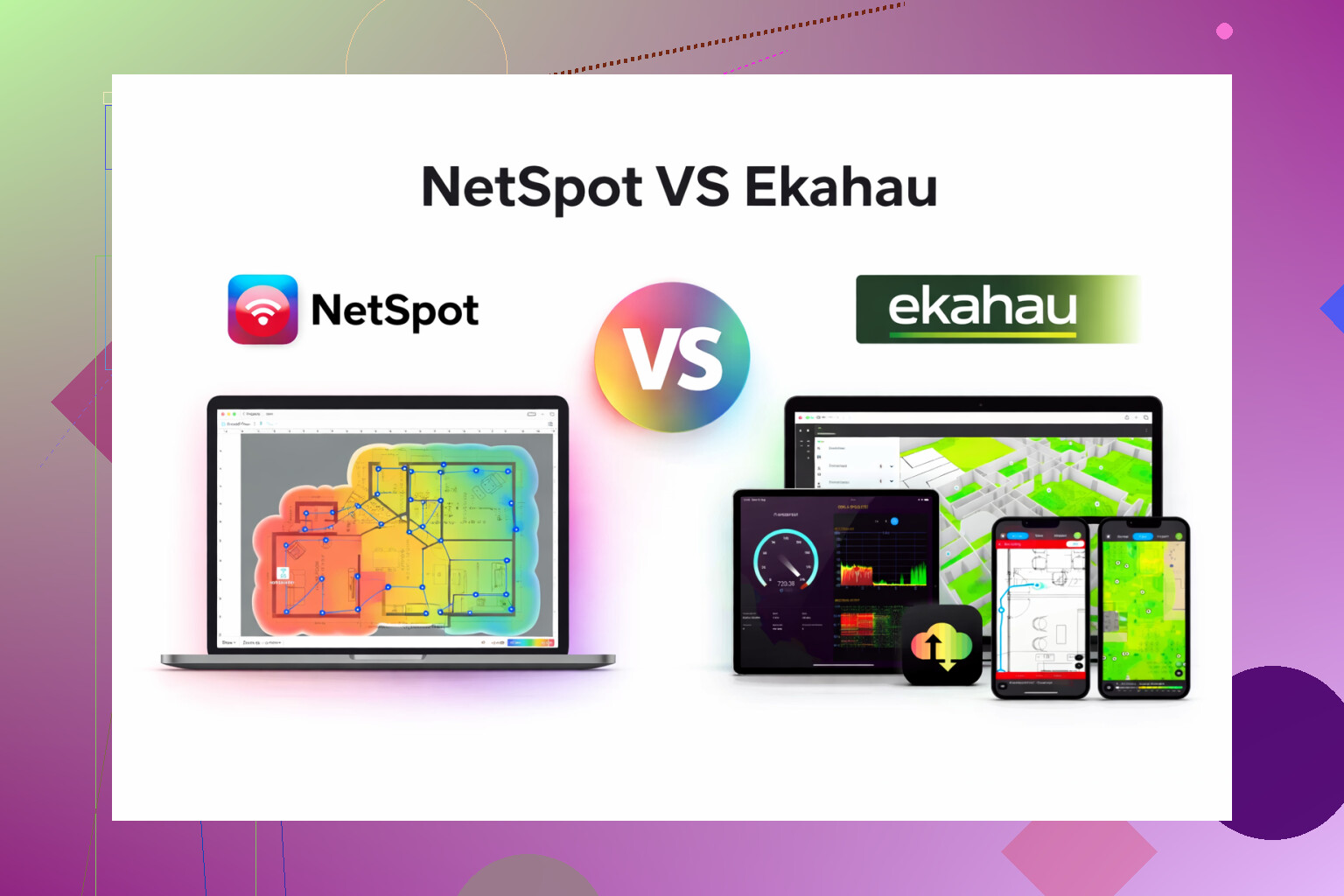
I bounced between Ekahau and NetSpot for a while, trying to sort out Wi-Fi in a small office and a couple of messy home setups. After fighting with both, here is where I landed.
Ekahau feels like it was written for people who live in airports and stadiums. The toolset is huge, the options go on forever, and the license price made my manager stare at me like I’d lost my mind. It does a lot, but you spend a ton of time setting things up, reading docs, and second guessing yourself.
NetSpot, on the other hand, gave me what I needed without turning it into a full-time job. I got heatmaps, signal strength views, channel overlap, noise, all the usual survey stuff. The UI is more “open laptop, walk around, get results” instead of “schedule a training session and block a week in your calendar.” For small offices, coworking floors, or someone serious about home Wi-Fi, it felt like the right level of tool.
My typical use case looked like this:
- Walk the floor with NetSpot running and a floor plan loaded.
- Collect data in a single pass without explaining to people why I am dragging a tablet around for an hour.
- Check the heatmap, find dead corners, see channel mess from neighbors.
- Move or tweak APs, repeat one more short pass, done.
With Ekahau, I spent more time tuning the project, fiddling with settings, and worrying if I was “doing it right” than I did fixing the Wi-Fi. For big environments, that level of depth probably pays off. For my stuff, it was overkill.
So for most small to mid setups I touch, I keep going back to NetSpot. It hits the main survey and planning needs without wrecking the budget or your weekend: https://www.netspotapp.com/
If you want to see it in action before bothering with installs, this walkthrough helped me get the hang of it faster than the docs: https://www.youtube.com/watch?v=DjSq6u2KdeM
33 Likes
For a medium office with glass walls and mixed clients, here is how I would look at it, trying to keep it simple.
Where I slightly disagree with @mikeappsreviewer is on “overkill.” Ekahau looks like overkill, but in tricky RF spaces it sometimes earns its keep.
Key constraints you mentioned:
• Medium office, lots of glass
• Old and new clients
• Accuracy, cost, ease of use
Glass and mixed clients matter a lot.
- RF accuracy and planning
Ekahau:
• Better wall and material modeling. You can set attenuation for glass, drywall, etc.
• Better predictive design. You place APs on the map, it simulates coverage, SNR, capacity.
• Strong validation tools with Ekahau Sidekick, which gives clean measurements of 2.4 and 5 GHz, plus spectrum.
• Helpful if you have VoIP over Wi Fi, high density meeting rooms, or care about roaming behavior with old clients.
NetSpot App:
• Solid for passive surveys. You walk, collect signal data, get heatmaps.
• Limited material modeling compared to Ekahau. Glass reflections and weird multipath effects are harder to predict.
• Good enough if your main goal is to find dead zones, overlap, and noisy spots.
For an office with a lot of glass, predictive accuracy matters a bit more. Reflections and low attenuation can cause odd coverage and roaming. Here Ekahau wins on pure RF modeling.
- Mixed old and new clients
Ekahau:
• You define client profiles. Different radios, data rates, required SNR, etc.
• You can check if your 2.4 GHz coverage and minimum data rates fit those older devices.
• Helpful if you want to justify things like disabling low data rates, band steering, or dropping 2.4 GHz in some areas.
NetSpot App:
• You see RSSI, noise, SNR, and channel use.
• You infer client issues from signal and channel plans, not from detailed client profiles.
• Works fine if you already understand what your old clients need in terms of RSSI and data rates.
- Cost
Ekahau:
• High entry price. License plus potential Sidekick.
• Makes more sense if you plan to use it multiple times a year or across many sites.
• You pay for more accuracy and more design depth.
NetSpot App:
• Much cheaper to get started.
• Fits one office, occasional home or branch work.
• Easier to justify to a manager who is side-eyeing tool spend.
For your case, cost pressure alone pushes toward NetSpot App unless this office is mission critical Wi Fi.
- Ease of use
Here I mostly agree with @mikeappsreviewer.
Ekahau:
• Learning curve.
• Interface has many options. Good if you do Wi Fi design regularly, slower if you use it twice a year.
• You spend time building a full project. Not always what you want for a single medium office.
NetSpot App:
• Load floor plan. Walk. Get maps.
• Less to fiddle with, faster to teach others on your team.
• Good if you want your results in a day, not after a long training session.
- Practical recommendation for your specific case
I would break it down like this.
Pick Ekahau if:
• You have voice over Wi Fi, time sensitive apps, or strict SLAs.
• You expect to redesign AP layout, not single AP tweaks.
• You plan multiple sites or long term Wi Fi work.
• You need strong reports for management or external clients.
Pick NetSpot App if:
• This is a one off or occasional survey.
• You mainly want to fix dead spots, reduce channel overlap, and get stable coverage.
• Budget is tight.
• Your team is small and does not want a steep learning curve.
For a medium office with glass walls and legacy devices, I would do this:
• Start with NetSpot App for a passive survey and quick heatmaps.
• Use the maps to fix AP placement, channels, and power.
• After changes, test key legacy devices in problem areas and verify roaming and performance.
• Only step up to Ekahau if you still see roaming gaps, VoIP drops, or you plan a full AP redesign.
You hit a good middle ground if you accept a little less modeling precision, save a lot of money, and put more effort into real device testing on site. For most medium offices, that tradeoff works.
I’m mostly in the same camp as @mikeappsreviewer and @himmelsjager, but I’d slice it a bit differently for your specific setup.
You’ve basically got three real constraints fighting each other: funky RF because of all the glass, weird client mix, and an actual budget.
Where I’d push back a bit on both of them:
- Glass + legacy clients does not automatically mean “you must buy Ekahau or everything will explode.”
- But it does mean you cannot treat this like a casual “walk around once and call it a day” job.
If this is a single medium office and not the first of 10 branches, I’d lean toward the Netspot App as your primary tool, and then compensate by being more disciplined in how you use it, instead of paying for Ekahau’s heavy modeling.
Rough approach that avoids repeating their step lists:
-
Use Netspot App as a validation and tuning tool, not a full predictive design religion. Load your floorplan, walk, collect, get your heatmaps and channel views. That part it does very well and fast.
-
In the glass-walled meeting rooms and corridors, pay more attention to:
- SNR, not just RSSI
- Weird “good signal but crap throughput” spots, which often show up as channel congestion or co-channel interference
Netspot App surfaces this just fine; you don’t need Ekahau’s material library to notice that your AP outside a glass room is bleeding too much coverage across half the floor.
-
For the mixed clients:
- Instead of fancy client profiles like Ekahau has, just define your own simple acceptance criteria and test with real devices.
Example: “Old scanner / VoIP handset must see at least -67 dBm and pass a basic throughput / ping test in these zones.”
Run the survey in Netspot App, then literally walk those same paths with the problem devices. This real-world testing makes up a lot of what you miss from Ekahau’s theoretical modeling.
- Instead of fancy client profiles like Ekahau has, just define your own simple acceptance criteria and test with real devices.
-
The one place I do think Ekahau legitimately wins for your case is if:
- You are redesigning from scratch (new AP layout) and
- You need to justify the design to a third party (vendor, management, or a contract).
In that situation, predictive design plus proper reports are worth the money. If not, you’re mostly paying for documentation and bells you won’t ring twice a year.
So, tl;dr for your combo of glassy medium office + old/new clients + cost sensitivity:
- Start and probably finish with Netspot App.
- Spend the budget you save on:
- A bit more time doing multiple short surveys (before and after tweaks)
- Actual testing with your worst clients in the worst rooms
- Only jump to Ekahau if you discover that you are basically rebuilding the wireless from zero or you have hard SLA/voice requirements that someone can blame you for later.
You can get very close to “Ekahau-level outcome” for a single medium site by using Netspot App smartly and not being lazy with validation.
For a medium office with lots of glass and mixed clients, you are basically choosing between:
- Paying for deeper modeling & reporting (Ekahau)
- Putting in a bit more hands‑on effort with a lighter tool (Netspot App)
I’m going to lean slightly toward Netspot App for your case, but not for the same reasons everyone else gave.
Where I agree and disagree with the others
- @mikeappsreviewer and @himmelsjager are right that Ekahau can feel like airport‑grade overkill and that Netspot App is much quicker to get productive with.
- @codecrafter is spot on that glass + legacy devices means you cannot just walk once and be done.
Where I disagree a bit:
- I would not treat Netspot App only as “validation.” For a single medium site, it can carry both basic design iteration and validation if you are methodical.
- I also don’t think Ekahau only makes sense for “huge” sites. It makes sense when you need repeatable multi‑site standards or strong compliance reporting. If this office is a template for many branches, that changes the math.
Netspot App: pros & cons for your scenario
Pros
- Fast to learn, minimal ceremony. Good if Wi‑Fi is not your full‑time job.
- Solid active survey capabilities: heatmaps, signal, noise, channel overlap.
- Works nicely for iterative tuning: survey, adjust APs, resurvey in short loops.
- Cost is far more palatable than Ekahau for a one‑off or small number of sites.
- Enough visibility into SNR and channel use to understand what glass walls are actually doing, instead of guessing from models.
Cons
- Predictive design is limited compared to Ekahau; you do not get the same depth of material modeling or client profiles.
- Reporting is fine for internal use, weaker if you need polished consulting‑style deliverables.
- Less automation around “this SLA, that client type, that application” planning. You need to define your own thresholds and test plan.
- If you later scale to many sites, you may outgrow it and have to redo standards in a “bigger” platform.
How I’d actually use it in a glassy, mixed‑client office
Instead of rehashing the walk‑around steps others posted, focus on three things that Netspot App can help with and that people often skip:
-
Separate coverage vs containment problems
- Glass lets RF sail through; your risk is APs covering too far and causing co‑channel interference rather than “dead zones.”
- Use Netspot App to compare strong RSSI areas with channel reuse. If you see large contiguous areas at similar signal levels on the same channel, you may need to lower transmit power or rethink AP placement, not just “add more APs.”
-
Test “edge” devices on purpose
- Instead of relying on abstract client models like in Ekahau, do targeted spot checks with your worst‑case device types: old laptops, scanners, voice handsets.
- Use your Netspot App survey as the map, then go to borderline areas and verify: can that old device hold a stable association and acceptable latency where the heatmap says it should?
-
Glass meeting rooms
- For rooms surrounded by glass, do two short passes: one with doors open, one with doors closed and people inside.
- Look for SNR drops or noise spikes between the two. You might find you need APs closer to the hallway or inside the room rather than blasting from outside and hoping glass behaves like drywall. Netspot App will show you this empirically without needing a huge materials database.
When Ekahau is still the better call
I’d tilt toward Ekahau only if any of these are true:
- You are defining a standard design that will be reused in multiple branch offices and must keep everything tightly consistent.
- You have strict voice / real‑time requirements and someone will hold you to detailed SLA metrics.
- Management expects “big‑consultancy” style documentation and you want automated, polished reports.
If that is not your world, the extra cost and complexity of Ekahau mostly buys you comfort and nicer paperwork rather than meaningfully better Wi‑Fi for a single office.
Bottom line
- For your medium, glass‑heavy office with mixed clients and a real but not unlimited budget, Netspot App is a very reasonable primary tool.
- The trade is: spend less on software, spend more attention on disciplined surveys and real‑device testing.
- Ekahau becomes worth it mainly if this office is just the first of many, or if formal design evidence is part of your job’s deliverables.
Used thoughtfully instead of casually, Netspot App will get you very close to “big‑tool” results for this one site.
The discussion favors NetSpot for occasional work and Ekahau for demanding requirements. Before buying either, consider outsourcing this single survey. Providers offer onsite Ekahau assessments and documentation.
Ask two local Wi-Fi specialists for a fixed quote. Send your floor plan, AP inventory, device list, and problem locations.
Request testing inside glass meeting rooms, checks with your oldest devices, and a prioritized change list. Include a follow-up visit in teh scope.
Compare quotes against software, hardware, and your setup time. For one office, I’d price this option first, then decide wether owning survey tools makes sense.
Whatever tool you pick, don’t expect either one to tell you how your glass actually behaves until you measure it. ‘Glass’ isn’t a single material. Plain interior partitions barely touch 5 GHz, but anything with a metallic low-emissivity coating (common on exterior and some fancy meeting-room walls) can knock down signal hard. Ekahau’s material library lets you set attenuation values, sure, but you’re still guessing at the number unless you’ve measured that specific pane. So the modeling edge people keep crediting it with is partly an illusion in a real building.
That’s why I lean the same direction as most of the thread but for a blunter reason: in a single office you’re going to end up walking it with real measurements anyway, so pay for the tool that makes the walking cheap. Netspot App runs straight off your laptop’s own wifi adapter, no extra survey dongle to buy or babysit, which for one site quietly removes a whole chunk of the Ekahau cost nobody likes to mention up front. @rusty_root’s idea of getting a fixed quote from a local specialist is worth doing in parallel, if only to see whether a one-visit assessment beats owning anything at all.
The thing I’d actually warn about: adapter quality skews your results. A cheap or old internal card reports signal differently than your problem devices do, so your heatmap can look worse (or better) than reality. Do your survey, then verify the borderline spots with the oldest handset or scanner you care about, because that device’s radio is the only opinion that matters in the end.