I accidentally deleted family photos from a USB drive, and now it’s not showing all the files that were there before. I’m looking for reliable USB data recovery software that can recover deleted photos without making things worse. If anyone has recommendations for photo recovery tools that work well on flash drives, I’d really appreciate the help.
I’ve had this happen enough times to know the feeling. You plug in a USB stick, expect your files, and instead Windows throws a blank folder at you or the lovely “you need to format this drive” message. Since deleted files from USB drives skip the Recycle Bin, it goes from normal to bad in about two seconds.
If you want the short version, I’d avoid the “free” stuff people throw around in comment threads when the drive matters. A lot of those tools are fine for one small mistake, then fall apart once the USB was formatted or the file system broke. What worked better for me was using software built for full recovery, not a simple undelete app. Those tools dig through damaged file systems and piece things back together when the easy route is gone.
What I’d use first
For an all-purpose pick in 2026, Disk Drill is still the one I see recommended most often, and yeah, I get why. I’ve used it on USB sticks, SD cards, and one old external drive I thought was cooked. It did a better job than the cheap freebies, mostly because the scan is broader and less dumb. It checks with multiple recovery methods at once and looks for 400+ file types, so it isn’t stuck relying on one broken index.
The preview feature matters more than people think. I learned this the annoying way. A long scan finished, I recovered a pile of files, and half of them were useless. With preview, you know before restoring whether the photo opens or the document still has content. Saves time. Saves false hope too.
Another part worth using is the byte-to-byte backup option. If your flash drive disconnects, freezes, or shows weird read errors, make an image first. Scan the image on your computer instead of hammering the failing USB over and over. I did this with a dying stick once, and it kept the situation from getting worse. On Windows, the free allowance is usually up to 100MB recovered, which is enough to test whether your files are even there.
If you want more control
R-Studio is the one I’d point technical users toward. It’s dense. No point pretending otherwise. The menus feel like they were built for people who already know what partition maps and file records look like. Still, if your case is messy, missing partition, damaged structure, odd logical errors, it’s one of the stronger options. I wouldn’t hand it to someone who wants a clean beginner app, but if you like digging into settings, it earns its place. I also prefer its one-time purchase model over paying forever.
If your budget is zero
Recuva is the easy first try. If you deleted something recently and stopped using the drive right away, it does alright. I’ve seen it recover simple stuff fast. Where it starts slipping is after formatting, corruption, or when the USB shows up as RAW. Good for a quick attempt. Not the tool I’d trust for the ugly cases.
PhotoRec is the free tool people mention when they’re out of other options. It’s strong, no doubt. It reads raw sectors and searches by file signature, so it doesn’t depend on the file system being healthy. The downside is rough. No normal graphical interface, no clean folder restoration, no original names. You end up with files named like “f12345.jpg” and then you spend your evening sorting them by hand. It works. It’s also kind of a pain in the neck.
Rules I’d follow before doing anything
Unplug the USB drive right away. Overwriting is what kills recovery chances. While the drive stays connected, Windows might write small background data to it. One unlucky write in the wrong spot, and your deleted file is done. I don’t leave the drive mounted any longer than needed.
Do not restore files back onto the same USB drive. People do this all the time and wreck their own recovery. Save restored files to your PC, another external drive, anything except the device being scanned. If you write data back onto the same stick, you risk overwriting the files you’re trying to rescue. Brutal mistake.
Look in Disk Management first. This saves time. If the system does not detect the drive at all, software won’t fix it. At that point you’re looking at a recovery lab. If the drive appears as RAW or Unallocated, software still has a shot, and sometimes a good one.
My practical take
I’d start with the trial of Disk Drill and check the preview before paying or doing anything big. If the files show up there and they open, you’re in decent shape. If the free tools are all you’ve got, try Recuva first for recent deletions, then move to PhotoRec if the simple path fails.
Hope your files are still there. I’ve been on the wrong side of this one, and yeah, it sucks.
13 Likes
Stop using the USB first. That matters more than the app choice.
I agree with part of what @mikeappsreviewer said, but I would not start with the oldest free tools if these are family photos. I’d start with a tool with solid photo preview and image backup, then fall back to raw carving only if needed.
My short list:
-
Disk Drill
Best first pick for most people. Easy scan, good photo preview, and it supports USB flash drives well. The preview step saves time because you see if the JPGs and PNGs are intact before paying or restoring. If the USB is flaky, make a backup image first and scan that. Safer. -
UFS Explorer
Less friendly, more serious. Better if the file system is messed up and the drive is showing missing folders. It costs more and looks nerdy, but recovery quality is strong. -
DMDE
Cheap and underrated. The interface is rough, not gonna lie. But for deleted files on FAT/exFAT USB sticks, it does a lot if you’re willing to click around a bit.
I’d skip EaseUS and Wondershare stuff for this case. Too much marketing, not enough trust from me.
Also, read this if you want a plain-English take on Disk Drill for USB photo recovery:
Disk Drill review for recovering deleted files from USB drives
Best workflow:
Connect USB.
Scan read-only.
Preview photos.
Recover to your PC, not back to the USB.
If the drive does not show in Disk Management at all, software won’t help much. If it shows RAW or unallocated, you still have a shot. If you already copied new files onto it, recovery odds drop fast. Sad but truee.
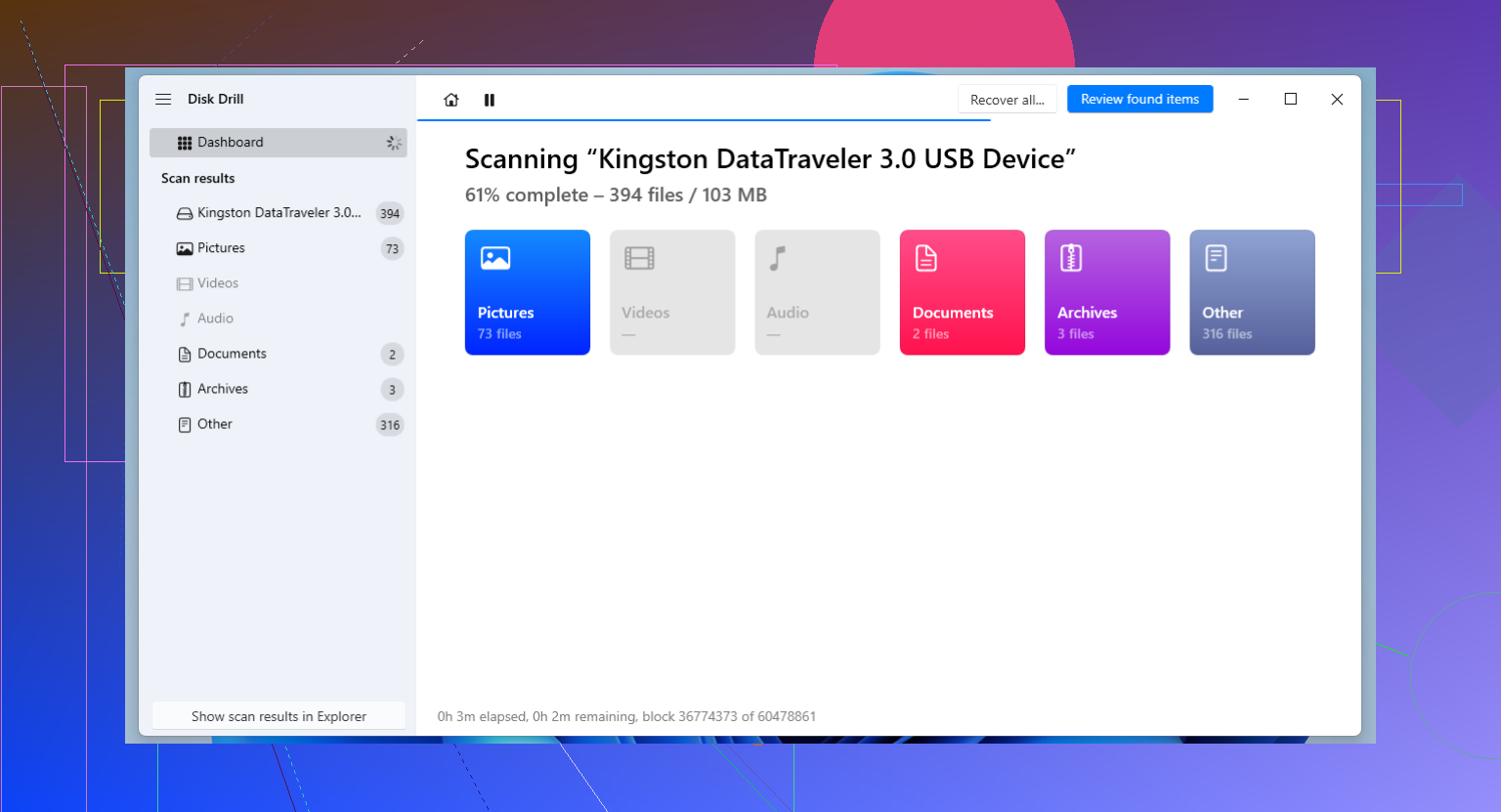
I’d split this into two possibilities, because “not showing all the files” is not always just deletion.
If the USB still mounts and you mainly need deleted photo recovery, I’d try Disk Drill first too, but not because it’s magic. Mostly because it’s easy to verify results fast with photo preview, and that matters more than a giant feature list when you’re dealing with family pics. I don’t totally agree with starting with super-advanced stuff unless the drive is actually damaged. A lot of people jump straight to nerd tools and just make themselves miserable for no reason.
If the folders are missing but the used space on the USB still looks occupied, also check whether the files were marked hidden/corrupted logically. That happens more than people think on flash drives. Recovery software helps, sure, but sometimes the issue is filesystem weirdness rather than true deletion.
My order would be:
- Disk Drill for the first scan and preview
- DMDE if you want a cheaper, more manual option
- PhotoRec only if you’ve accepted the “random file names and chaos” route
@mikeappsreviewer and @himmelsjager covered the main safety stuff already, so I’ll add one thing they didn’t really stress: if the USB is acting unstable, stop reconnecting it over and over. Flash media can go from “reads kinda bad” to “fully dead” prety quick.
Also worth skimming if you want a cleaner roundup of the best data recovery software options for USB drives, deleted photos, and damaged flash storage.
One hard truth: if you deleted the photos and then kept using that same USB, recovery odds drop a lot. Not zero, just worse.
One thing I’d do before picking software: check the USB’s SMART-style health if it’s an external SSD, but for a plain flash stick, assume it can fail suddenly and work from an image if possible. I slightly disagree with jumping straight to PhotoRec after simple tools. For family photos, raw carving is often the last resort because you lose names, dates in folder structure, and sometimes partial files get mixed in.
On the app side, Disk Drill makes sense as a first pass mostly because it lets you preview photos quickly.
Disk Drill pros
- very easy to use
- good image and photo preview
- can scan USB flash drives well
- backup image option is useful
Disk Drill cons
- not the cheapest paid option
- deep scans can return lots of duplicates
- advanced users may want more manual control
If preview shows intact JPG/PNG files, recover them to your computer only. If the scan looks messy or folders are badly broken, then DMDE or UFS Explorer can be worth trying after that. Recuva is okay for very basic deletions, but I wouldn’t bet family photos on it first.
Also, what @himmelsjager, @sterrenkijker, and @mikeappsreviewer all circle around is the real issue: the less you touch the USB now, the better your odds. If the drive keeps disconnecting or disappears entirely, software choice stops mattering and it becomes a hardware problem fast.