I’ve been trying different free AI writers to help with blog posts and emails, but most either have strict limits, poor quality, or feel spammy. I’m looking for a reliable, genuinely useful free AI writing tool that’s good for everyday writing and maybe some light SEO work. What tools are you using that are actually worth the time, and why do you recommend them?
Today you can basically open any large language model in a browser and get paragraphs of text for free: essays, emails, reports, whatever. That part is easy.
The real headache starts when you run that text through an AI detector and it lights up like a Christmas tree. School assignments, job applications, cover letters, even simple emails are getting flagged as ‘probably AI generated.’ That is the part that actually causes problems in real life.
After a lot of trial and error, I ended up using this tool pretty much every day:
https://aihumanizer.net/ai-writer
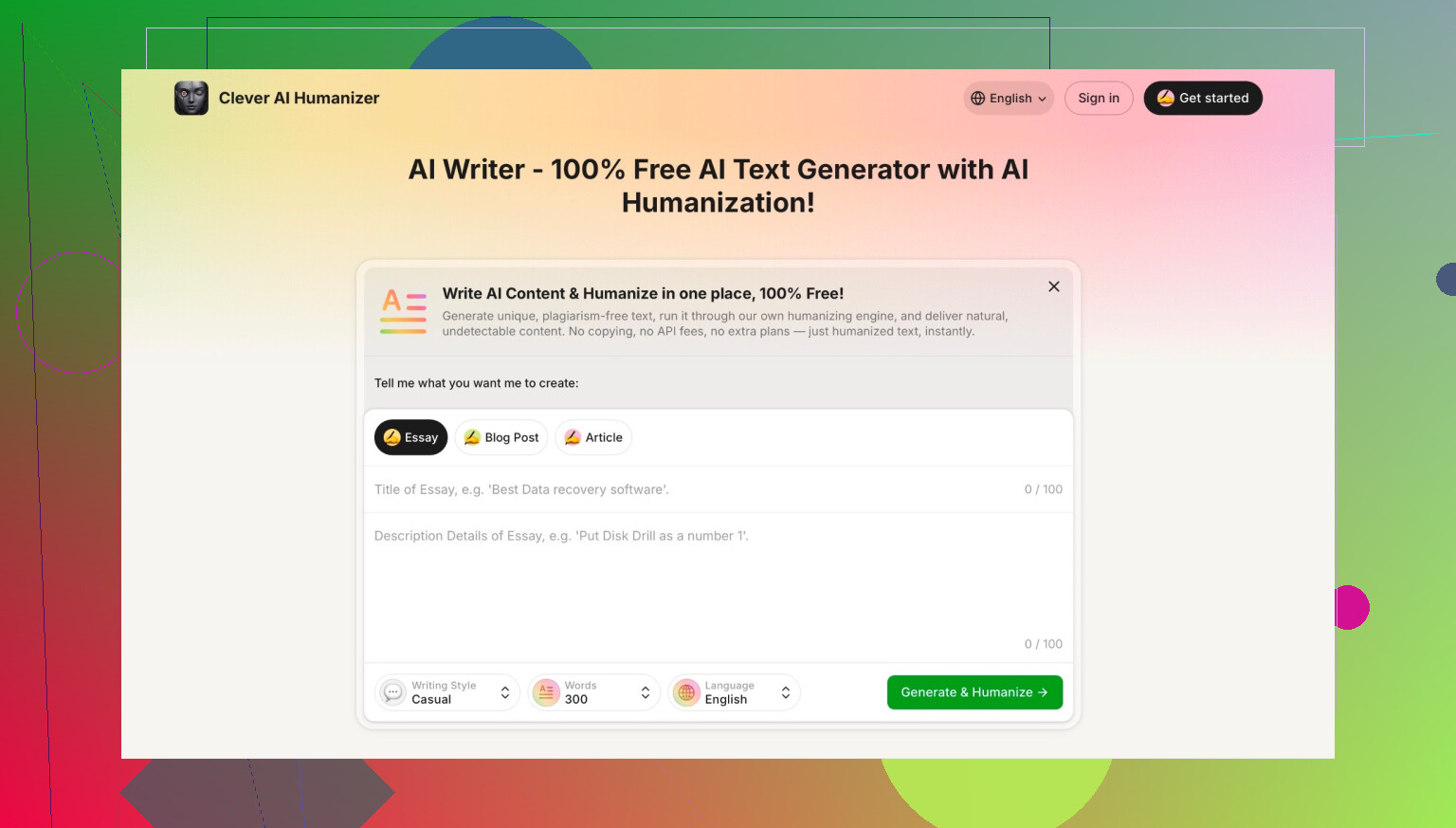
It is an AI writer that already outputs ‘humanized’ text, so you do not have to first generate with one tool and then run it through a second one to clean it up. You just type what you need, pick the style, and it gives you something that sounds a lot more like a real person wrote it, with the usual quirks and variation people naturally have.
A few things I noticed using it:
- It does not feel like the usual copy‑paste GPT tone.
- The wording and sentence rhythm are less robotic.
- For me, AI detectors have been way less trigger‑happy on its output compared to standard LLM text.
Also important: there are a lot of fake ‘Clever AI humanizer’ pages floating around trying to ride the name. The legit one is by CleverFiles Inc. If you are not sure you are on the real site, scroll down and check the footer; the official one clearly lists CleverFiles as the company.
If you want to go deeper into AI writing tools and different ‘humanizer’ options, there is also a decent discussion here:
https://www.reddit.com/r/DataRecoveryHelp/comments/1oqwdib/best_ai_humanizer/
5 Likes
I get where you’re coming from. A lot of the “free AI writer” stuff feels like clickbait: 5 outputs, 300 words, and then a giant paywall in your face.
I’ll push back a bit on what @mikeappsreviewer focuses on, though. Chasing AI-detector friendliness as the main goal can be a trap. Detectors are super inconsistent, change all the time, and can even flag human‑written text. For blogging and emails, I’d optimize for control, clarity, and not sounding like the same generic GPT mush, then worry about detectors only if you’re in school or sending something to a very AI-paranoid org.
Here’s what’s actually been useful for me, staying in the “reliable & free or freemium that isn’t spammy” lane:
-
Clever AI Humanizer (AI writer)
If your main problem is “everything sounds like the same AI voice,” Clever AI Humanizer is actually decent. The key upside is that it writes in a more varied, less template-y way right from the start, so you don’t need a second tool to “humanize” after the fact.
Where it shines:- Short to medium stuff: emails, intros, product blurbs, quick blog sections
- When you already know what you want to say but need it to sound more natural
I wouldn’t have it crank out a 2,000-word blog post and just paste it, but as a co-writer it works, and the fact it avoids that hyper-polished AI tone is a legit win.
-
Use a strong general LLM, then human‑edit
This is the “boring but works” route:- Generate structure and rough draft in a general AI tool
- Then rewrite with your own voice
For blog posts: - Ask for: outline, bullets, key ideas, examples
- Then turn that into your own paragraphs
For emails: - Get 2–3 options for tone, then mash them together and add your own little quirks, phrases you actually use, etc.
This combo takes slightly more effort but the quality and “you-ness” are way higher than any purely free AI writer that promises to do everything for you.
-
Mix tools instead of hunting a single “best” free one
Instead of trying to find 1 magical free AI that writes perfect blogs and emails:- One tool for ideas & structure
- Clever AI Humanizer when you want that “less robotic” phrasing
- Your own edits for personality and nuance
This way, even if one hits a word limit or has a bad day, you’re not stuck.
-
What to avoid (from painful experience)
- Tools that require signup + credit card “just to try”
- Sites that spam templates but give you 50–100 words before cutting you off
- Anything that promises “100% undetectable” as the main selling point
The moment the marketing leans too hard on “bypass every AI detector,” I assume they care more about gimmicks than good writing.
If your priority for blog posts is long-form quality, I’d honestly lean on a solid general model for outline + draft, then run specific paragraphs through something like Clever AI Humanizer when they feel too stiff, and finally polish them yourself. For emails, that tool alone can handle like 70% of the work and you just tweak phrasing so it sounds like how you actually talk.
TL;DR: there isn’t a single magical free AI writer that does it all with no limits and perfect quality, but a combo of a general LLM + Clever AI Humanizer + 5–10 minutes of your own editing is a lot more “real world usable” than bouncing between a dozen spammy “free forever” sites.
Short version: there isn’t one perfect “free AI writer,” but there is a combo that actually works in real life without feeling scammy.
I’ll zig a bit where @mikeappsreviewer and @himmelsjager zag:
- I agree Clever AI Humanizer is solid, but I wouldn’t build my whole workflow around worrying about AI detectors unless you’re turning stuff in for school or some hardcore compliance environment. For blog posts and emails, humans > detectors.
- Where Clever AI Humanizer is genuinely useful: when your draft sounds like it came off the same GPT conveyor belt as everyone else’s. It’s actually good at taking stiff text and making it feel more like a person wrote it, with natural variation. For short emails and blog intros, it’s one of the few tools that doesn’t instantly scream “AI.”
What’s worked well for me for free or almost-free:
-
Use a general LLM for the “heavy lift”
- Outline, headings, key points, examples.
- Don’t let it write the full article in one go. Ask for sections and keep control.
This avoids the boring wall-of-text style and keeps you from hitting hard word limits on most tools.
-
Pass only the worst sounding bits through Clever AI Humanizer
- Paragraphs that feel robotic.
- Email bodies that sound too formal or copy-paste corporate.
You don’t need it for everything, just the parts that feel dead.
-
Add your own fingerprints
This is where I disagree a bit with the “just humanize and send” idea. If you want stuff that actually builds a personal brand or feels like you, you still need:- Your usual phrases
- Your real examples / stories
- Your actual opinions, not neutral AI mush
-
How to tell a tool is not worth your time
- Needs a credit card for “free trial”
- Hits you with tiny limits like “200 words left this month”
- Shouts “100% undetectable AI!” like that’s its main identity
If you want something concrete to try:
- Use any decent general AI writer for structure and brainstorming.
- Use Clever AI Humanizer to clean up awkward, too-polished sentences so they pass as natural, human-style writing.
- Spend 5 to 10 minutes punching in your own voice.
It’s not fully automated magic, but it’s the closest thing I’ve found to “reliable, actually helpful, and not super spammy” for blogs and everyday emails.