My iPhone has gotten so slow and laggy that it’s hard to text, open apps, or even scroll without freezing. I’ve already tried restarting it, clearing storage, updating iOS, and closing apps, but nothing has helped. I need advice on what could be causing this and what else I can do to fix my iPhone performance.
Watching a pricey phone choke on stuff like typing, swiping, or opening Messages gets old fast. I ran into this after an iOS update and my first thought was factory reset. Glad I didn’t do it. In most cases, wipe-and-start-over is way too far down the list.
If you updated iOS, give it a little time first
This part trips people up. Right after a big iPhone update, performance often drops for a bit. Mine did. The phone starts reprocessing a bunch of background stuff, photo indexing, app data cleanup, search rebuilding, all of it. While it’s doing this, the CPU stays busy and basic actions feel off. Keyboard lag. App launch delay. Scroll hitching.
What helped me was simple. I left it plugged in overnight on Wi-Fi for two or three nights. Then I restarted it once. After that, it settled down a lot.
If your phone is still dragging after a week, I’d stop blaming the update alone.
Storage fills up, then the phone gets weird
This is the one I see most. iPhones need open space, not only enough to avoid the red storage warning. iOS needs room for temp files, cache, app swaps, and other junk it creates while running. Once free space gets too low, things start slowing in a way you notice right away.
A rough target is 10 to 20 percent free. Fall under that and you might get:
- slow app launches
- lag while typing
- delayed touch response
- random pauses in scrolling
For me, the big problem was Photos. Not apps. Not music. Photos and video.
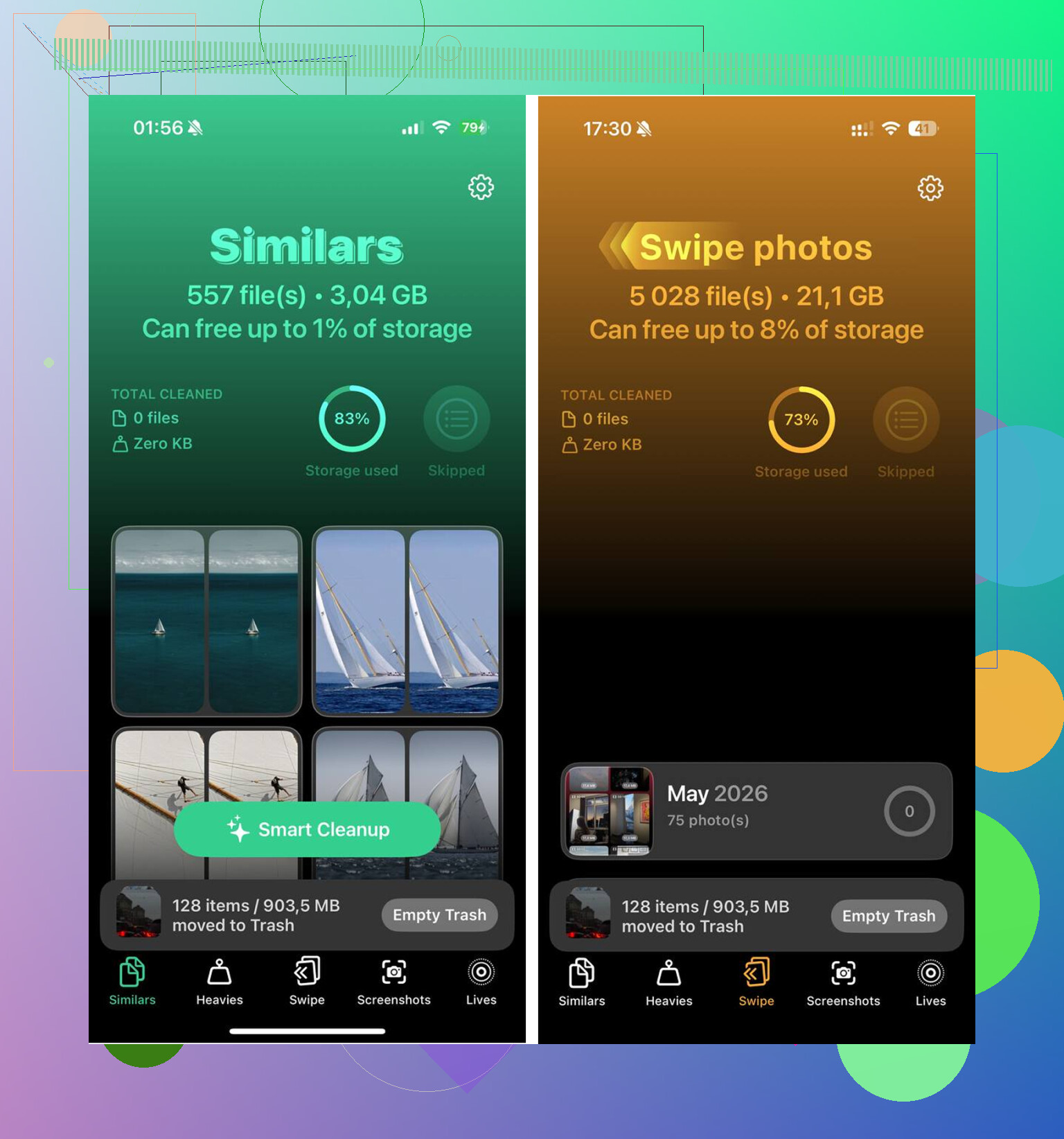
I tried deleting stuff by hand and it sucked. Too many duplicates, too many burst shots, too many screen recordings I forgot existed. I ended up using Clever Cleaner because doing it manually was going nowhere.
The parts I found useful:
-
Similar photos cleanup
It grouped near-matching shots together. Not only exact dupes. I had five versions of the same dog pic, same angle, tiny differences. It picked one best shot and let me dump the rest. -
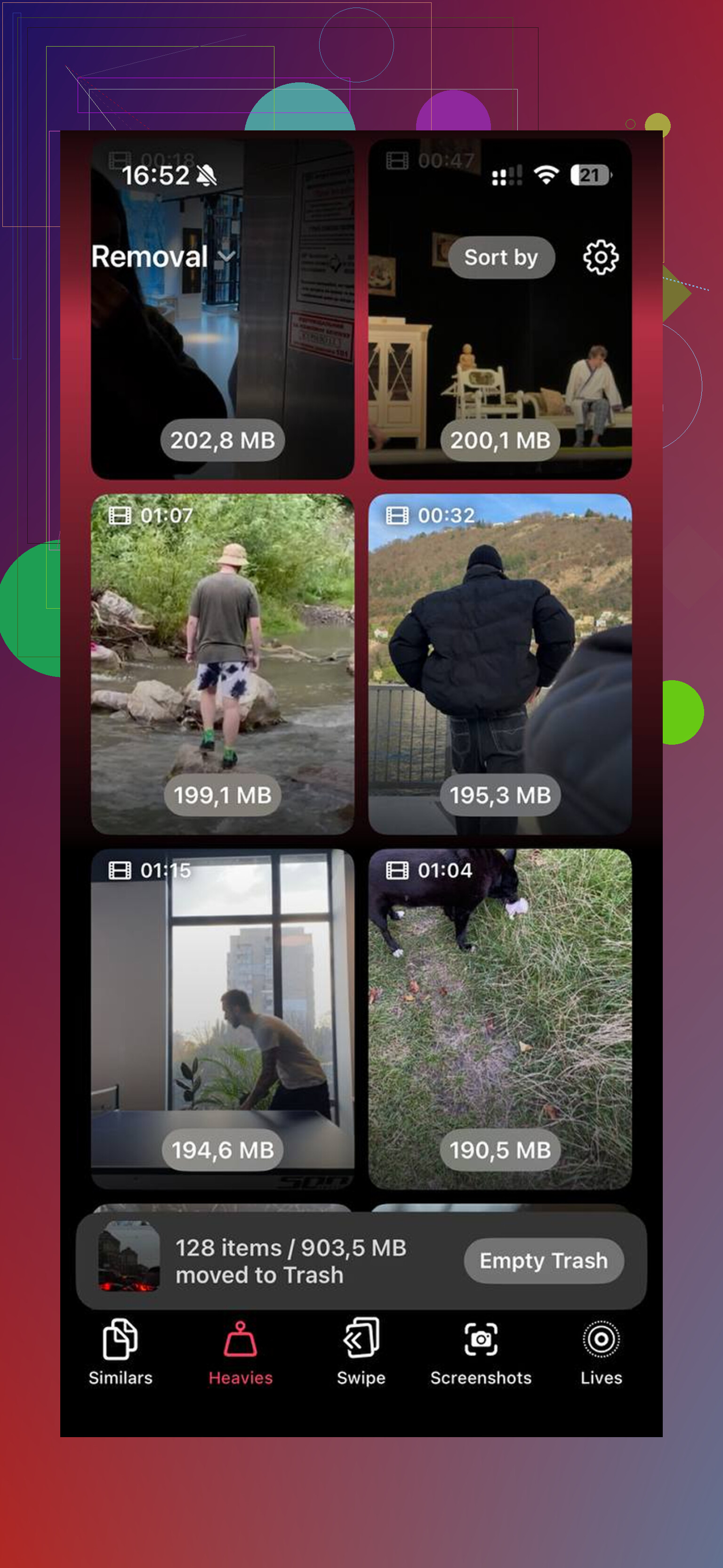
Large file sorting
This was the eye-opener. It listed the biggest files first with their sizes. Old 4K clips and accidental screen recordings were eating way more space than I thought. -
Screenshot cleanup
I had a stupid amount of screenshots. Shipping confirmations, maps, memes, random settings pages. Seeing file sizes on those made it easier to clear them in bulk. -
On-device processing
I liked this part. My library stays on the phone. Nothing goes out somewhere else.
After clearing about 15GB, then emptying Recently Deleted in Photos, the lag stopped. And yeah, empty Recently Deleted. If you skip it, those files still sit there for 30 days and still count against storage. Easy thing to miss.
A few settings I changed because they made a difference
If storage isn’t the main issue, or if you already cleaned up and want to squeeze out more speed, I’d check these.
Turn off Low Power Mode if you leave it on all day
I used to keep it enabled constantly. Bad move if you care about speed. It cuts performance to save battery, and you feel it.
Trim Background App Refresh
Go to Settings > General > Background App Refresh. I shut it off for apps I don’t need updating in the background. You don’t need every shopping app waking up all the time.
Reduce Motion
Settings > Accessibility > Motion > Reduce Motion. This one sounds minor, but it helped my older phone feel smoother because there was less animation overhead.
Update your apps
A lot of lag after iOS updates comes from apps being behind. Open the App Store and update everything. Some apps run badly until their devs patch them for the new version.
Battery health matters more than people think
Before doing anything drastic, check:
Settings > Battery > Battery Health
If maximum capacity is under 80 percent, performance throttling might be part of the problem. iPhone does this to prevent shutdowns when the battery gets worn down. Mine felt sluggish in a way no setting change fixed until the battery issue was addressed.
If you’re below 80 percent, a battery replacement usually makes more sense than fighting with software all week.
One more step before a full reset
If you’ve waited several days, cleaned storage, checked battery health, updated apps, and it still feels bad, try Reset All Settings.
Path is:
Settings > General > Transfer or Reset iPhone > Reset > Reset All Settings
This does not erase your apps or photos. It resets system settings, network settings, display preferences, and other stuff which sometimes gets messed up after a major update. I’ve seen this fix weird lag when none of the usual tweaks did.
Factory reset is the last card, not the first one. Most of the time, the problem ends up being post-update indexing, low free storage, battery wear, or one bad setting sitting in the background wrecking the feel of the phone.
14 Likes
If you already did the usual stuff, I’d look for one bad app or a bad battery before I’d keep tweaking settings.
First, check heat. If your iPhone feels warm all the time, performance drops hard. Open Settings, Battery, then look at battery usage by app for the last 24 hours and 10 days. If one app shows heavy background time, delete it for a day and test. I’ve seen Instagram, Maps, and some banking apps cause lag after updates.
Second, check analytics logs. Settings, Privacy and Security, Analytics and Improvements, Analytics Data. If you see the same app name crashing over and over, that app is dragging the phone down. Remove it.
Third, test with charging off. A bad cable or overheating while charging makes some phones feel worse. Sounds dumb, but i’ve seen it.
I slightly disagree with @mikeappsreviewer on waiting too long after an update. A day or two, sure. A full week of unusable lag is too much.
Also try this. Turn off widget stacks you don’t need, remove live wallpapers, and delete any VPN or “cleaner” app except something trusted like Clever Cleaner for photo cleanup. If photos are the mess, this Clever Cleaner for iPhone review and free storage cleanup guide is a solid read.
If lag happens even in Safari, Settings, or typing, and battery health is normal, I’d book Apple support. At taht point it starts looking hardware-ish.
One thing I’d add to what @mikeappsreviewer and @shizuka said: check whether the lag is system-wide or tied to your keyboard/network stuff. A lot of people assume “the phone is dying” when it’s actually one broken setting, one bad keyboard, or iCloud getting stuck.
Try these:
- Switch back to the default Apple keyboard if you use Gboard or Grammarly
- Turn off keyboard dictation and predictive text for a day
- Sign out of any VPN app and remove its profile
- Check iCloud sync status in Photos, Notes, Messages, Contacts
- Turn off Siri Suggestions in Search temporarily
- Free RAM the simple way: lock screen, then volume up, volume down, hold side button until power slider, let go, then hold side button again till screen refreshes
I kinda disagree with waiting around too long after updates. If it’s “can barely type” bad, something’s probly stuck.
Also, if storage is “clear” but your Photos app is still massive, that can absolutely keep things messy. Clever Cleaner is actually useful for sorting duplicate pics, large videos, and junk screenshots without making it a whole project. If you want a more detailed look, this hands-on Clever Cleaner review for freeing up iPhone storage fast breaks it down pretty well.
If the lag happens in Settings, Safari, and Messages even in Low Power Mode off, I’d test in Recovery Mode with a computer next. If that still doesn’t fix it, yeah, I’d start suspecting hardware.
I’d check something none of the others really focused on: accessibility and profile weirdness.
If Voice Control, Switch Control, Spoken Content, AssistiveTouch custom actions, or Full Keyboard Access got enabled, iPhones can feel bizarrely laggy. Same with a leftover MDM/profile from work or school. Go to:
- Settings > Accessibility
- Settings > General > VPN & Device Management
If there’s an old profile, remove it if you no longer need it.
Also, open Settings > Privacy & Security > Location Services and scroll through apps set to Always. A few badly behaved ones can hammer the phone constantly without showing up as obvious “open apps.”
Small disagreement with @mikeappsreviewer: I would not bother with more “wait and see” if the phone is barely usable now. And building on what @shizuka and @himmelsjager said, I’d test in Airplane Mode for 10 minutes. If lag improves a lot, it points more to sync, network, mail, or VPN churn than raw hardware.
If your Photos library is huge, Clever Cleaner is fine for trimming it down fast.
Pros:
- easy duplicate/similar photo cleanup
- good for large videos and screenshots
- quick way to recover space
Cons:
- mostly useful if Photos is the real problem
- you still need to review what it wants removed
- not a magic fix for battery or hardware issues
If it still stutters inside Settings with no VPN, no profile, and Airplane Mode on, I’d stop troubleshooting and get diagnostics run.