I’ve seen mixed feedback about Grubby AI Humanizer and I’m confused about whether it actually works well for making AI content sound more human and pass detectors. I tried it on a few articles, but I’m not sure if the quality or authenticity improved, or if I’m risking problems with search engines or plagiarism. Can anyone share real experiences, best practices, or alternatives so I don’t hurt my site’s SEO or credibility?
Grubby AI Humanizer
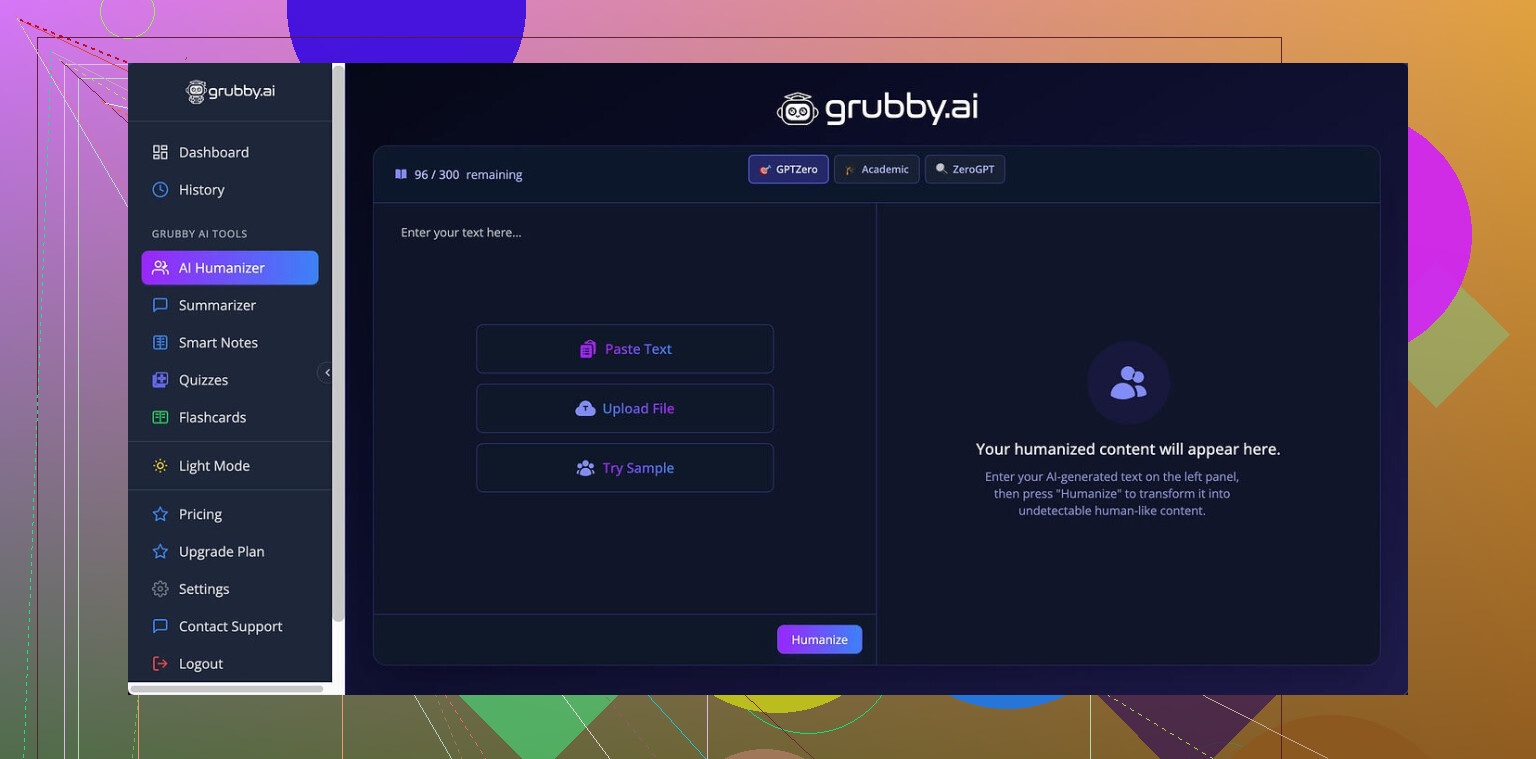
I spent some time messing with Grubby AI because everyone kept talking about those detector presets. On paper, that looked like the whole point of the tool. They have specific modes for GPTZero, ZeroGPT, and Turnitin, which sounds neat if you deal with those a lot.
Reality was all over the place.
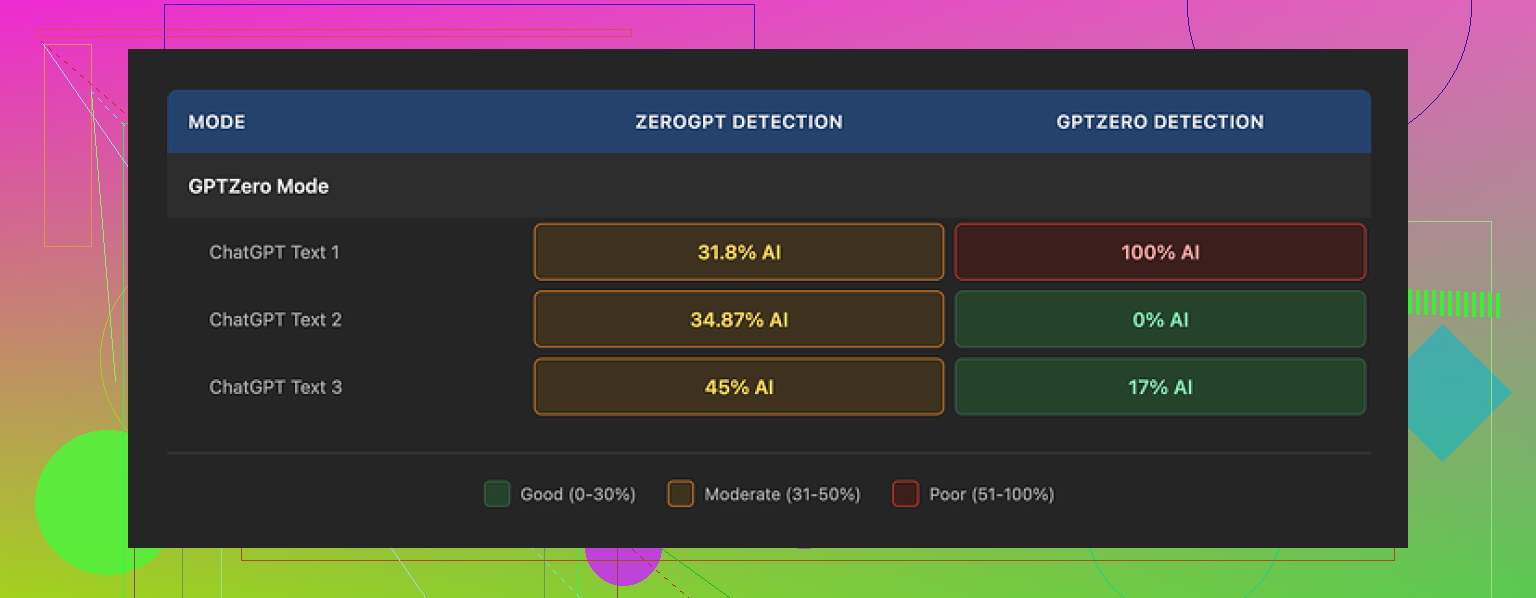
I fed three different samples through the GPTZero mode. Same general writing level, nothing weird.
Here is what GPTZero returned for those:
• Sample 1: 0% AI
• Sample 2: 17% AI
• Sample 3: 100% AI, fully flagged as AI by GPTZero
So the preset that is supposed to handle GPTZero failed completely on one of the three. I ran the test multiple times to see if I messed something up. Got the same pattern, different numbers, same inconsistency.
Then there is the Detection tab inside Grubby. Every single output I tested showed “Human 100%” across seven different detectors in their UI. That did not match what those detectors said when I pasted the same text into their actual sites. It felt like a fake dashboard more than a test tool.
Quality of the text
If I ignore the detection part and look only at the writing, I would give it around 6.5 out of 10.
Stuff it did well for me:
• It strips out em dashes, which is honestly nice because a lot of AI outputs overuse them.
• I did not see invented words or weird hallucinated terms. No fake citations either in my runs.
Stuff that annoyed me:
• Some sentences turned into long, stiff walls of text, like a student trying too hard to sound academic.
• I kept spotting odd word picks. One time it used “distinction” in a sentence where “nuance” made sense. That kind of mismatch popped up enough that I started scanning every paragraph line by line.
• It tends to over-explain. If your original text is already clear, it bloats it.
The part I liked most
The built-in editor is the best part of Grubby in my opinion.
You get:
• Click-on-word synonym swapping. You click a single word and it shows alternatives on the spot.
• Option to re-humanize specific paragraphs without touching the rest.
So if you are trying to tune tone or fix one awkward sentence, you do not have to run the full text through again. For quick micro edits, that layout is convenient.
Pricing
Here is what I saw when I used it:
• Free tier: 300 words total. Not per day. Total. That gets eaten in a few tests.
• Pro plan: $14.99 per month if billed yearly.
• Essential plan: $9.99 per month, but you only get “Simple” mode there, no detector-specific presets.
So if you want the detector modes that are advertised in the first place, you need the higher plan. Given the mixed results on those presets, the value seems questionable unless they fix consistency.
Direct comparison with Clever AI Humanizer
After I was done with Grubby, I ran the same type of texts through another tool, Clever AI Humanizer, to cross-check.
Details and proof are on their community thread here:
Using the same detectors, same kind of prompts, Clever AI Humanizer kept giving me more stable results. Detection scores were lower more often, with fewer complete failures like the 100% GPTZero flag I got from Grubby’s GPTZero mode. On top of that, Clever’s tool was free when I tested it.
So if your priority is consistent detector performance and you do not want to start with a paid plan, I would lean toward Clever AI Humanizer first, then only touch Grubby if you want to play with the editor or if they update the detection logic later.
12 Likes
Short version. Grubby AI Humanizer works sometimes, fails other times, and you should not trust its internal “detector” tab at all.
Here is the more practical breakdown based on what you and @mikeappsreviewer saw and what I have seen:
- Detector presets
- The GPTZero, ZeroGPT, Turnitin modes are not reliable.
- Getting 0 percent AI on one text, 17 percent on another, then 100 percent on the third from the same preset is not noise, it is inconsistency.
- The internal “100 percent human on 7 detectors” dashboard is misleading. If you paste the same text into the real detector sites and get different scores, you should treat the in app results as marketing, not as data.
- Does it make content sound more human
- It improves some surface patterns.
- Fewer em dash style quirks from LLMs.
- Less obviously robotic phrasing in some spots.
- New problems appear.
- Long, stiff sentences that read like a student trying to hit a word count.
- Off word choices. Wrong synonyms in context.
- Tendency to bloat already clear text.
- If you care about quality, you still need to hand edit after Grubby. You cannot fire and forget.
- When it is useful
- The editor is the best part.
- Click a word, get synonyms.
- Re humanize only a paragraph.
- If you want a quick way to rough up obviously AI text then manually fix it, it has some value.
- If your main goal is “pass detectors with no effort” it does not give you enough reliability to trust it.
- Pricing vs value
- Free tier is tiny, 300 words total. You burn that in one test.
- Detector presets live behind the higher plan.
- Since those presets have mixed results, paying mainly for that feature does not make sense unless you already like the editor and workflow.
- About detectors in general
- No tool can guarantee zero detection across GPTZero, Turnitin, etc, especially over time.
- Detectors change models. Text that passed last week can get flagged next month.
- Safer approach.
- Shorter paragraphs.
- Varied sentence length.
- Add your own opinions, examples, small mistakes, and local references.
- Edit for tone by hand.
-
Alternative to test
If your priority is more stable detection scores, Clever Ai Humanizer is worth testing. It has shown more consistent drops in AI probability on GPTZero type tools in many user tests I have seen. It also started out free which makes it easier to experiment without locking into a paid plan first. -
What I would do in your place
- Use Grubby on one article you know well.
- Run before and after texts through: GPTZero, ZeroGPT, maybe one plagiarism tool.
- Compare not only scores but readability.
- Do the same with Clever Ai Humanizer.
- Pick what gives you:
- Acceptable detector scores for your risk level.
- Text you are comfortable putting your name on after a short manual pass.
If you already feel unsure about Grubby’s output, that is a signal. Tools like this should save you time. If you are re reading every single paragraph for odd word choices, it defeats the point.
Short version: Grubby “works” sometimes, but it is way too flaky to treat as a serious “detector bypass” tool.
Couple things I’d add on top of what @mikeappsreviewer and @hoshikuzu already broke down:
-
The detectors problem
I actually disagree a bit with the idea that the inconsistent GPTZero results are just “mixed performance.” To me that looks like Grubby is chasing patterns in old detector behavior and is already out of date. Detectors are moving targets. If your tool “tunes” to GPTZero or ZeroGPT and you still get 100 percent AI on one of three similar samples, the preset is basically a gimmick, not a feature. -
That internal Detection tab
The “Human 100 percent on 7 detectors” thing is the biggest red flag. When the same text gets different scores on the real sites, that is not just “misleading,” it is functionally useless. At that point you are paying for a confidence booster, not a measurement. I would treat that entire tab as noise and ignore it. -
Text quality in practice
I found the writing issues a bit worse than “6.5 out of 10.” Once you start noticing off synonym swaps, you stop trusting the output and end up manually rewriting anyway. It also has this vibe of trying to sound “serious” and just turning simple ideas into clunky paragraphs. That alone can trip human reviewers even if you get past AI detectors. -
Where it can help
I do agree with both of them that the paragraph level “re humanize” and inline synonym swap are actually useful when you already know how you want the text to sound and you are just nudging tone. I would treat Grubby more like a glorified rephrasing editor, not an “AI camo” tool. -
Detectors reality check
If you are in a context where getting flagged has real consequences, depending on any “humanizer” is a bad strategy. Best mix I have seen:
- Write shorter sections with real personal references and specific details
- Use something like Clever Ai Humanizer sparingly to roughen obviously robotic LLM output
- Then do a brutal manual pass and make the text sound like you actually talk
- Clever Ai Humanizer vs Grubby
I have had more consistent luck with Clever Ai Humanizer on the same detectors, similar to what the others reported, and I did not have to fight a paywall immediately. It is not magic either, but at least it does not pretend to have a “100 percent human on 7 tools” dashboard inside the app. If you are testing tools, I would flip your order: start with Clever Ai Humanizer as your baseline, then only use Grubby if you specifically want that inline editing workflow.
If you already feel you have to double check every sentence Grubby touches, that is your answer. A “humanizer” that needs constant babysitting is just another editing step, not a shortcut.