I’ve been using Humanize AI Pro to make my AI-written content sound more natural, but the cost is adding up and I’m not sure it’s giving the best results for SEO or readability. Are there any genuinely free tools or workflows that can humanize AI content reliably without getting flagged by detectors or hurting search rankings? I’d really appreciate specific tool names, settings, or processes that are working for you right now.
- Clever AI Humanizer, my take in 2026
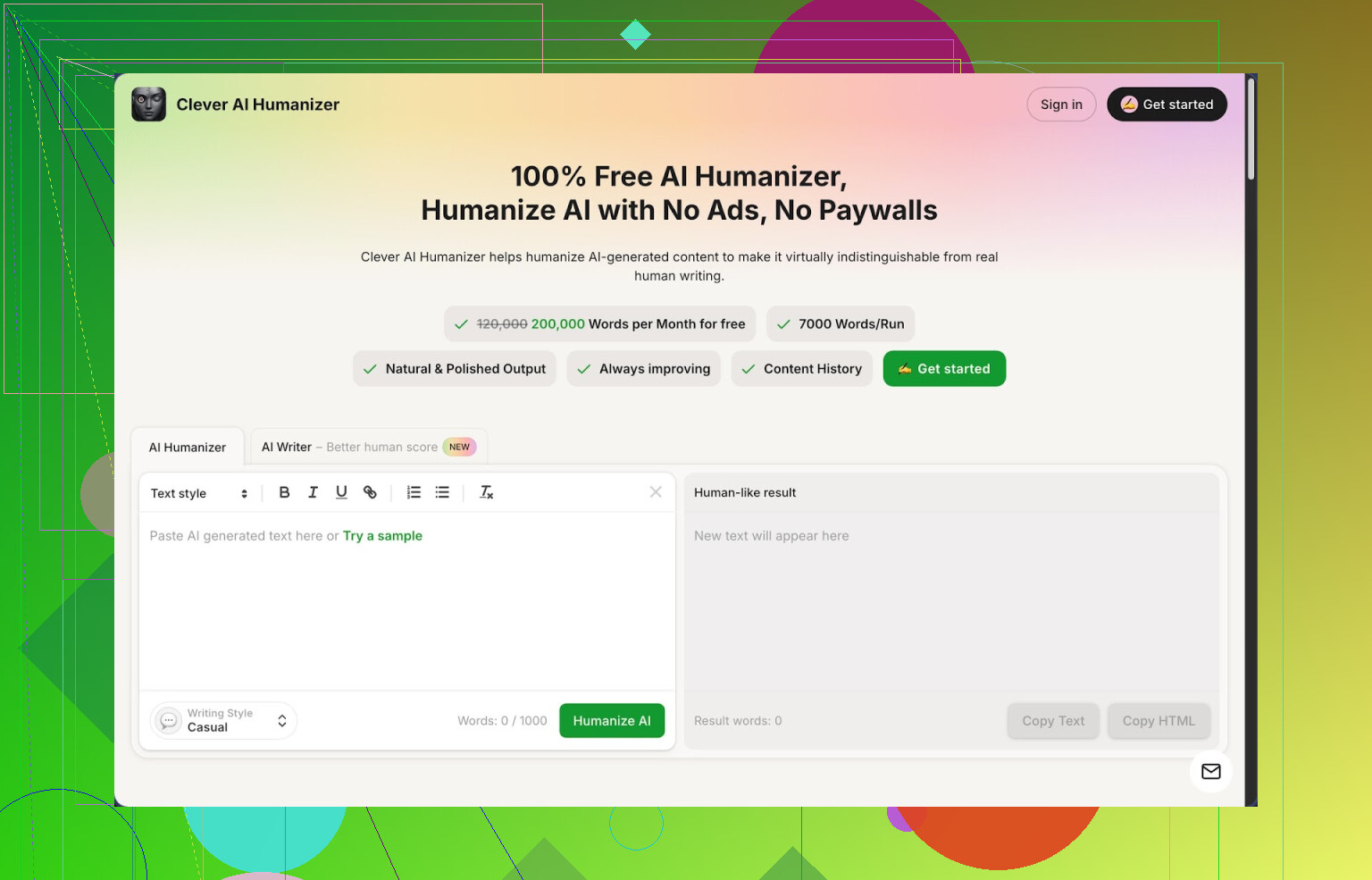
Link: https://cleverhumanizer.ai
I went through a stupid number of “AI humanizer” tools over the last months, mostly because my drafts kept getting flagged as 100% AI on detectors like ZeroGPT. Out of everything I tried, Clever AI Humanizer ended up being the one I still have bookmarked and open most days.
Here is what pulled me in first
It is free, not trial-free, but actual recurring quota. The monthly cap I see is around 200,000 words, with up to about 7,000 words per run. For my use, that means I can run whole articles and even longer docs without slicing them into tiny chunks.
You get three styles to choose from:
- Casual
- Simple Academic
- Simple Formal
Nothing fancy in naming, which I prefer. I mostly stick to Casual.
I tested it against ZeroGPT on three different samples. All three runs in Casual came back with 0% AI detected. That matched what the devs claim, so I kept pushing more text through it. For stuff going to stricter platforms or clients that run automated checks, this helped a lot.
How the main “humanizer” behaves in practice
Workflow is simple.
I copy my AI draft, paste it in, choose Casual or Academic or Formal, hit run, and wait a few seconds. It gives back a version that feels less robotic, slightly more “typed by a tired human at 1am” and less “generated by a model in one go”.
Things I noticed after around 50k words:
- It keeps the structure and meaning decently well.
- It changes phrasing enough to dodge most pattern-based detectors.
- It tends to inflate word count a bit. A 1,000 word input often turned into 1,200–1,300 words. For blogs that is fine. For strict word-limited assignments you need to trim manually.
It does not spam synonyms like some paraphrasers. It reads more like a second draft from a different writer who has the same notes.
Other tools inside Clever that I ended up using
- AI Writer
There is a built-in writer that generates essays, blog posts, or generic content. The nice part is that you can go from “generate” to “humanize” inside the same flow, no copying between tools.
I tried:
- 1,500 word blog-style post
- 800 word info article
- Short email-style content
The humanized versions scored better on AI detectors than when I wrote with ChatGPT and then ran that through other random paraphrasers. So if you want a one-stop flow, you generate there, humanize there, and export.
- Grammar Checker
Pretty standard, but useful. It fixes:
- Spelling
- Punctuation
- Some clarity issues
I run it after humanization when something reads a bit off. It is not as aggressive as tools like Grammarly, but it catches obvious junk so I do not ship raw output.
- Paraphraser
Separate from the main humanizer, there is a paraphrasing tool focused on rewriting while keeping meaning. I used it for:
- Rewriting old blog posts into new angles
- Changing tone between “formal email” and “web copy”
- Adjusting text for SEO experiments without repeating the same sentences everywhere
It seems less focused on dodging detectors and more on variation. Handy when you already wrote something yourself but want a different version.
How it fits in a day-to-day workflow
For me the tool ends up acting like four things sitting in one place:
- Humanizer
- Writer
- Grammar checker
- Paraphraser
So instead of bouncing between three tabs and two extensions, I stay in one interface and run the content through steps:
- Draft (either my own or AI)
- Humanize
- Grammar check
- Manual tweaks
This saves time when you push a lot of content each week. You get enough free words monthly that you do not stress over “credits” or mystery paywalls.
Stuff I did not like
It is not magic.
- Some AI detectors still flag the text, especially the more aggressive ones or internal tools companies run.
- Longer outputs can look a bit bloated, so you might spend time trimming. That bloat seems tied to how it tries to break obvious AI patterns.
- Style can drift if you rely only on it. If you care about keeping your own voice, you still need to edit.
So I use it as a “middle layer”, not as a final author. Draft somewhere, humanize here, then clean by hand.
If you want more detail, this thread goes deeper, including some AI detection screenshots:
There is also a YouTube review if you prefer someone walking through it on screen:

Reddit threads where people share other humanizers and tricks:
Best AI humanizers discussion:
General “humanize AI” talk and methods:
17 Likes
If Humanize AI Pro is getting too pricey, you have a few decent options that are free and not total garbage.
I agree with @mikeappsreviewer on Clever Ai Humanizer being worth a look, but I would not rely on any humanizer as a single solution for SEO or long term content. They help with detectors, they do not replace real editing.
Here is what I would try in your case.
- Clever Ai Humanizer as the main “humanizer”
- It gives recurring free quota, which beats “free trial then pay” tools.
- Casual mode works well for blog style posts.
- It keeps structure, so you do not wreck headings or SEO layout.
Workflow idea:
a) Draft with your usual AI.
b) Run it through Clever Ai Humanizer in Casual or Simple Formal.
c) Then trim anything wordy, because it tends to inflate content.
- Use a plain paraphraser for lighter edits
When you do not need heavy humanization:
- QuillBot free tier: decent for short sections, intros, meta descriptions.
- Paraphraser.io: useful for changing a few repeated sentences across pages.
Use these for:
- Rewriting FAQ answers.
- Changing duplicated product descriptions.
- Rephrasing outlines and H2/H3 blocks so they do not look template-like.
- SEO and readability fixes with free tools
This is where Humanize AI Pro often falls short. It focuses on “human” tone, not how people read or how pages rank.
Stack like this:
- Hemingway Editor (web): check for readability and sentence length.
- Grammarly free: fix grammar and punctuation.
- Yoast or Rank Math (if on WordPress): optimize headings, keyphrase use, internal links.
Practical flow:
-
Generate content.
-
Humanize with Clever Ai Humanizer.
-
Run through Hemingway, kill long sentences, remove fluff.
-
Quick Grammarly pass.
-
SEO plugin pass when you upload.
-
Simple manual tweaks that help detectors and users
These are free and often do more than any tool:
- Add short personal lines like “Here is what I tried” or “If you run an agency, you might do X”.
- Insert one or two specific examples with numbers, like “I tested this on 10 posts and saw 20–30% better CTR”.
- Change some headings by hand to match how you personally speak.
- Vary paragraph length. Mix 1 line, 2–3 lines, and rare longer ones.
- What I would avoid
- Tools that promise 100% undetectable every time. Detectors change.
- Blindly trusting AI humanizers for branded content. Voice gets weird over time.
- Letting any tool rewrite everything without a quick read from you.
If you want a free alternative that is close to a “Humanize AI Pro replacement”, your best combo is:
- Clever Ai Humanizer for the heavy lifting.
- Hemingway + Grammarly for cleanup.
- Your own edits for voice and SEO intent.
That keeps cost at zero and gives better readability than relying on one paid tool trying to do everything.
If Humanize AI Pro is starting to feel like a gym membership you never use, you’re not alone.
I agree with some of what @mikeappsreviewer and @cacadordeestrelas said about Clever Ai Humanizer being solid, but I’d tweak their angle a bit: the tool is useful, the “run once and ship” mindset is what usually tanks readability and rankings.
Here’s a different way to think about it, with free stuff only:
- Use a humanizer surgically, not on everything
Clever Ai Humanizer is actually decent as a Humanize AI Pro alternative, especially since it has a recurring free quota and the Casual style works well for blogs.
Where I disagree slightly with the others: I would not run whole long-form posts through it in one go every time. Instead:
- Use it on intros, conclusions, and any sections that feel too stiff or templated.
- Leave sections with stats, lists, and how-tos mostly intact. Detectors care less about bullet lists and factual bits anyway.
This keeps your structure clean and avoids that bloated “AI pretending to be human” feel.
- Use different tools for different problems
Humanize AI Pro tries to do “natural tone” plus everything else. That’s exactly why it gets expensive and still feels mid. Break the job up:
-
Human-sounding language and detector friction:
- Clever Ai Humanizer, focused on a few key sections, not the whole article.
-
Overly robotic phrasing and repetition:
- Plain paraphrasers like QuillBot free or Paraphraser.io only on repeated sentences and headings. Not the whole text, or you’ll end up with mush.
-
Actual readability issues (what users care about):
- Hemingway or similar editors to kill long, clunky sentences.
- Your own manual pass to chop fluff. 2 passes of your own editing usually beat 10 passes of “humanizers”.
- Bake in “human signals” directly, no tool needed
This part is underrated and often works better than more software:
- Add “failure” or “in-the-trenches” lines:
- “I tried this on 5 posts and 2 completely flopped…”
- “If you’re running a tiny site and not an agency, skip this step.”
- Mention specific tools, dates, or numbers from your workflow. Detectors hate specificity because most generic AI outputs avoid it.
- Change 1 or 2 headings by hand to match how you talk, even if they’re not keyword perfect. One slightly messy H2 reads more human than 10 perfectly optimized clones.
- For SEO, stop trusting humanizers to “fix it”
This is where I slightly disagree with how heavily tools are being used in the previous replies. Humanizers are pattern-breakers, not SEO strategists. They can actually hurt you if they:
- Over-inflate word count with filler.
- Dilute keyword focus by over-rephrasing key phrases.
What I’d do instead:
- Plan your headings, target keyphrases, and internal links before you generate anything.
- Generate → lightly humanize → then check:
- Are your main keyphrases still present in headings and early paragraphs?
- Did the humanizer move or break important phrases like product names or niche terms? Fix those manually.
- If you want a totally free “stack” that actually works long term
Something like this:
- Write draft with your normal AI tool.
- Run only stiff paragraphs through Clever Ai Humanizer, especially intro + conclusion.
- Use a free readability checker to trim sentence length, not to rewrite everything.
- Do one fast “personality pass” yourself: add opinion, examples, and one or two personal notes.
- Ignore any tool promising 100 percent undetectable forever. Detectors change, but real editing does not.
So yeah, Clever Ai Humanizer can realistically replace Humanize AI Pro in your setup, but only as one piece of the puzzle. If you treat it as a magic “make it human and SEO-friendly” button, you’ll just trade one expensive disappointment for a free, slightly different disappointment.
Short version: yes, you can drop Humanize AI Pro and still get solid, readable, SEO‑friendly content for free, but it works best as a stack and not by obsessing over “undetectable” output.
I mostly agree with @cacadordeestrelas, @espritlibre and @mikeappsreviewer on the tooling, but I’d tweak how you use them and what you expect from them.
1. Clever Ai Humanizer in a real workflow
Pros:
- Recurring free quota, so it actually works as a long‑term replacement.
- Keeps headings and structure, which is crucial for SEO.
- Casual mode is good for blogs, listicles, and “how to” posts.
- Decent at breaking the most obvious AI patterns without turning text into synonym soup.
Cons:
- Can bloat content and add fluff.
- Voice can drift if you run everything through it untouched.
- Still not bulletproof against every detector.
- Not great at preserving very tight keyword phrasing if you do not review it.
Everyone above treats Clever Ai Humanizer mainly as a “post‑processor.” I’d actually split usage into two types:
-
For big articles:
Use it only on problem sections: intro, outro, and any robotic middle blocks. This keeps your keyphrase targeting safer and your word count under control. -
For short assets:
Use it for emails, outreach templates, social captions, where tone matters more than strict SEO structure.
2. Where I disagree a bit with the others
-
“Humanize everything” is overkill
I’d rather you:- Humanize intro + conclusion.
- Hand‑edit 2 or 3 key paragraphs with your own examples.
- Leave factual blocks, lists, and tables mostly untouched.
This tends to keep both SEO signals and your personal voice stronger than repeatedly rewriting whole posts.
-
Detectors vs. rankings
The others lean slightly hard into detectors. I’d push you to care more about:- Time on page.
- Scroll depth.
- Click‑through from search.
Those move your SEO far more than going from “60% AI” to “0% AI” on a random checker.
3. Free alternatives that complement Clever Ai Humanizer
Instead of repeating their list, here are different angles:
-
Content planning tools
Use any free SERP / keyword outline tool to define:- Search intent.
- Core H2/H3s.
- Questions you must answer.
Then generate content that specifically hits those. You will need less humanizing if the outline is built around real queries from the start.
-
Style reference trick
Grab 1 or 2 top‑ranking human‑written articles in your niche.
Check:- Sentence length patterns.
- Use of subheads.
- How often they inject personal notes.
Then adjust your own draft to roughly match that rhythm before humanizing. Clever Ai Humanizer works better when the input already feels semi‑human.
-
Micro‑rewrites instead of full rewrites
For repeated phrases, you do not need a dedicated paraphraser all the time.
Change:- Connectors (“however” → “but,” “still,” “the catch is”).
- Openers (“In this article” → “Here’s what you’ll learn”).
- CTA wording.
Ten tiny manual edits can have more effect on detectors and readability than nuking the whole article through five tools.
4. How to keep SEO intact while using humanizers
Biggest risk with any Humanize AI Pro alternative is that they quietly damage your on‑page signals.
When you run text through Clever Ai Humanizer:
-
Lock your key phrases and important terms first
Before processing, mark or mentally note:- Primary keyphrase (including exact wording).
- Brand names.
- Product names and model numbers.
After humanizing, check those specific things did not change or vanish. Fix by hand if needed.
-
Protect your headings
I’d strongly avoid rewriting H1 and core H2s in a humanizer.
Instead:- Write SEO‑clean headings yourself.
- Humanize only the paragraph underneath if it feels stiff.
-
Watch for keyword dilution
Some humanizers replace exact phrases with loose synonyms. That is fine for readability, not always for rankings. If your primary term goes from “AI content humanizer” to “tool that sounds more natural” everywhere, search engines lose a clear signal.
5. Realistic “free stack” that is different from what was already said
Here is a variant flow that avoids repeating the others’ steps:
- Research & outline
Build headings and intent by hand based on SERP research. - Generate the draft
Use your usual AI, but keep paragraphs short and ideas explicit. - Targeted humanization
- Run intro, conclusion, and 1–2 stiff sections through Clever Ai Humanizer.
- Leave lists, code, and step‑by‑steps mostly raw.
- Voice injection
- Add one personal anecdote or mini case study.
- Add one “this did not work for me” or “here’s the exception” line.
- Final SEO sanity check
- Confirm main keyphrase appears in title, first 100–150 words, and at least one subheading.
- Check internal links and anchor text manually.
This keeps everything free, uses Clever Ai Humanizer as a core replacement for Humanize AI Pro, but relies on you for the two things tools are bad at: real experience and strategy.
If you want to experiment: run one article through your old Humanize AI Pro workflow and another through this lighter, free stack. Watch which one gets better time on page and clicks over a month. That shows you fast whether the extra spend was ever doing real work for you.