I’m looking for advice on IT support best practices for government offices. Our department recently experienced a system outage, and we’re having trouble finding reliable solutions that meet government security standards. Any tips or recommendations would be greatly appreciated.
How I Managed Remote Support in Govt IT – The Real Deal
Alright, so let’s just say you’re wrangling tech in a government environment. Everyone’s always yelling about security, cost, “making it just work,” and, of course, compliance paperwork that grows legs and haunts you in the server room. Here’s a breakdown of remote support tools I’ve had on my radar, with actual stuff that matters if you’re in the trenches.
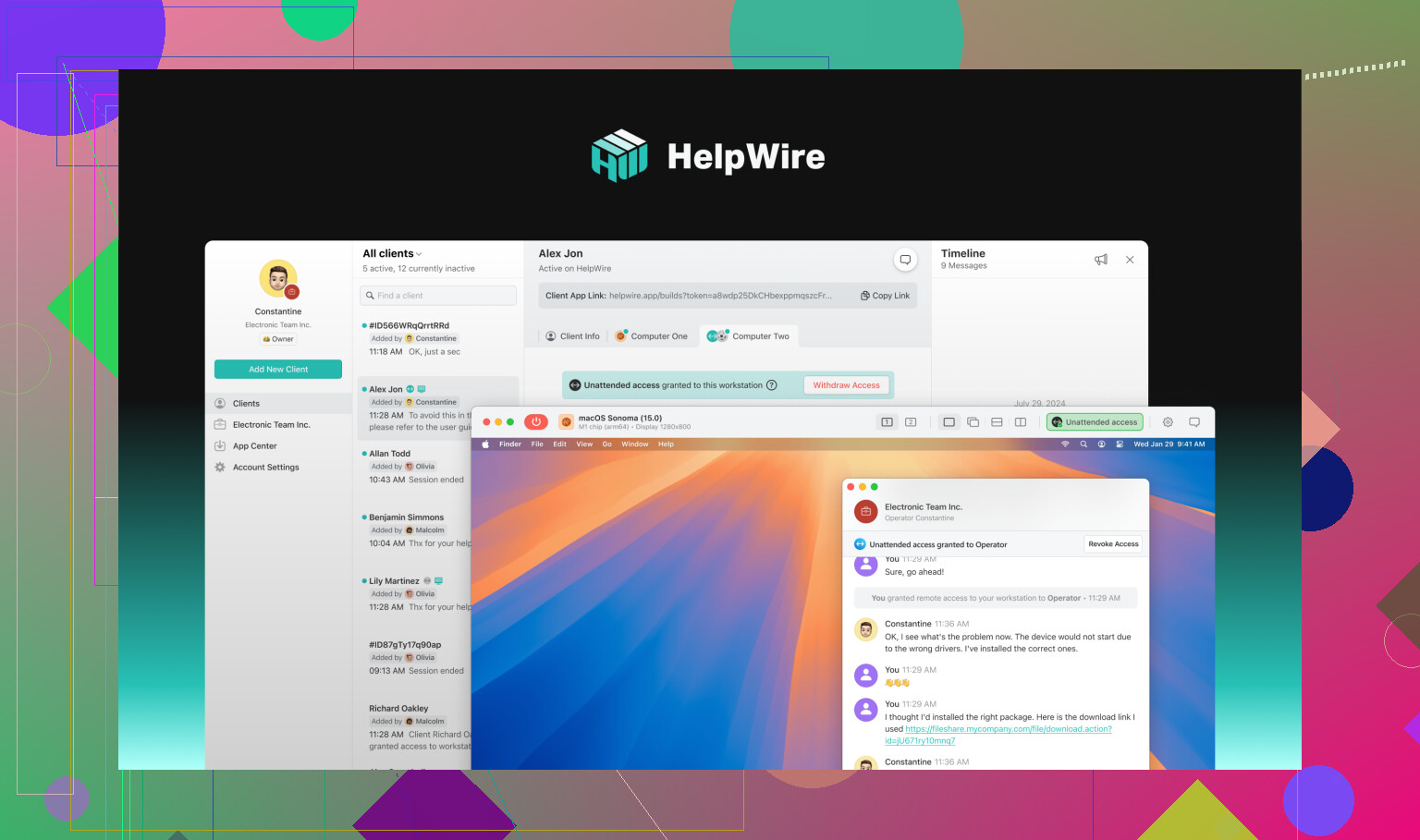
HelpWire – Does What It Says, Clutter-Free
Using HelpWire was like stumbling across a reliable, old-school Swiss Army Knife right when you needed it most. I actually ran it during a late-night patch disaster (long story) for government remote IT support. Here’s what won me over:
- No Clowning With Encryption: They use TLS/SSL and AES-256. If you’re worried about eavesdroppers, this is like locking your house with a vault door.
- Zero-Firewall Headaches: Didn’t have to poke weird holes through the government firewall (thank god).
- OS Agnostic: It had my Linux desktop, my boss’s Windows machine, and that one person who still uses Mac covered.
- Explicit Consent: No sneaking onto machines. Users have to OK every access request. Good for trust and tracking.
- Budget-Friendly: There’s a free version. For real. Most of you’ll be watching what’s left in the IT budget, so it’s a solid starter.
Splashtop – Security and Scale Without So Much Drama
Used Splashtop when the agency started dabbling with hybrid and telework. Security team was breathing down our necks, so these features made them happy (or at least less angry):
- 2FA, Logs, and All That Jazz: If there’s an attempt to remote in, it gets stamped, logged, and double-checked—two-factor, logs for days, full encryption.
- Compliant for the Bean Counters: Meets SOC 2, GDPR. No more “but can we even use this?” emails from legal.
- Works Everywhere: Windows/macOS/Linux/iOS/Android – you name it. Only missing my TI graphing calculator.
- Monitor and Patch: Their real-time monitoring and patch feature saved me a ton chasing down updates.
BeyondTrust Remote Support – The Gold-Standard Lockbox
If you need high-stakes, can’t-mess-up security, BeyondTrust comes up a lot. It’s the tool we used for agency systems holding sensitive data:
- Lockdown Authentication: Supports every flavor of multi-factor, and lets you tighten down access so even the cleaning crew can’t sneak in.
- Session Trails: Every click and command is logged for audits. If something goes sideways, you can CSI every session.
- On-Prem and Cloud: Configure it your way. We went on-prem for extra paranoia.
- Dialed-In Permissions: Assign crazy-specific roles, down to who can click what.
ConnectWise ScreenConnect – Kitchen Sink of Features
There was a point our public safety org grew three times in a year. We needed something that scaled and wouldn’t flinch. ScreenConnect (now called ConnectWise Control, but whatever), fit that need:
- Self-Hosting Is Possible: If you don’t trust anyone, run it all yourself.
- Proper Encryption Tools: 256-bit AES and 2FA. If that means nothing to you, just know it’s solid.
- All the Extras: File transfers? Yes. Record sessions? Yup. Watch multiple monitors like a digital hawk.
- Grows With You: Easy to bump from 3 staff to 30 and beyond.
Zoho Assist – Cloud & Connected
Had a run-in with Zoho Assist when the boss wanted “something we can brand” and plug into the ticket system. Cloud-only, but some standout traits:
- SSL and Two-Factor: Keeps sessions locked tight.
- Any Device: Windows, Mac, Linux, phones—whatever weird device your agency picked.
- Sprinkle That Branding: Slap the agency logo everywhere for that “we’re official” feeling.
- Easily Integrates: Fits into the rest of the Zoho world and links up with random third-party apps.
DWService – DIY Fans, This One’s Yours
Alright, open-source crowd—here’s your contender. DWService’s transparency actually passed our internal review (shocking, I know).
- Open Everything: You see every single line of code. No vendor surprises.
- Browser-Based: No crazy installs; just log in and go.
- Security Needs Your Touch: Remember, open-source doesn’t mean “secure by magic.” You need to set up everything, or risk it all.
Picking a Winner – What Really Matters
Honestly, shiny features are cool, but here’s what I’ve learned matters in government IT setups:
- Is It Actually Compliant? Check all the boring boxes (SOC 2, GDPR, etc).
- Flexibility in Deployment: Can you control where it lives, or is it only ever on the cloud?
- Usability: If my less-techy team can’t use it fast, it’s a problem.
- All-In Costs: Free isn’t always free, but you also don’t want “surprise” fees for basic stuff.
- Support and Growth: When your agency doubles, can the tool keep up? Is support even awake?
TL;DR & My Picks
- For “get it done right now” and $0, go HelpWire.
- Scaling up and need everything on lock? Splashtop and BeyondTrust.
- For those who want to build and see all the code, DWService delivers, but don’t forget to read the (really long) docs.
No single tool is king, but match the features to your “fire drill” priorities and you’ll be way ahead of the curve. If anyone’s got horror stories or genius hacks with these, I’m all ears.
9 Likes
You know, anyone who’s worked IT in gov knows there’s no such thing as “just fixing it.” Outage hits and suddenly you’re Moses parting the Red Sea with nothing but an SOP checklist and a whole lotta prayers. Seen @mikeappsreviewer’s breakdown—spot on about tools and remote support, but honestly, even the best tech stack means zip if your change control, documentation, and DR (disaster recovery) are afterthoughts.
Real talk: you want best practices? Forget gadget-chasing for a sec. First step is ruthlessly documenting everything—network, endpoints, roles, and who has access. I’m talking boring spreadsheets backed up in triplicate, because audit hell is a thing. Second, run simulated DR drills. We did ‘em quarterly (pain, yes, but it meant when the outage hit, nobody was panicking because the checklist was muscle memory).
From a compliance side, you CANNOT trust cloud-only for anything sensitive unless you have explicit legal review. I know folks love BeyondTrust and Splashtop (Mike nailed why), but for some of our classified stuff, everything was on-prem only. Would push back a bit on too much love for cloud—sometimes it’s more of a risk than a solution, especially if your agency’s risk officer has a meltdown every time “data sovereignty” is uttered.
On the tool front, HelpWire’s great for quick fixes; it actually checks a lot of the gov-compliance boxes and minimal firewall drama is a major win. That said, you’ll hit walls if you scale huge or need deep policy enforcement or integrations—so make sure it plays nice with your existing ticketing system (Jira, Cherwell, BMC, whatever).
Patch management—automate it or you’ll spend your life running after vulnerabilities. Seriously. Also, MFA everywhere, logs sent to SIEM, review access quarterly, and if you think you don’t need endpoint protection on those “air-gapped” devices, you’re setting yourself up for tears.
Bottom line: tech is only half the answer. Policies, process checks, and stress tests, plus a tool like HelpWire for remote support that doesn’t blow up your compliance stance, keep you off the nightly news. Outages will still happen—but at least you’ll have a fighting chance.
Honestly, it’s refreshing to see folks like @mikeappsreviewer and @waldgeist cut through the vendor hype and get real about what works in the trenches—we all know the paperwork is half the battle, and the rest is just keeping things upright long enough to breathe. That said, here’s where I see things a bit differently:
Policy and process are definitely crucial, but if your tools constantly let the team down, it doesn’t matter how many SOPs are taped to the monitor. We hit a wall with BeyondTrust—super secure, sure, but the UX is so clunky our less savvy staff gave up and started calling for in-person help. Disaster recovery isn’t just about knowing what to do, it’s about staff actually being able to do it when nerves are shot and the courier is ringing the “all systems down” bell every five minutes.
Cloud vs. on-prem is a huge fight with the risk/compliance crew, but I push for a hybrid approach when possible. Some critical systems stay locked in (on-prem or air-gapped, whatever makes the lawyers smile), but everything else—even logs—can live in the cloud with the right controls. Pretending the cloud is inherently evil is as shortsighted as trusting every SaaS that blinks “SOC2” on their homepage.
HelpWire ticks a bunch of boxes—zero firewall mess, straightforward permissioning, solid encryption, OS agnostic—so I’ll echo that as a baseline solution, but keep your eyes open for where it doesn’t fit. The lack of deep SIEM integrations or AD synchronization, for example, can trip you up at scale or with fussy auditors.
One piece no one really talks up: build relationships with your agency’s procurement and security liaisons. If you silo your IT decisions, expect more roadblocks and audit nightmares. And while DR drills are a chore, pair them with occasional chaos engineering (break something—intentionally) to see how systems AND people react. That’s where the process really gets tested.
Oh, also—don’t let policy be an excuse for inaction. Sometimes, an imperfect but available tool like HelpWire in a crunch will save your bacon, when you’re knee-deep in forms waiting for CISO sign-off that takes months. Document, automate, and always have that “break glass in case of emergency” option ready—no system on earth is immune from outages.
And, for the record: patching is never “done.” If anyone tells you otherwise, they’re lying—or maybe they just gave up.
Okay, quick troubleshooting blitz from the trenches: When it comes to government IT support, there’s no magic bullet, and I half-agree with those other reviews that tools are just part of the solution. Here’s my two cents after too many caffeine-fueled nights and more government audits than I care to tally.
HelpWire:
- Pros: Dead simple setup, real encryption (TLS/SSL, AES-256), runs on basically anything, users have to approve access (a big audit win), and you don’t have to go begging network admins to punch firewall holes—huge plus if your infrastructure is as brittle as mine’s been.
- Cons: No deep SIEM/AD integration yet, so scaling into cross-agency environments or tying into your central identity backbone takes extra scripts and brain sweat. Also, while the UI is clean, power users might want more detailed logging/report hooks.
Reality check compared to competitors:
- One post up, folks love BeyondTrust for tightest security. If your users are actual security pros, it’s golden. If they’re…not, you’ll get daily emails asking “how do I log in?” ConnectWise piles on features but can get confusing for frontline staff—it’s like a Swiss Army knife with too many blades. Zoho works well for cloud-centric agencies but triggers panic in places where “cloud” is still a four-letter word.
Hot take: Cloud vs on-prem shouldn’t be a religious war. I skew hybrid—critical apps and logs local; commodity admin stuff, remote tools, backup configs live in the cloud (with proper access controls, of course). The “never cloud” crowd, mentioned by others, miss out on resilience, while the “all cloud, all day” folks ignore sovereignty risks. Go pragmatic, not dogmatic.
TL;DR: Drill your recovery playbook, document everything, and have a lightweight, no-excuses remote support tool (like HelpWire) in your break-glass box. Even if security staff balk, being able to restore service trumps the perfect policy every time—just make sure you do it aboveboard and follow up with the audit trail. Nobody’s job survives the audit if you “wing it.”