I’m trying to transfer files with LocalSend, but I don’t have access to a Wi-Fi network right now. I expected it to work between my devices, but they aren’t finding each other, and I’m not sure if LocalSend needs Wi-Fi, a hotspot, or some other local connection. I need help figuring out whether file sharing without Wi-Fi is possible and what setup will work.
2 Likes
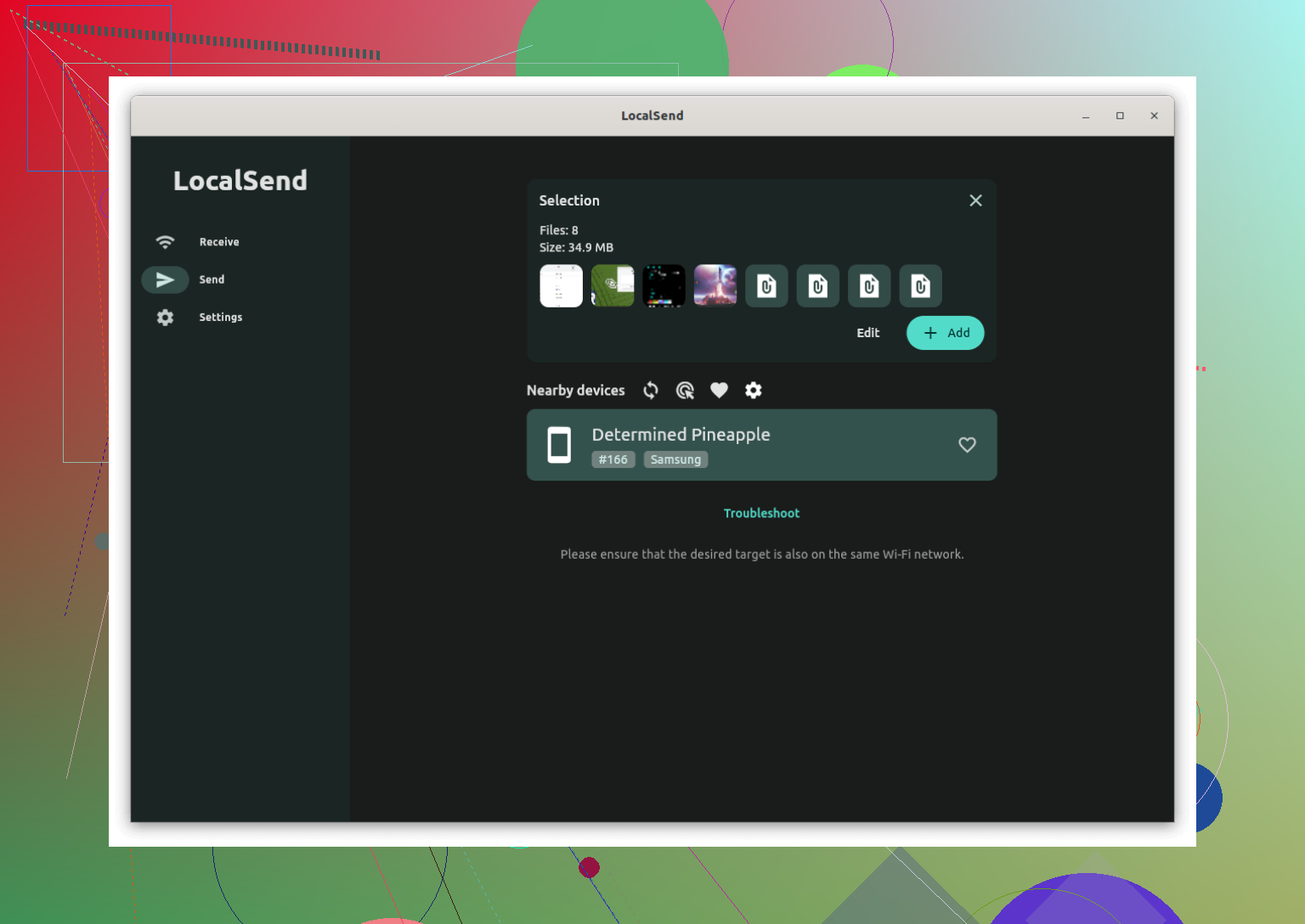
You can easily use LocalSend offline by creating your own local network using a smartphone hotspot. Because LocalSend only requires devices to be on the same network rather than connected to the internet, it works perfectly without an active Wi-Fi setup.
To do this, turn on the portable hotspot feature on your phone and connect your other devices, such as a laptop or a second phone, to that network. Once connected, open the LocalSend app on both devices. They will detect each other immediately, allowing you to transfer files offline without consuming any of your mobile data.
A Wired Alternative for Mac and Android
If you prefer not to use wireless networks at all, or if you are transferring files specifically between a Mac and an Android device, a wired connection is an excellent alternative. Software like MacDroid lets you connect your phone directly to your Mac using a standard USB cable, making the phone appear just like an external hard drive in the Finder.
If you want to move files without a traditional Wi-Fi connection, several other tools can get the job done using either direct wireless connections or physical cables:
- KDE Connect: This tool allows your devices to communicate directly over a local hotspot. Once your devices are on the same hotspot network, you can share files, clipboard contents, and notifications without internet access. It works across Android, Windows, Linux, and macOS.
- Feem: Feem uses Wi-Fi Direct technology to create a local connection between devices without needing a router or internet access. It transfers files directly from device to device at high speeds and supports Android, iOS, Windows, and macOS.
- NearDrop: For Android and Mac users, NearDrop is a lightweight app for macOS that allows your Mac to accept files sent via Android’s built-in Quick Share (formerly Nearby Share) feature. Both devices just need to be on the same local hotspot network.
LocalSend needs both devices on the same local network. No shared network, no device discovery. So if you have zero Wi-Fi and zero hotspot, it won’t work the way you expect.
Small disagrement with @mikeappsreviewer on one point people often gloss over. It is not about ‘internet’. LocalSend does not need internet. It needs a local network path. Those are diff things.
What works:
- A normal Wi-Fi router, even with no internet.
- One phone creating a hotspot, then both devices join it.
- In some cases, the sender joins the hotspot host directly and the reciever joins too. Same result, same LAN.
What does not work well:
- Bluetooth only.
- USB cable only, for LocalSend itself.
- Mobile data with devices on separate networks.
If your devices are not finding each other, check:
- Same hotspot or same Wi-Fi SSID.
- LocalSend open on both screens.
- Firewall on Windows or macOS.
- VPN off. This trips stuff up al ot.
- Private Wi-Fi address settings, sometiems this causes weird discovery issues.
If you want file transfer over USB between Android and Mac, MacDroid is the better fit. LocalSend is for LAN sharing. MacDroid is for wired Android file transfer on macOS, so it solves a diff problem.
Yep, but only if “without Wi-Fi” still means “with some kind of local network.”
That’s the part people mix up. I slightly disagree with how @mikeappsreviewer framed it if it sounded like Wi-Fi itself is mandatory. It isn’t, strictly speaking. LocalSend needs network connectivity between the devices, not necessarily internet and not necessarily a home router.
So:
- No internet? Fine.
- No router? Also fine.
- No shared local network at all? Then no, LocalSend won’t see anything.
One edge case worth mentioning that @viajeroceleste didn’t really get into: on some platforms you can still connect manually by IP if auto-discovery is failing. So even when devices do not “find each other,” LocalSend is not always completely dead. Discovery is one thing, reachability is another. If both devices somehow have IPs on the same subnet, manual entry can somtimes work.
Also, if you’re using iPhone, be aware iOS can be weird about hotspot + peer visibility depending on what the other device is and whether LocalSend is active in foreground. That trips people up a lot.
If what you really mean is:
- two devices
- no Wi-Fi network
- no hotspot
- no LAN
- just a USB cable
then LocalSend is the wrong tool. For Android to Mac over cable, MacDroid makes way more sense. LocalSend is LAN-based sharing, MacDroid is for wired Android file transfer on macOS, which is a totally diff setup.
Short version: no shared network, no LocalSend. Shared hotspot or other local path, yes. Manual IP can be worth a try if discovery is being dumb.
One nuance I’d add to what @viajeroceleste and @techchizkid and @mikeappsreviewer said: LocalSend can be blocked even when the network part is technically fine, because some phones aggressively isolate hotspot clients or pause background discovery. So people think “no Wi-Fi = impossible,” when sometimes it’s really “same network, but discovery is flaky.”
Practical answer: LocalSend is not a cable-transfer app. It wants IP connectivity. If you have absolutely no shared network path, it will not work.
Where I slightly disagree with the usual advice is the focus on discovery first. Discovery failing does not always mean transfer is impossible. If both devices already have reachable local IP addresses, manual connection can sometimes still succeed. If they do not share a subnet, then forget it.
If your real goal is Android-to-Mac with no router around, I’d stop fighting LocalSend and use MacDroid instead.
MacDroid pros:
- Works over USB
- Better fit for Android to macOS file access
- No need to keep both apps visible for LAN discovery
MacDroid cons:
- Not the same cross-platform LAN simplicity as LocalSend
- Wired workflow, so less convenient for quick phone-to-phone sharing
- Best suited specifically to Android and Mac, not every device combo
So, short version:
- No internet is okay
- No router is okay
- No shared local network or hotspot is not okay for LocalSend
- USB-only transfer: use MacDroid instead