I accidentally removed important files from my USB flash drive while cleaning it up, and now I can’t find them anywhere. These documents and photos are really important, and I need to know if there’s a way to recover deleted files from a USB drive before they’re gone for good. What recovery steps or software should I try first?
USB files deleted by accident, what I’d do first
I’ve run into this more than once. Flash drives don’t act like your system drive. A lot of the time, when you delete files from a USB stick, they do not pass through the normal Recycle Bin at all. So it looks final right away. Still, deleted does not always mean erased.
The first move is boring but important. Stop using the USB stick.
Do not copy a file onto it. Do not rename stuff. Do not format it. Do not run cleanup apps. Deleted data often sits there until something new takes its place. On a small thumb drive, overwrite happens fast. I lost a folder once after tossing one extra spreadsheet onto the stick. Dumb mistake.
What I’d do, in order
- Unplug the USB and leave it alone until you’re ready to scan it.
- Download recovery tools onto your computer or another drive, not onto the USB.
- Save any recovered files somewhere else.
- Skip repair tools at the start unless the drive has read errors or refuses to open.
Check one easy thing before scanning
Before you go into recovery software, open the flash drive and make hidden files visible.
I’ve seen cases where files looked deleted but were only hidden after a bad disconnect, malware cleanup, or some file attribute mess. It takes a minute to check. Also look for hidden folders like:
- $RECYCLE.BIN
- RECYCLER
- RECYCLED
- .Trashes
That last one shows up more often if the drive was used with a Mac. I would not bet on this fixing the whole problem, still, it costs nothing to look.
The recovery tool I’d start with
If I were doing this on my own machine, I’d start with Disk Drill.
Not because it performs miracles. I picked it first because the process is clear, and file preview saves time. Preview matters more than people think. Pulling back 400 unnamed files and sorting them by guesswork is miserable.
The steps I’d follow
- Install Disk Drill on your computer, not on the flash drive.
- Plug in the USB and pick it from the drive list.
- Run a standard lost data scan.
- Let the scan finish. Do not stop halfway if the missing files matter.
- Use search, filters, and preview to narrow the list.
- Restore files to your computer, an external hard drive, or a different USB.
Preview tells you a lot
This is the part I trust most. If a file opens in preview, your odds are better.
When the recovery app shows the original filename and folder path, I take that as a good sign. If all you get are generic names like recovered_file_001, the files still might be fine, but sorting them later gets ugly fast. I’ve done it. It sucks, but it beats losing the whole batch.
Why USB drives are awkward
Most flash drives use FAT32, exFAT, or NTFS. Disk Drill tends to deal with those file systems well. It checks normal file system records first, then falls back to signature scanning when those records are broken or missing.
That matters when the stick was pulled out wrong, got corrupted, or started acting flaky before the files disappeared.
What about Recuva
You can try Recuva if this looks simple.
For a few deleted JPGs, PDFs, or Word files on Windows, it might do the job. I still treat it as the backup option, not the first one. It’s older, Windows-only, and in my use it felt weaker with mixed file types and larger recovery jobs. Disk Drill gave me cleaner results and less mess to sort through.
One thing I would not do right away
I would not run CHKDSK first because somebody on a forum typed ‘run chkdsk’ and left.
CHKDSK helps with file system errors. It is not an undelete tool. On some damaged drives, it changes file system structures and turns a clean recovery job into a worse one. My rule stayed the same after getting burned once. Recover first. Repair later.
When software stops helping
If the USB:
- is not detected at all
- shows 0 bytes
- keeps disconnecting
- has a bent or loose connector
then you’re not dealing with a simple delete case anymore. At that point, I’d stop poking at it and think about a recovery lab, especially if the files matter. If the hardware is failing, software won’t save you.

8 Likes
Yes, file recovery from a USB drive after accidental deletion is still possible, if you stop using the drive now.
One small disagreement with @mikeappsreviewer, I would check your computer first before assuming the files are gone for good. If you deleted them from the USB while it was plugged into Windows, sometimes apps moved copies into a temp or recent-files path. Rare, but worth 2 minutes.
What I’d do:
- Stop writing anything to the USB.
- Try another USB port and another PC, in case the folder view is bugged.
- Check if the files were cut and pasted somewhere by mistake.
- Look in Office recent files, Photos import history, and your system search.
- Then run recovery software.
For recovery, Disk Drill is a solid pick because it handles USB flash drives well and lets you preview docs and photos before restoring them. Preview is huge. If a JPG previews cleanly, your odds are decent. If a DOCX shows the right file size and date, also a good sign.
One more thing, if the drive asks to format, do not click yes. People do this in a panic and make the job harder.
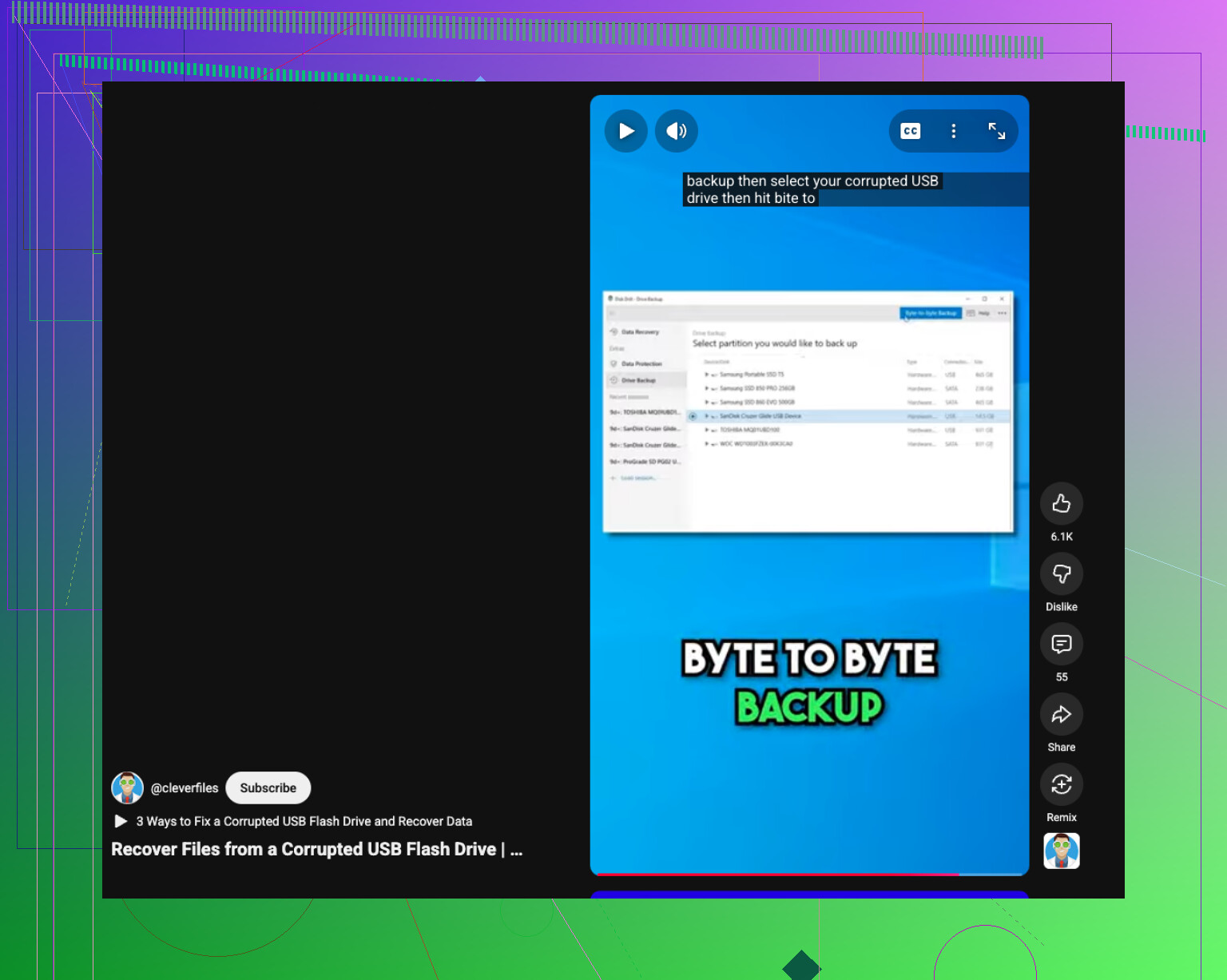
If the USB is corrupted, this quick guide helps: how to recover data from a corrupted USB drive
If the stick disconnects, shows 0 bytes, or gets hot, stop. At taht point it looks more like hardware failure than a simple delete issue.
Yes, you can sometimes recover them, but I’d add one thing to what @mikeappsreviewer and @voyageurdubois said: if the files were deleted very recently, check whether the USB was synced with anything before you go full recovery-mode. Stuff like OneDrive camera upload, Adobe recent files, Word autosave, even Apple Photos import cache can save your butt without needing a deep scan.
Also, slight disagreement with the usual “scan it over and over with different apps” advice. I would not keep hammering the flash drive with multiple full scans if it’s old or acting weird. USB sticks are cheap for a reason, and some of them get flaky fast.
What I’d do:
- Stop using the USB imediately
- Do not format it
- Check cloud/recent file history on the computer
- If nothing turns up, run Disk Drill from the computer, not the USB
- Recover files to another drive only
Disk Drill is probly the easiest place to start for deleted USB files because it’s good at finding documents, photos, and folders that vanished after accidental deletion, and the preview feature helps you see what’s actually recoverable before restoring.
If you want a simple walkthrough and Disk Drill review info, this is decent: see how Disk Drill recovers deleted USB files
One more thing people miss: if recovered photos come back but look half-gray or corrupted, that usually means parts were already overwritten. So recover everything first, sort later.