I accidentally deleted a folder of important photos from my phone and the trash was already emptied. I’m trying to find a free photo recovery app that isn’t sketchy and can actually recover deleted pictures without ruining the files. If anyone has used a reliable photo recovery tool for Android or iPhone, I’d really appreciate the help.
I’ve had to recover wiped shoots more than once, and the part people skip is the part which matters most. Stop using the card or drive right away.
When a photo gets deleted, the file data usually stays put for a while. The system only marks the space as free. If you keep shooting, copying, or moving files onto it, your old images get replaced bit by bit. After that, recovery tools stop helping. So yeah, first move, eject the card, unplug the drive, leave it alone.
After that, the tool matters less than people think. What you pick depends on how much mess you’re dealing with, how much time you want to spend, and whether you want a clean interface or raw recovery depth.
What I tend to use first
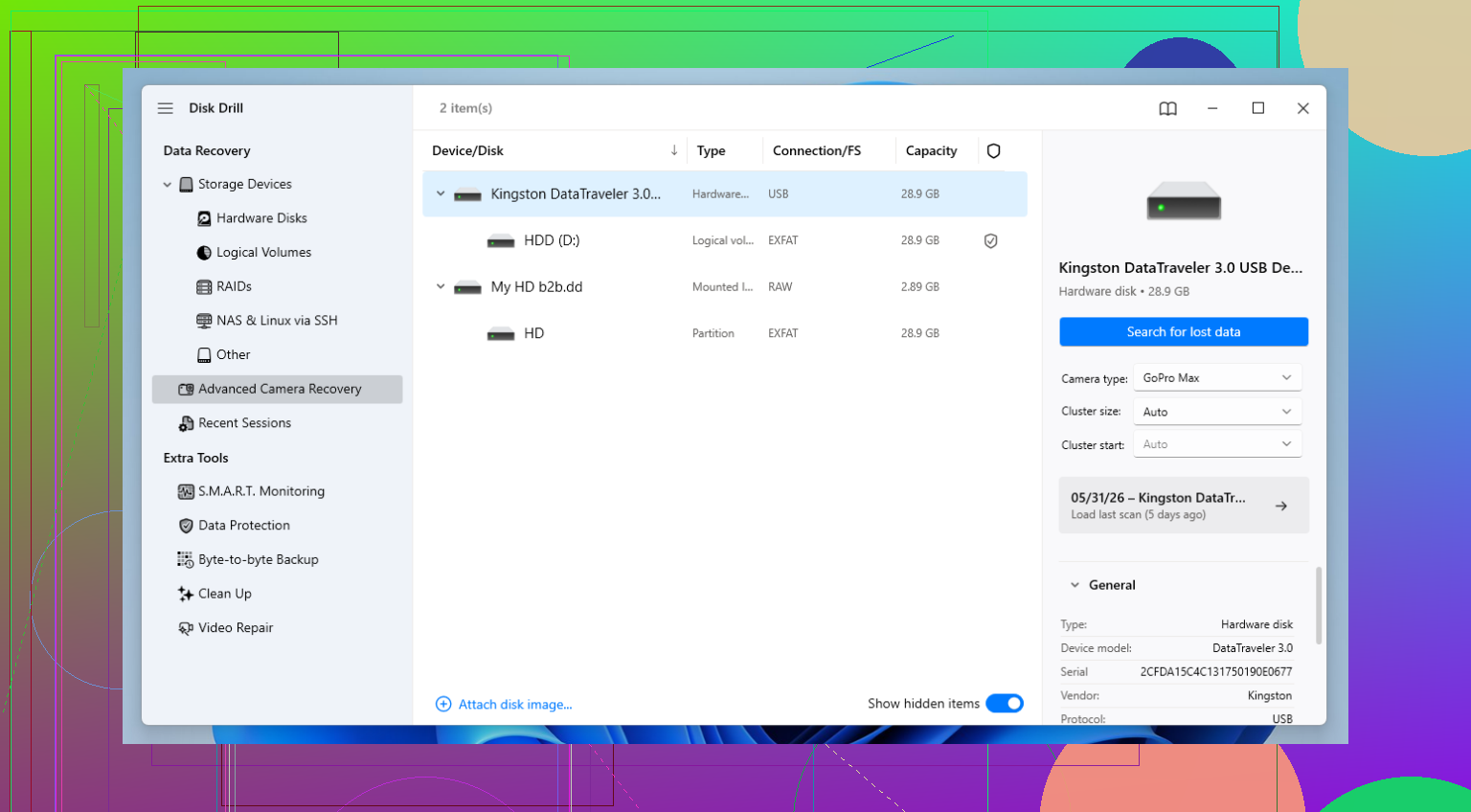
I usually start with Disk Drill.
Not because it’s magic. It’s because I’ve seen it pull back files other apps showed as junk. The layout is easy to work through, which helps when you’re already stressed and trying not to make the situation worse. It also handles a long list of RAW formats, CR3, NEF, ARW, and the usual camera stuff without much fuss.
The part worth noting is its camera-focused recovery mode. Fragmented files are where many apps fall apart. A camera writes chunks of a file in different places, and some recovery tools bring back something with the right extension but the file won’t open. Disk Drill does a better job stitching those pieces back together. I’ve seen it recover photos and clips other scanners found but mangled.
The catch with Disk Drill
The free tier is tight. On Windows, you only get 100 MB of actual recovery.
For a few key shots, fine. For a full card, no shot. What it is good for, though, is scanning and previewing. If your files preview cleanly, you at least know the data is still there before paying for anything.
If you want free options
Two names come up a lot, and for good reason. PhotoRec and Recuva. Both are useful. Both have tradeoffs.
PhotoRec
PhotoRec is ugly, blunt, and weirdly effective.
It ignores the file system and scans the raw sectors for file signatures. This helps when the card is damaged badly enough your computer barely sees it, or not at all. I’ve had it find image files off media other software refused to scan properly.
What you give up is convenience. There’s no polished gallery. No easy preview flow. File names and folder structure are usually gone, too. You end up sorting through a pile of output with names like f12345.jpg and trying to figure out what belongs where. If your goal is maximum salvage and you don’t mind cleanup later, it’s solid.
Recuva
Recuva is the opposite experience.
It’s simple, Windows-only, and free for unlimited recovery. If you deleted photos a few minutes ago from a healthy drive, it’s often enough. I’ve used it for small mistakes and it did the job fast.
Where it drops off is corruption, quick formats, and messy file systems. In those cases, it misses stuff. Sometimes a lot. It doesn’t seem to do as well when files need deeper reconstruction instead of a basic undelete pass.
What I’d do in your spot
I’d scan with Disk Drill first and check previews. For me, previewing is the fastest way to see whether a file is still intact. If the previews look good, you know recovery has a chance.
If the card is in rough shape, or the scan results look thin, I’d try PhotoRec next. It’s less friendly, more work, and kind of a pain tbh, but sometimes it pulls images from media which looks cooked.
If the loss was recent and the drive is healthy, Recuva is worth a first pass because it’s easy and doesn’t cap recovery.
Every recovery case is a little different. Card brand, file system, whether the card was formatted, whether new data got written, all of it changes the result. So I’d test more than one scanner instead of betting on a single app from the start.
25 Likes
Skip phone apps first. Most of them are junk, or they want root, or they scan thumbnails and pretend they found your photos.
If the photos were on an SD card, take the card out and scan it on a PC. Best free-first option for phones is usually not a phone app. I’d try Disk Drill for the scan and preview, then decide from there. I know @mikeappsreviewer leaned into deeper recovery tools, but I disagree a bit on Recuva for phone cases. It works fine on simple Windows deletes, not so great when Android storage gets messy.
If you want fully free, use Windows File Recovery if the phone showed up as a drive, or check your cloud first, Google Photos, OneDrive, iCloud. A lot of people miss synced copies. Saved me once, no joke.
Also worth watching this best tools for recovering deleted photos and videos.
If the photos were in internal phone storage, odds drop fast. New pics, app installs, even normal use can overwrite them. So stop using the phone rn.
If this was internal phone storage, I’m gonna disagree a little with the usual “just grab a phone app” advice because most of those are thumbnail scavengers dressed up like recovery tools. They look busy, then “recover” junk you already had cached. Kinda useless tbh.
What I’d check first is whether your phone brand has its own backup layer. Samsung Gallery sync, Google Photos archive, Xiaomi cloud, OneDrive camera upload, stuff like that. People miss those all the time because the folder is gone locally but still sitting in a synced account.
If you can connect the phone storage to a computer in a readable way, I’d use Disk Drill mainly as a verification tool first. Not saying it’s the only answer, but it’s good at showing whether the deleted images are actually still recoverable before you waste hrs on fake free apps. Then compare that with what @mikeappsreviewer and @cazadordeestrellas mentioned and decide if it’s worth going deeper.
For actual free stuff, I’d also look at your desktop OS tools before random mobile apps. They’re boring, but less sketchy.
Also, this roundup on the best software for recovering deleted photos is worth a skim if you want a quick comparison.
Short version:
- internal storage = low odds unless backed up
- SD card = much better odds
- avoid installing recovery apps on the same phone
- stop using the phone rn if the pics matter
Sad but true: “free photo recovery app that actually works” usually means “free scan, paid recovery” or “free but messy.”
I’ll be the slightly contrary one here: if this was internal phone storage, a “free recovery app” on the phone itself is usually the worst move. Installing it can overwrite the very space your photos were using.
What I’d do instead:
- Check Google Photos / iCloud / OneDrive / manufacturer gallery sync
- Check whether the folder was part of a messaging app, since those often keep their own media cache
- If Android, look in Files > Recently deleted plus the gallery app’s own trash, since they’re sometimes separate
For actual recovery, I agree with @cazadordeestrellas, @byteguru, and @mikeappsreviewer on one thing: use a computer first if possible.
Disk Drill is decent for that.
Pros:
- easy scan and preview
- good for seeing whether recovery is even realistic
- less sketchy than random phone apps
Cons:
- free recovery is limited
- internal phone storage support is hit or miss depending on how the phone mounts
- not magic if the data was already overwritten
If it was an SD card, your chances are way better. If it was internal storage, honestly, backups matter more than apps. So yes, free tools exist, but “actually works” depends way more on where the photos were stored than the app name.