I checked iPhone Storage and the app sizes don’t seem to match the total storage being used. It looks like there’s missing space somewhere, and I can’t figure out if it’s system data, cached files, or a bug. Has anyone fixed this or found a way to see what’s really taking up storage?
Why iPhone ‘Applications’ Storage Looks Wrong
I ran into this on my own phone and it was maddening. I added up the app sizes one by one, saw a pile of 500 MB and 1 GB entries, then looked at the storage graph and iOS claimed Applications was eating 50 GB. It looked fake.
After poking around for way too long, I found the number isn’t only the apps sitting on your Home Screen. On the iPhone Storage page, the Applications chunk often rolls several types of data into one bucket.
What goes into ‘Applications’
From what I saw, it usually includes:
-
App binary
The installed app itself, the code from the App Store. -
Support files
Stuff the app needs in order to run, language resources, bundled assets, downloaded components. -
User data
Logins, saved settings, local files, preferences. -
Cache
This is often the big one. Feed images, temp media, game assets, chat thumbnails, streaming leftovers.
So if the totals don’t match what you expected, your phone usually isn’t lying. It’s counting more than the visible app package size.
Why the numbers look inconsistent
iOS does a messy job showing this cleanly. Tap into one app and you might see part of its storage broken out under Documents & Data. Then the top summary bar seems to fold some of it back into Applications anyway.
It got worse for me after an iOS update. The phone seemed to re-index storage, and for a while old temp files or update leftovers looked like app storage. A day later some of the numbers shifted again. So yeah, the label is not always stable right away.
The usual offenders
The biggest storage creepers for me were apps with constant media loading:
- TikTok
- Telegram
- YouTube
- Games with downloadable assets
These apps pile up cache fast. Sometimes the cache is obvious, sometimes it barely shows in the per-app list, yet the top bar still inflates.
Why your phone starts feeling bad
On my iPhone 13, low free space made everything feel off. Camera lagged. Touch input felt delayed. A few apps crashed for no clear reason.
From what I noticed, once storage gets tight, iOS has less room for temporary system files. That hurts everyday performance more than people expect. The phone doesn’t need to be at 100 percent full either. Mine felt rough before it hit the wall.
What I tried first
I started with the usual cleanup steps.
Offload unused apps
This removes the app itself but keeps your data. It freed some space, though not much in my case.
Delete and reinstall the biggest apps
This worked better. Reinstalling wiped out hidden cache junk for some apps. Still, doing it manually across a bunch of apps was annoying and slow.
What helped me spot the real problem
What surprised me most was how much space wasn’t coming from apps at all. It was old media I forgot existed.
I used Clever Cleaner after a friend mentioned it. I don’t trust most cleanup apps, so I expected the usual junk. This one felt different because I didn’t run into ads, paywalls, or the fake ‘scan complete’ routine some apps pull.
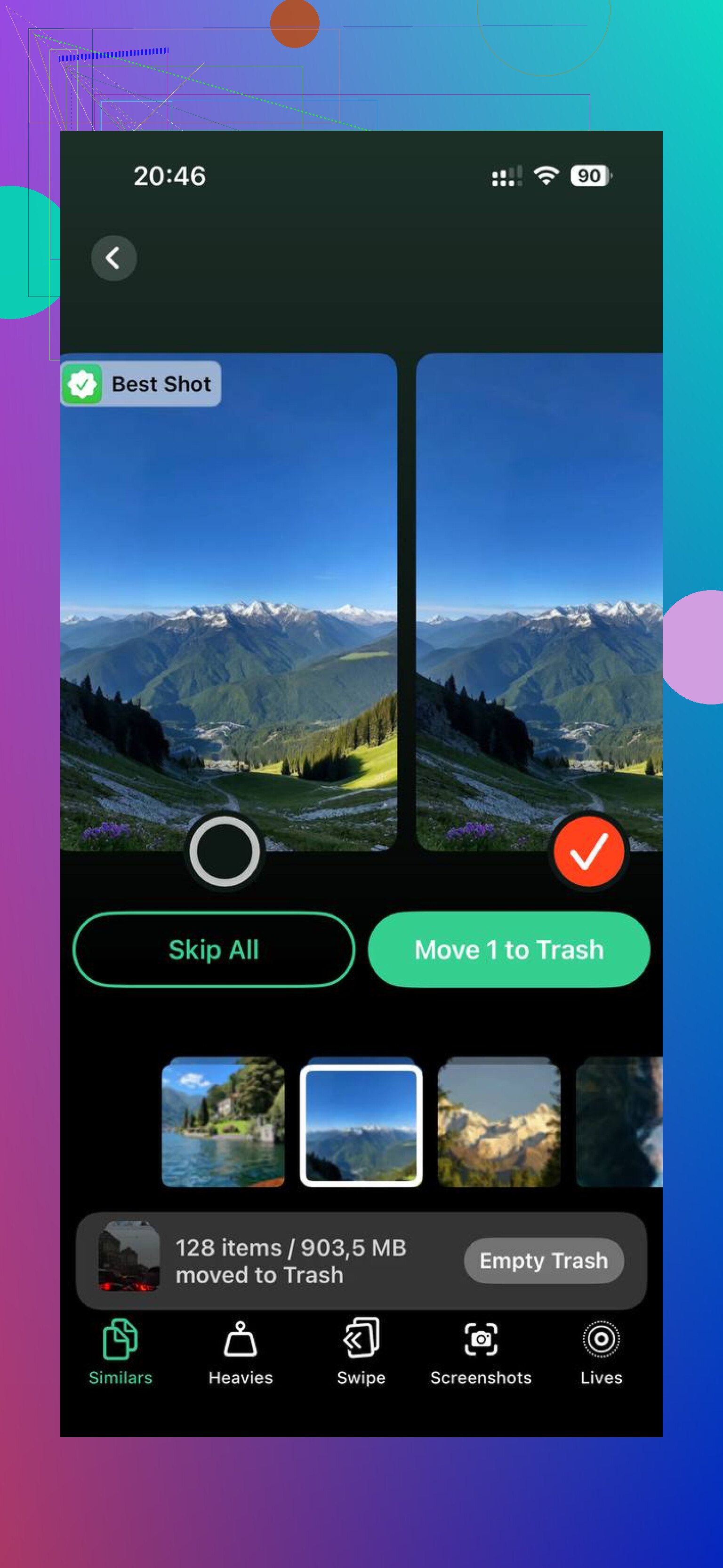
The part I ended up using most was the Heavies section. It showed my largest files by exact size. That made the problem obvious fast. I found old screen recordings, giant 4K clips, and random saved videos I forgot I had. A few of those were bigger than entire apps.
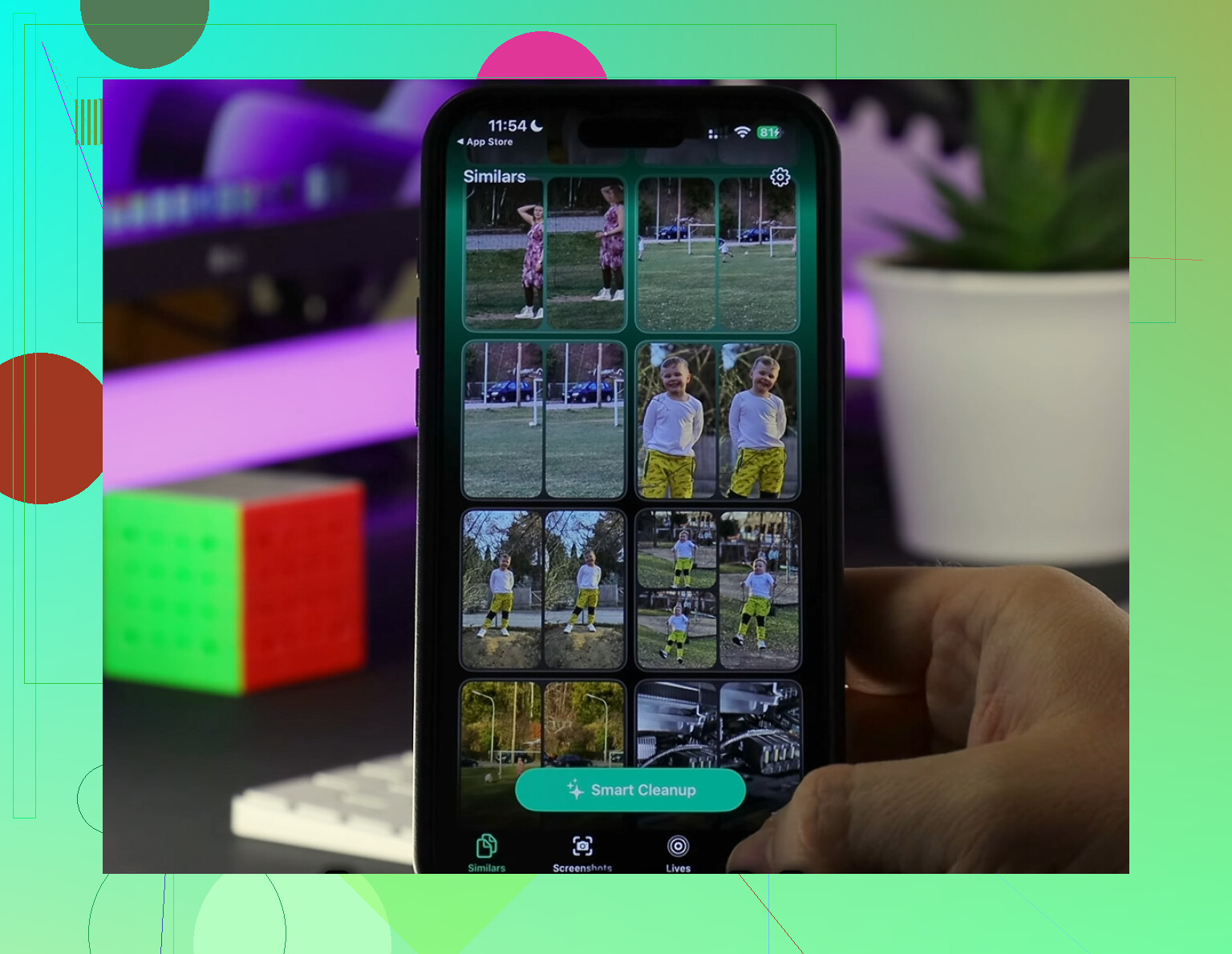
There’s also a Similars section for duplicate or near-duplicate photos. I had loads of repeated shots from trying to get one decent picture. Clearing those out was boring, but easy.
What changed after cleanup
Once I removed around 20 GB of junk, the storage graph stopped looking ridiculous. The Applications section dropped closer to what I expected, and the phone felt snappier again. Less lag, fewer weird pauses.
If your iPhone says Applications is huge, I’d check app caches first, then look hard at your media library. In my case, the app total was inflated by hidden cache and a pile of forgotten files. Freeing up space fixed more than I thought it would.
If your phone is dragging and your storage bar is red, don’t ignore it. Dig through the big apps, clear the junk, and give iOS some empty space to work with. It helped me more than any setting tweak I tried.
2 Likes
Yep. I’ve seen this on a few iPhones, and I don’t fully agree with @mikeappsreviewer on one part. It isn’t always hidden app cache. iOS storage reporting is also sloppy, esp right after an update, restore, or heavy photo indexing.
What I’d check first:
-
Restart the phone, then wait a few hours.
Storage totals sometimes recalc late. -
Compare three buckets.
Applications, iOS/System Data, Photos.
A lot of “missing” space ends up in Photos or System Data, not apps. -
Look at Messages.
Settings > General > iPhone Storage > Messages.
Attachments get huge and people miss them al the time. -
Check downloaded media.
Netflix, Spotify, YouTube, Podcasts, Maps offline data. These often blur into app storage. -
Sync issue.
If iCloud Photos or Messages in iCloud is stuck, local temp files pile up.
If you want a faster way to spot the biggest files, Clever Cleaner is worth a look. It helps find heavy videos and duplicate photos, which is where a lot of “fake app storage” turns out to be. I also found this review useful for seeing what it does in plain English: see Fossbytes’ Clever Cleaner review and test results
Short version, yes, the numbers often don’t add up. Sometimes it’s cache. Sometimes it’s indexing junk. Sometimes iOS is being iOS.
Yep, seen it. And I kinda disagree with @mikeappsreviewer a little. The Applications bar is not always a honest “sum of app sizes” number. iOS sometimes counts app containers, temporary install files, update residue, and even weird snapshot stuff while it’s recalculating. So the math looks broken even when nothing is technically wrong.
One thing I’d check that wasn’t mentioned much: Safari and Files.
Safari website data can get stupidly large, and Files may have downloads sitting in On My iPhone that you forgot about. Also check Mail if you use the Apple Mail app with big attachments.
Another sneaky one is failed iOS update leftovers. If storage is way off right after an update, I’ve had it settle down after plugging in overnight on Wi-Fi.
If you want to sanity check what’s actually big on the device, Clever Cleaner is useful for surfacing huge videos and duplicate pics fast. Sometimes “app storage” turns out to be media clutter you forgot existed. I also found this iPhone storage cleanup video walkthrough pretty relevant.
So yeah, you’re not crazy. iPhone storage reporting is kinda janky lol.
Yep, this happens, and I’d push back a bit on the “just cache” explanation. Sometimes the missing space is APFS snapshot/local restore junk that iOS doesn’t surface cleanly in the Storage UI. You can see this a lot after migration, beta installs, failed updates, or when the phone was near full during an update.
A couple things I’d try that are different from what @espritlibre, @waldgeist, and @mikeappsreviewer already covered:
- Check for a downloaded iOS update file in Settings > General > iPhone Storage. Those can sit there quietly.
- See if Voice Memos is huge. Long recordings barely get mentioned but can eat gigs.
- Open Files app and check Downloads plus On My iPhone folders app by app.
- If you use Apple TV or Music, look for partially downloaded media.
- Connect to a Mac and compare Finder storage categories. Sometimes Finder reports the buckets a little differently and gives you a clue.
One thing I do disagree on a little: the Storage page is not always “wrong”. It’s often counting app containers and local data that users just don’t see itemized well.
If you want a fast reality check, Clever Cleaner can help surface giant videos and duplicate photos that make the Applications number look suspicious. Pros: simple, quick scan, good for media bloat. Cons: it won’t magically clear true system data, and cleanup apps in general are only as useful as what iOS lets them access.
So yes, anyone else? Definitely. iPhone storage math gets weird.