I’m thinking about using the TVRem remote app to control my smart TV, but I’m unsure if it’s reliable or safe to use. I’ve seen mixed reviews online and don’t want to mess up my TV settings or waste time on a buggy app. Can anyone share real experiences, issues you ran into, or tips on setup and performance with TVRem?
I’ve been using TVRem for a bit, so here is the short version of how it went for me.
I grabbed it from here:
First thing, setup did not fight me. I installed the app, put my phone and TV on the same Wi‑Fi, opened TVRem, and it picked up my Roku and a Fire TV Stick in the living room on its own. No manual IP stuff. Tapped the device, confirmed on the TV, done.
Day to day use
What I use it for most:
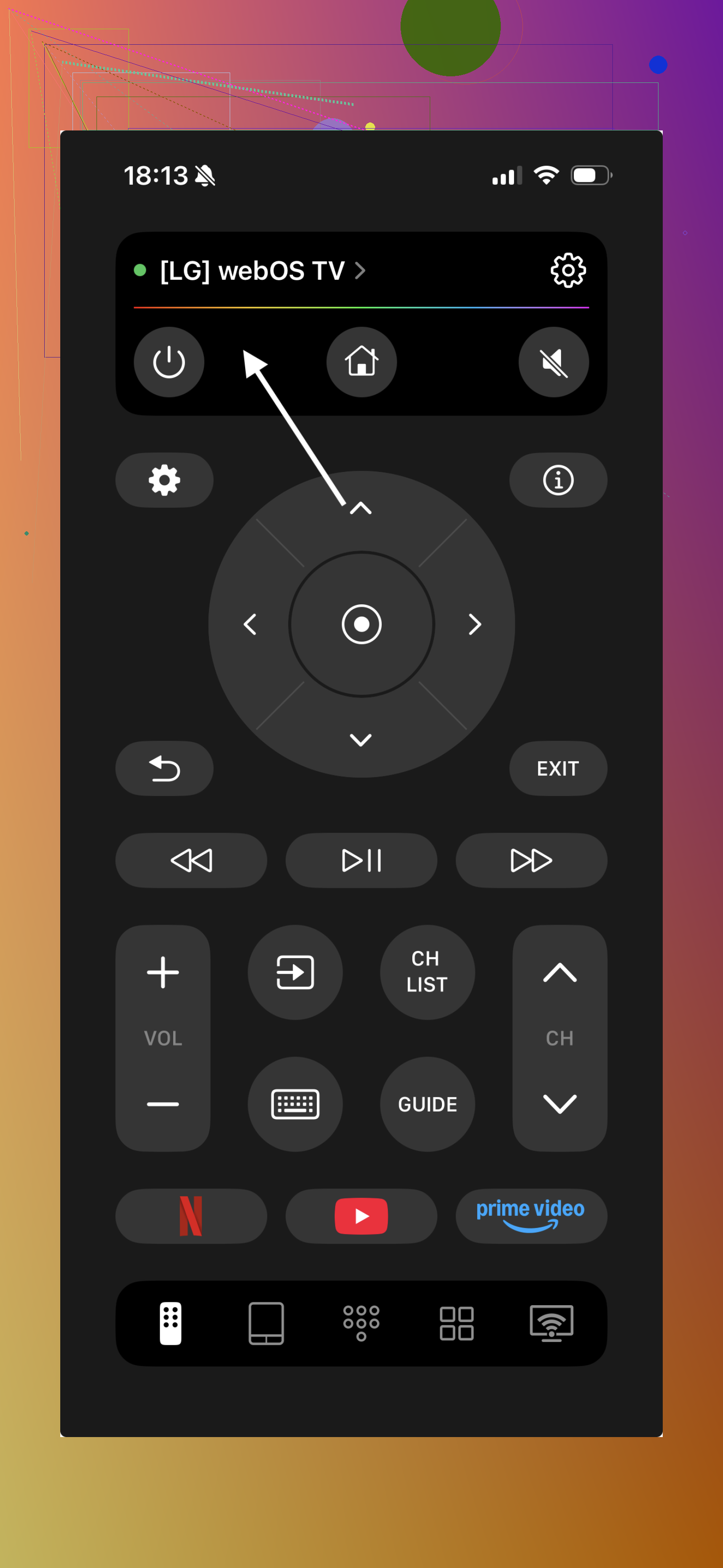
• Volume and mute
• Navigating apps and system menus
• Play / pause / rewind / fast forward
Lag is there, but tiny. On my network it feels close enough to a physical remote. If your Wi‑Fi is overloaded, you will notice a delay when spamming buttons.
Keyboard and text entry
This part saved me a lot of irritation. Typing email addresses and passwords with a TV remote is awful. With TVRem, whenever the TV pops up a text field, I switch to the phone keyboard and type there. It sends the text to the TV, no hunting around letter by letter.
That alone made me keep the app installed.
Touchpad controls
The touchpad mode is another thing I ended up liking more than I expected. You swipe on the phone like a laptop trackpad to move focus around, then tap to select. For long scrolling through lists, it is faster than hammering arrow keys.
Compatibility and devices
What I tested it with at home:
• Roku TV
• Fire TV Stick
• Android TV box (cheap no‑name one)
• Google TV Chromecast
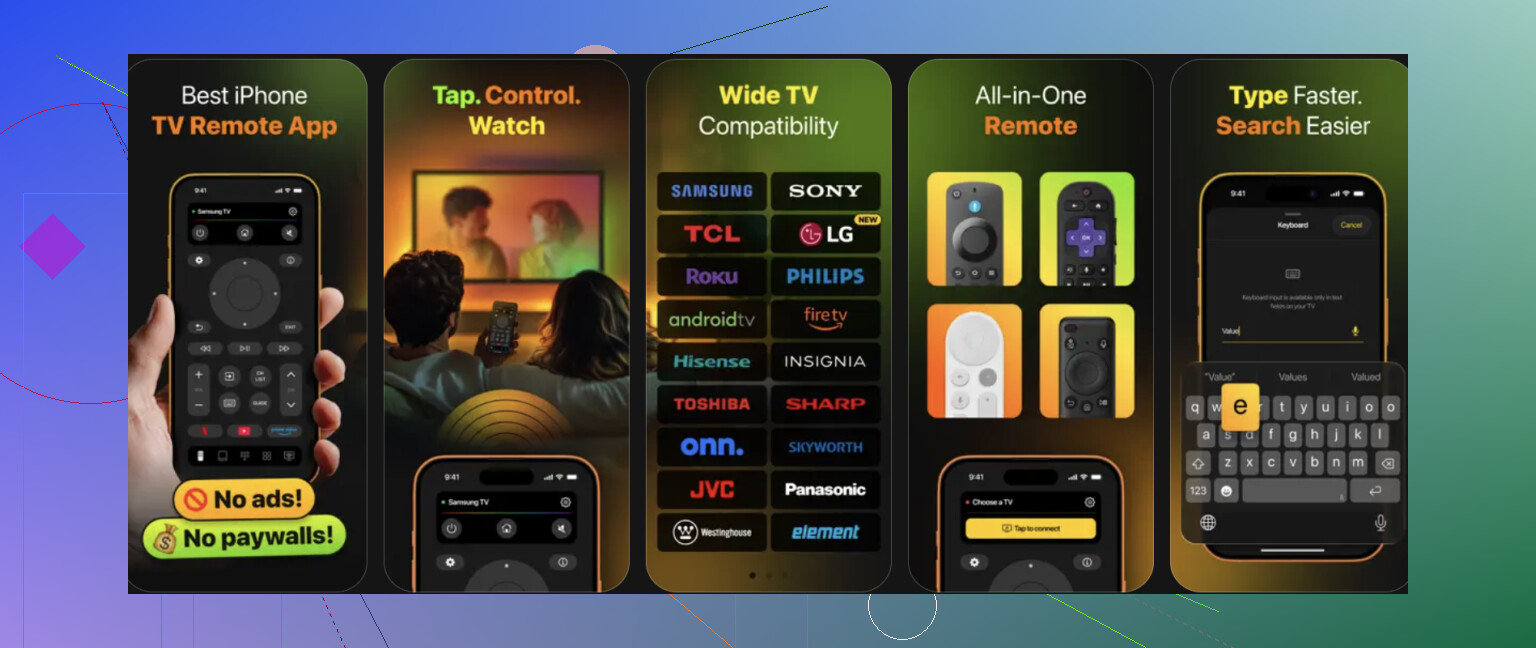
It worked with all of those. I did not have an LG or Samsung smart TV with their own OS to test, so no idea how that behaves.
If you have multiple devices in the house, it is convenient that the app keeps them in a list. I switch room by room without repairing every time.
Free vs “is there a catch”
The app is here on desktop too:
On iPhone it installs as a free app, so you can use it without paying.
Stuff that annoyed me a bit
• If Wi‑Fi drops or I switch networks, the app sometimes loses the device list and rescans. Not a huge deal, but it adds a few seconds.
• If someone in the house uses the physical remote while I use TVRem, there is occasional desync in focus, though it fixes itself as soon as the TV refreshes the UI.
Who I think it suits
Use it if:
• Your physical remote tends to disappear under cushions.
• You enter passwords or search terms on the TV often.
• You have more than one streaming device and want one controller on your phone.
Skip it if:
• Your Wi‑Fi is unreliable. You will hate the input lag.
• You prefer physical buttons and never type on your TV.
If you want to see it in action, there is this video:

39 Likes
I’ve used TVRem on a few setups and my take is a bit different from @mikeappsreviewer’s in some spots.
Reliability and safety first
It does not mess with TV firmware or “deep” settings. It talks over your local network using the same control APIs your physical remote or official apps use. You are not going to brick your TV with it. Worst case, it fails to connect or misses some commands.
That said, I would not give it every permission it asks for on your phone. It works fine for me with local network permission only. I skip contacts, tracking, etc when possible.
What it works well for
My success list:
• Newer Roku TV
• Fire TV 4K Max
• Hisense Android TV (2022 model)
For these, navigation, volume, and text entry work as expected. Lag is small on a half decent Wi‑Fi network. If your router is 2.4 GHz only and crowded, input gets sluggish fast. If your Wi‑Fi is flaky, you will get annoyed.
Where it struggled for me
This is where I differ a bit from Mike:
• Older Samsung
It connected once, then stopped seeing the TV until I reset network settings on the TV. After that it worked, but discovery took longer than I liked. If you have an older Samsung or LG, I would not rely on TVRem as your only remote.
• Mixed brand house
If you have one TV from each brand, expect the app to behave slightly differently per device. On my Hisense, the keyboard integration felt smooth. On Roku, keyboard prompts lagged by 1 to 2 seconds.
Privacy thoughts
Traffic stays in your LAN for control, which is good. The app still sends analytics out like most free apps. If this bothers you, block it at the router or use a DNS blocker. It still works after that in my tests.
How to test it without wasting time
To avoid sinking an evening into this, I would do:
- Install on phone.
- Connect phone and TV to same Wi‑Fi band.
- Reboot the TV once.
- Open TVRem and see if it discovers your device in under 30 seconds.
- Test three things only: arrow keys, volume, and text input in YouTube or Netflix search.
If any of those three feel laggy or unreliable, I would uninstall and move on. Do not fight it for an hour. The app either behaves on your network and TV combo or it keeps being flaky.
Who it suits
• You lose remotes often.
• You type passwords and search terms on TV more than once in a while.
• Your Wi‑Fi is stable and not overloaded.
Who it does not suit
• You use older Samsung or LG smart TV as your main screen and hate debugging.
• Your router is far from the TV or shared with a lot of neighbors.
• You prefer physical buttons and mostly channel surf.
If you want a safer test route, install it, keep your original remote next to you, and use TVRem only for text entry first. If that part works well and does not glitch, then expand to full control. If it acts weird or drops, delete it and use the official remote app from your TV brand instead.
I’m somewhere between @mikeappsreviewer’s “this is pretty smooth” experience and @voyageurdubois’ “depends a lot on your setup” take.
For reliability/safety:
- It’s not going to “mess up” firmware or brick the TV. These remote apps talk over your LAN using existing control protocols. No rooting, no hidden system tweaks.
- Where I slightly disagree with both: I wouldn’t treat any third‑party remote app as critical infrastructure. They break after TV updates more often than the official brand apps.
My own pattern using it:
- Great as a secondary remote, especially for text entry and when the real remote vanishes.
- Terrible as the only remote if you’ve got:
- spotty Wi‑Fi
- a TV in a congested 2.4 GHz environment
- older “smart” sets that already act drunk on a good day
Extra things I’d add that they did not lean on:
- Check your TV brand’s own remote app first. If that exists and is decent, use TVRem as a bonus, not a replacement.
- Watch battery drain. Some versions of these apps stay chatty on the network. If you find your phone getting warm or battery tanking, I’d bail.
My quick sanity test that isn’t just their step list:
- Use it for one evening only for:
- volume
- navigation in one app (like Netflix)
- one long text entry (a search or login)
- If during that evening you swear at it more than once because of lag, missed taps, or random disconnects, it’s not worth trying to “tune” it. Remote apps that start flaky rarely become stable magically.
Bottom line:
- Safe for your TV, yes.
- “Reliable” depends 80% on your Wi‑Fi and TV age, 20% on the app.
- If you already have a working physical remote, treat TVRem as a convenience tool, not a critical replacement.